
TL;DR, Resposta rápida
19 min de leituraServer side tracking sends selected events from infrastructure you control, such as your backend, payment webhooks, API routes, or a first-party proxy. It improves reliability for verified business events, but it does not make analytics automatically private, consent-free, or identical across tools.
Se sua análise de navegador parece incompleta, este guia sobre rastreamento no lado do servidor mostra o que muda quando os eventos deixam de ser enviados pelo navegador do visitante e passam a ser processados por uma infraestrutura que você controla, o que ainda falha e quais plataformas de análise oferecem suporte a esse modelo hoje.
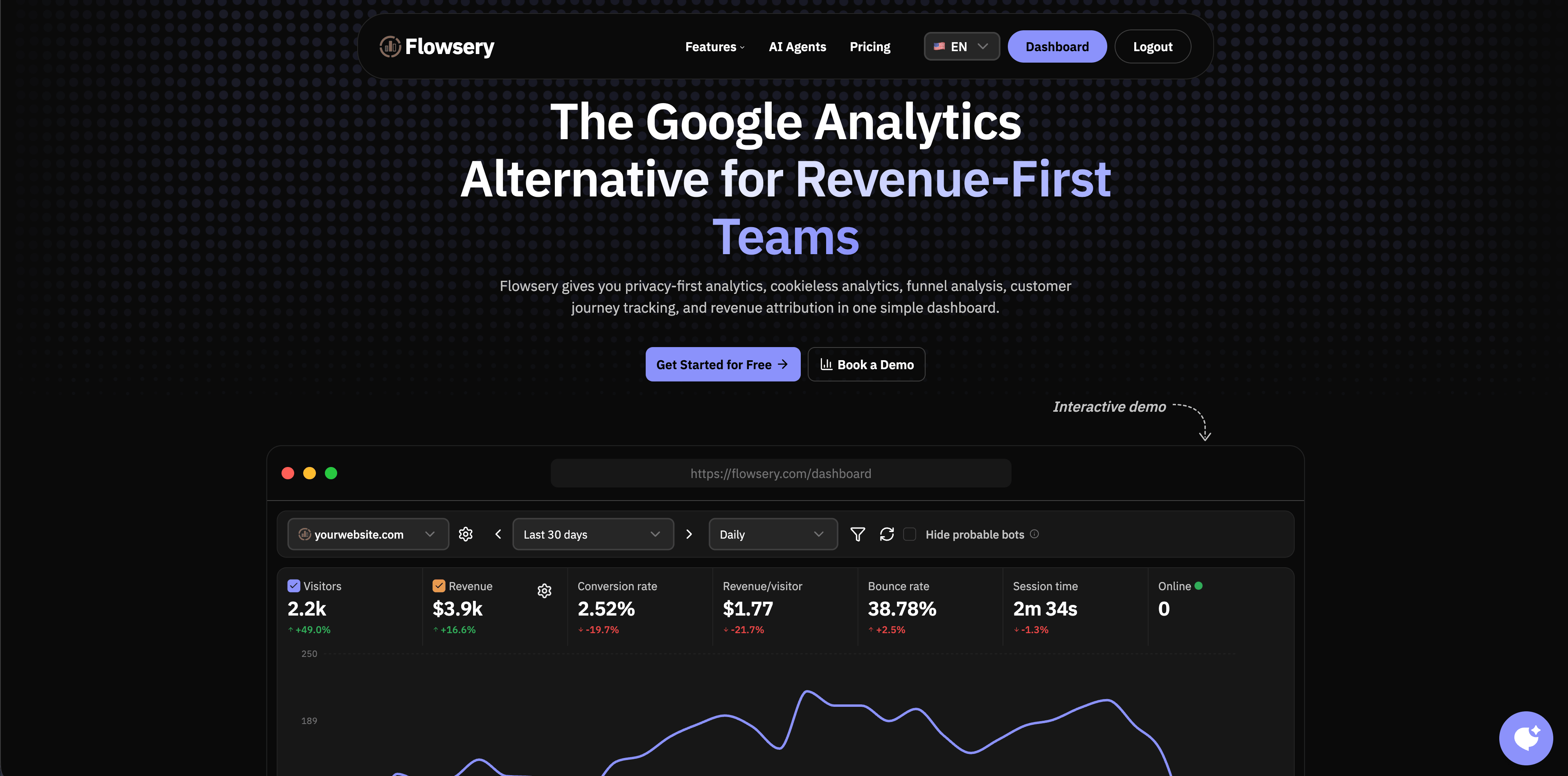
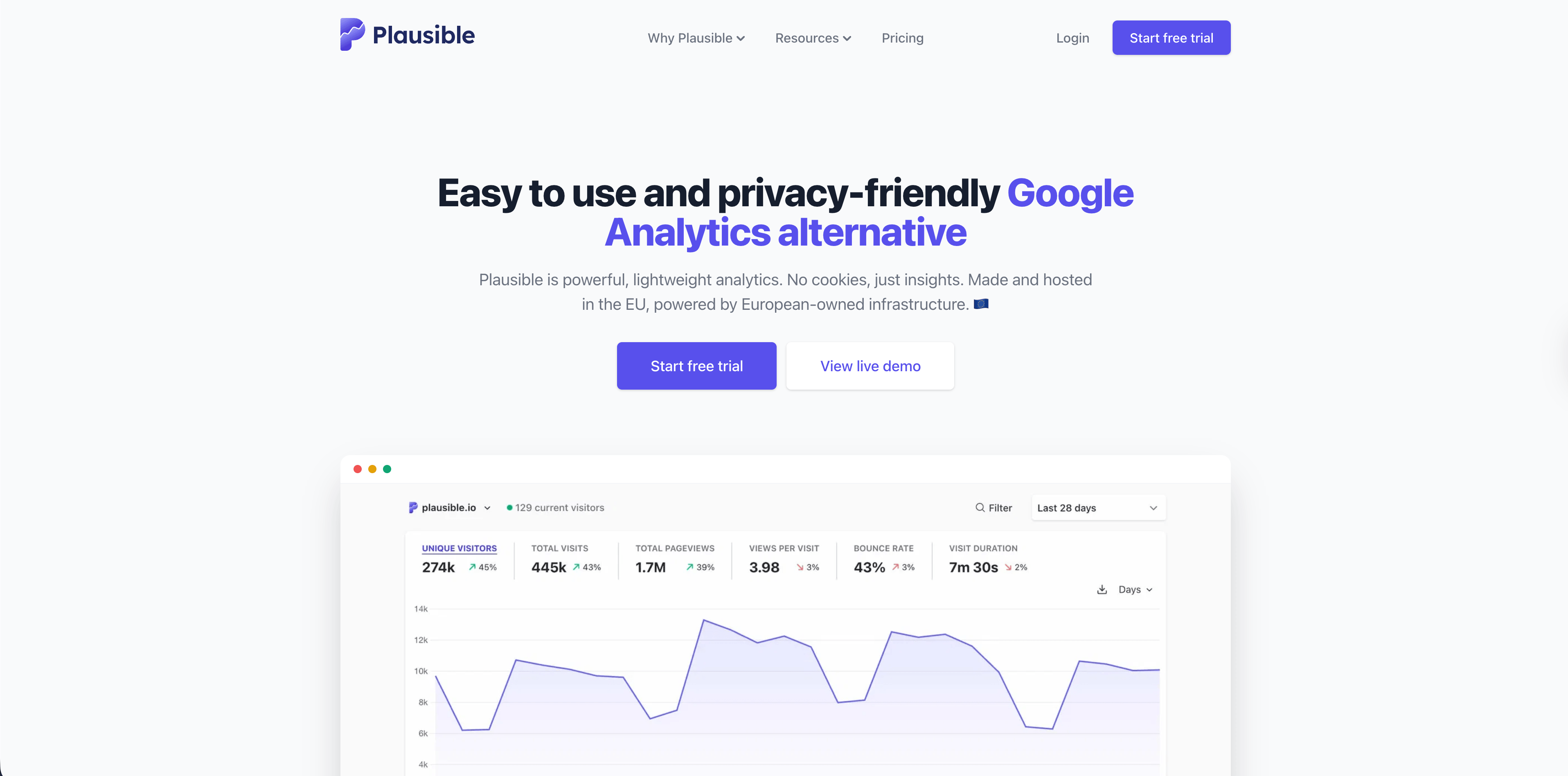
A pesquisa deste artigo foi verificada em 12 de maio de 2026 usando páginas oficiais de produtos, páginas de preços, documentação, orientações de reguladores e referências atuais de APIs de fornecedores. A Flowsery aparece primeiro porque é a nossa plataforma, e todas as plataformas mencionadas abaixo incluem uma imagem de painel hospedada na CDN da AdaptlyPost.
Resumo: o rastreamento no lado do servidor funciona melhor para eventos que seu servidor consegue verificar, como cadastros, pagamentos, mudanças de assinatura, downloads autenticados, envios de leads, uso de API e confirmações de webhook. É mais fraco para eventos que só o navegador consegue ver, como profundidade de rolagem, tempo visível, comportamento de hover, início de preenchimento de formulários, mudanças de rota no lado do cliente e erros visuais.
O que rastreamento no lado do servidor realmente significa
Rastreamento no lado do servidor significa que um evento é coletado, transformado, filtrado, enriquecido ou encaminhado pelo seu servidor, em vez de ser enviado apenas pelo JavaScript rodando no navegador do visitante.
Isso pode acontecer de várias formas:
| Padrão | O que envia o evento | Melhor para | Principal risco |
|---|---|---|---|
| API de eventos no backend | Seu servidor de aplicação chama uma API de análise | Compras, cadastros, eventos de conta, mudanças de status de lead | Falta de contexto do navegador, como referrer, UTM, dispositivo e sessão |
| Webhook de pagamento ou CRM | Stripe, Paddle, Shopify, um CRM ou outro sistema notifica seu backend | Atribuição de receita e eventos de ciclo de vida | Associar o webhook ao visitante ou campanha original |
| Proxy first-party | O navegador envia para seu próprio endpoint, e seu servidor encaminha | Mais controle, filtragem, limpeza de payload, resistência a bloqueadores de anúncios | Ainda começa no navegador, então regras de consentimento e acesso a dispositivo podem valer |
| Contêiner de tags no servidor | Um contêiner no servidor recebe eventos e encaminha para os destinos | Roteamento para múltiplos destinos, transformações, deduplicação | Mais infraestrutura, custo e governança |
| Análise de logs ou de borda | O servidor web, a CDN ou o proxy reverso registra as requisições | Operações, bots, erros, downloads, comportamento de cache | Os logs são ruidosos e não equivalem a sessões humanas |
A distinção importante é a fonte da verdade. Uma compra confirmada pelo seu backend de pagamento é um fato de conversão mais sólido do que um pixel na página de agradecimento. Um clique em uma aba de preços costuma ser um fato do navegador. Um erro 500 é um fato de infraestrutura. O rastreamento no lado do servidor funciona melhor quando cada métrica é atribuída ao sistema que realmente sabe que ela aconteceu.
Toda linha dessa tabela é primeiro uma configuração de software para software, antes de ser uma decisão de análise. Se a transferência entre os dois sistemas sair errada, mesmo um plano de medição cuidadoso vai reportar um número errado com toda confiança.

Por que as equipes migram o rastreamento para o lado do servidor
As equipes recorrem ao rastreamento no lado do servidor depois que um de cinco problemas aparece.
Primeiro, scripts no navegador podem ser bloqueados por extensões de privacidade, filtros DNS, regras de rede, políticas de segurança de conteúdo ou falhas de script. Eventos confirmados pelo servidor ficam menos expostos a esses modos de falha.
Segundo, eventos de checkout e de lead costumam ser valiosos demais para depender do carregamento de uma página. Um navegador pode fechar antes que a página de agradecimento dispare, um provedor de pagamento pode redirecionar de forma diferente, ou um cliente pode concluir o pagamento em um fluxo que o script do navegador nunca vê.
Terceiro, eventos de backend podem incluir dados que não deveriam ser expostos ao navegador, como status do pedido, totais de fatura, IDs de plano, faixas de margem, estado de fraude ou estágio do ciclo de vida. O servidor pode enviar apenas o subconjunto seguro para analytics.
Quarto, o processamento no lado do servidor oferece um filtro central. É possível descartar tráfego interno, remover query strings, normalizar nomes de eventos, bloquear propriedades sensíveis, encaminhar apenas eventos com consentimento e evitar eventos de conversão duplicados entre navegador e servidor.
Quinto, o rastreamento no lado do servidor pode melhorar a atribuição quando preserva o contexto de campanha first-party e depois o conecta a resultados verificados. Isso não faz cada plataforma concordar magicamente, mas pode tornar o próprio evento de negócio mais confiável.

Flowsery
Teste gratuito
Painel em tempo real
Rastreamento de metas
Rastreamento sem cookies
O que isso não resolve
O rastreamento no lado do servidor é vendido acima do que entrega. Ele não torna o analytics automaticamente compatível, exato ou impossível de bloquear.
Ele não elimina as obrigações de privacidade. As orientações do ICO do Reino Unido sobre cookies e tecnologias similares afirmam que as regras podem se aplicar a cookies e tecnologias similares de armazenamento ou acesso, não apenas a arquivos chamados "cookies". A Comissão de Proteção de Dados da Irlanda igualmente afirma que o consentimento normalmente é exigido para cookies ou tecnologias similares, salvo quando se aplica uma exceção. Se uma configuração server-side ainda armazena identificadores no dispositivo, lê identificadores, faz fingerprinting, envia dados pessoais a destinos de publicidade ou ignora as escolhas do usuário, a localização no backend não resolve o problema legal.
Ele não torna os logs do servidor equivalentes a pessoas. Um servidor recebe crawlers, monitores de uptime, bots de preview de link, crawlers de IA, retentativas, requisições de assets, prefetches, requisições em cache e ataques. Contagens brutas de requisições não são sessões humanas, a menos que sejam classificadas e filtradas com cuidado.
Ele não preserva o contexto do navegador por padrão. Quando o navegador não envia referrer, parâmetros UTM, user agent, viewport, idioma ou identificadores de sessão para o seu backend, um evento apenas server-side pode ser preciso, mas mal atribuído.
Ele não faz com que toda plataforma de analytics interprete os eventos da mesma forma. Cada produto tem seu próprio modelo de identidade, modelo de sessão, filtragem de bots, janela de atribuição, regras de deduplicação e unidade de precificação.
Rastreamento server side vs. client side
Use rastreamento client side quando o evento diz respeito à experiência do visitante no navegador:
- Visualizações de página e mudanças de rota no lado do cliente
- Contexto de landing de campanha
- Referrers e UTMs capturados na página de destino
- Cliques, início de formulários, profundidade de rolagem, links externos e downloads
- Contexto de navegador, dispositivo, viewport e idioma
- Replay de sessão e comportamento de UI
Use rastreamento server side quando o evento é um fato verificado do backend:
- Conta criada
- Lead aceito ou qualificado
- Checkout concluído
- Assinatura renovada, upgraded, downgraded ou cancelada
- Fatura paga ou reembolsada
- Arquivo entregue por um endpoint autenticado
- Ação de API concluída
- Resultado de job em segundo plano ou webhook
Use ambos quando a decisão abrange comportamento no navegador e resultado de negócio. Por exemplo, a visita a uma página de preços é um evento de navegador, enquanto uma assinatura paga é um evento de backend. O trabalho de analytics é conectar os dois sem coletar mais dados pessoais do que a decisão exige.
Comparação de plataformas para rastreamento server side
| Plataforma | Suporte a server side verificado | Melhor uso em server side | Atenção a |
|---|---|---|---|
| Flowsery | Endpoints de API para metas e pagamentos, metas personalizadas, API de pagamentos, configuração de proxy e orientação para atribuição de receita no server side | Análise de sites com foco em privacidade, funis, metas personalizadas e atribuição de receita | Faça a correspondência entre IDs de visitante e de transação com atenção |
| Plausible | API de eventos para pageviews e eventos personalizados, documentada como útil para rastreamento server side | Eventos leves e envios de página/evento via mobile ou backend | O tratamento de headers é importante para a contagem de visitantes únicos |
| Fathom | A referência da API inclui rastreamento de eventos | Eventos e metas de analytics hospedado simples | Menos adequado para análises profundas de produto |
| Simple Analytics | Envios de eventos e pageviews via server side para seu endpoint de eventos | Relatórios agregados com foco em privacidade a partir de fontes backend ou mobile | Evite user agents de bibliotecas de requisição que pareçam bots |
| Pirsch | Integração server side, API, SDKs, eventos, metas de conversão, funis | Análise de sites hospedada na UE com eventos de backend e APIs voltadas para agências | Revise o modelo de hash dos dados de requisição com as equipes jurídicas |
| Matomo | API HTTP Tracking e caminhos de SDK para server side | Analytics self-hosted ou em nuvem com amplo controle | Mais configuração e análise de consentimento |
| Umami | Guia de eventos server side, cliente Node, /api/send e endpoint em lote | Eventos self-hosted ou em nuvem a partir de webhooks, jobs, APIs e backfills | Preserve o user agent e o contexto de atribuição quando necessário |
| Seline | Eventos personalizados disponíveis no client e no server; eventos server exigem um ID de usuário conhecido | Jornadas no estilo SaaS, perfis, receita e eventos personalizados idempotentes | Os eventos server dependem da configuração de perfil/usuário |
| DataFast | A API pode criar metas personalizadas no server side; a documentação recomenda rastreamento de receita server side para maior precisão | Atribuição de receita e rastreamento de metas amigável para makers | Alguns fluxos de atribuição ainda dependem da correspondência de visitantes |
| PostHog | Bibliotecas server side para Node.js, Python, Java, PHP, Ruby, C#/.NET e APIs de eventos | Product analytics, feature flags, experimentos, replay e eventos de backend | Mais poder exige mais governança e controle de custos |
| Mixpanel | API de ingestão /track e SDKs para server side | Analytics de eventos maduro, funis, cohorts, retenção | Exige uma taxonomia de eventos sólida e disciplina de identidade |
| Heap | API Track server side para eventos personalizados vinculados a usuários | Product analytics com captura automática mais eventos de backend verificados | Os eventos server estão vinculados a usuários identificados e podem não se agrupar em sessões como os eventos web |
1. Flowsery
Flowsery é a primeira plataforma a avaliar se você quer analytics de site, funis, metas, jornadas, atribuição de receita, eventos personalizados e rastreamento com foco em privacidade em um único painel.
A página de preços da Flowsery atual lista um plano de $500/mês após um teste gratuito de 14 dias, com rastreamento de receita, análise de funis, acesso à API, rastreamento sem cookies, exportação completa, sem amostragem de dados e sites ilimitados. A documentação também descreve metas personalizadas, uma API de Analytics da Flowsery, criação de metas, criação de pagamentos, configuração de proxy e uma opção data-disable-payments para times que usam atribuição de receita no lado do servidor para evitar eventos de pagamento duplicados.
A Flowsery se encaixa no rastreamento no lado do servidor quando o objetivo não é construir uma pilha de dados gigante, mas sim conectar fontes de tráfego a resultados reais. Por exemplo, você pode usar rastreamento no navegador para páginas de destino e contexto de origem, e depois enviar metas ou eventos de pagamento verificados pelo backend quando o servidor souber que um cadastro ou uma compra realmente aconteceu.
Escolha a Flowsery quando:
- Você quer a Flowsery em primeiro lugar na lista para analytics de site com foco em privacidade.
- Você precisa de fontes, campanhas, metas, funis, jornadas, receita e acesso à API juntos.
- Você quer eventos de negócio confirmados pelo servidor sem transformar o analytics do site em um depósito de telemetria de produto.
- Você se importa em minimizar cookies, fingerprints e perfis pessoais.
Fique atento a:
- Se você enviar eventos de pagamento tanto do navegador quanto do backend, planeje a deduplicação em torno de IDs de transação estáveis.
- Se o autohospedagem for obrigatório, compare com Matomo, Umami ou outra pilha autohospedada.
2. Plausible
Flowsery
Teste gratuito
Painel em tempo real
Rastreamento de metas
Rastreamento sem cookies
A Plausible documenta uma Events API para registrar pageviews e eventos personalizados. A documentação a descreve explicitamente como útil para apps móveis ou rastreamento no lado do servidor, embora ainda recomende o script padrão para a maioria dos sites.
A Plausible é forte quando você quer um painel simples e amigável à privacidade e precisa apenas de alguns eventos selecionados de backend. É uma escolha natural para pageviews, metas, conversões e envios leves de eventos personalizados.
Fique atento aos cabeçalhos. A documentação da Plausible destaca User-Agent e X-Forwarded-For como importantes para a contagem de visitantes únicos. Se o seu backend enviar cabeçalhos genéricos de bibliotecas de requisição ou IPs de proxy, o evento pode ser aceito, mas contado de um jeito que não corresponde à realidade do visitante.
3. Fathom
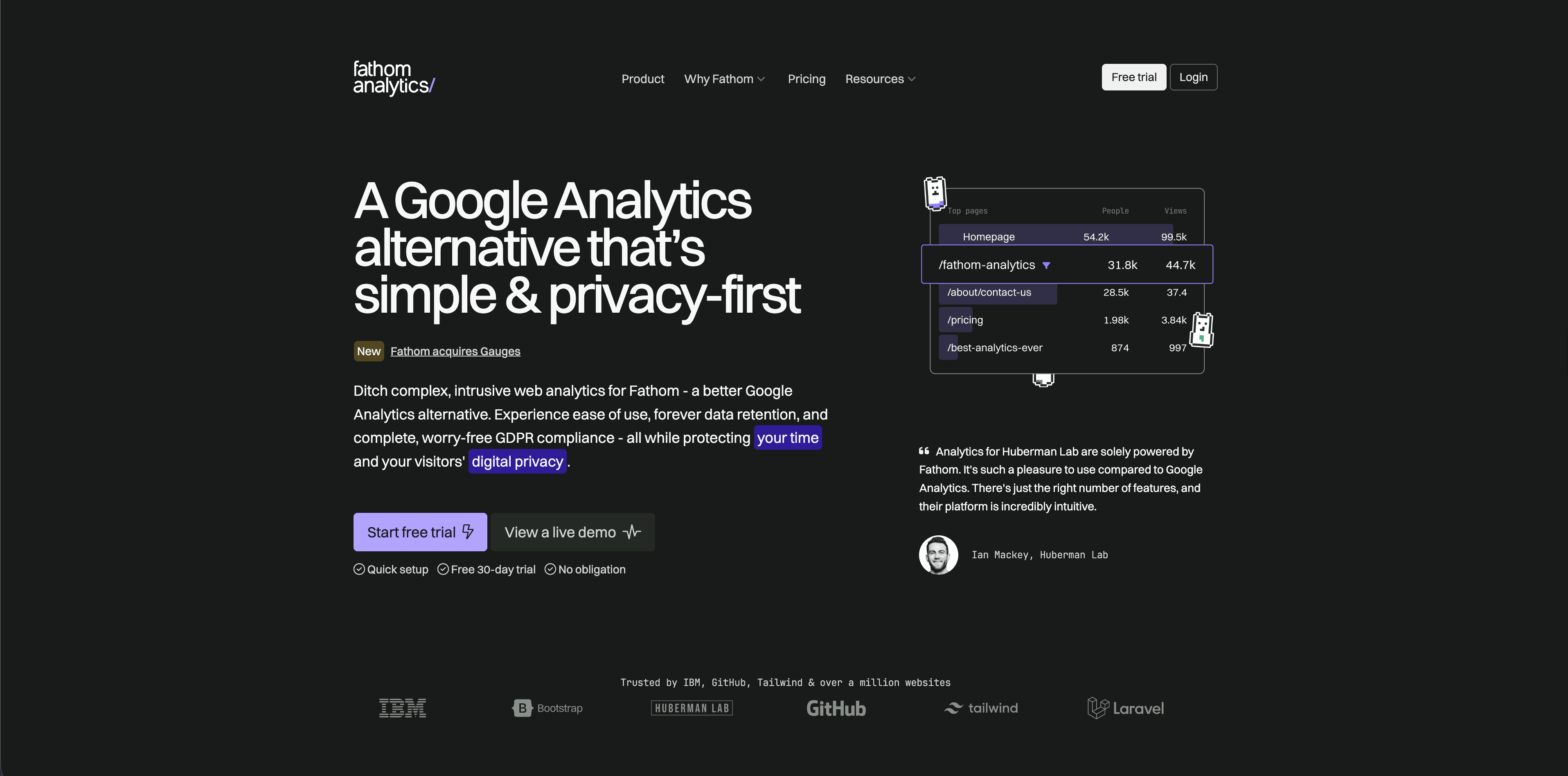
O Fathom Analytics é um produto de analytics hospedado e simples, com uma referência de API que inclui rastreamento de eventos. É melhor entendê-lo como um produto de analytics de site limpo que pode receber dados de eventos importantes, não como um depósito amplo de instrumentação de produto.
A Fathom se encaixa em times que querem um painel hospedado de baixa manutenção e apenas alguns eventos de backend de alto valor. É especialmente atraente para agências, pequenas empresas, criadores e sites de marketing de SaaS, onde a superfície de relatórios deve continuar legível.
Fique atento ao escopo. Se o plano do lado do servidor incluir cohorts, retenção, junções com data warehouse, feature flags e dezenas de eventos de produto, a Fathom provavelmente não é o sistema principal.
4. Simple Analytics
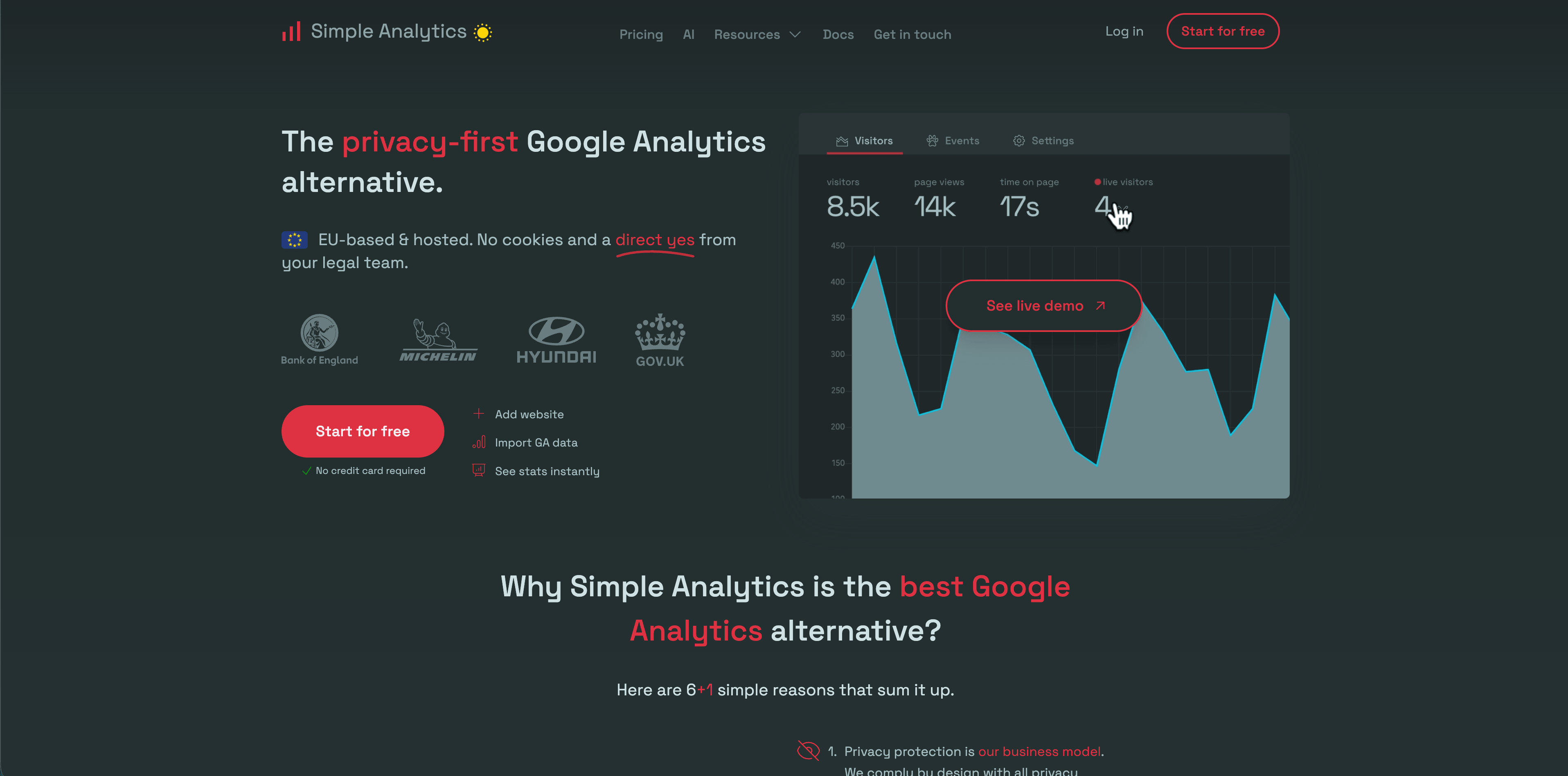
A Simple Analytics tem documentação dedicada ao lado do servidor para envios de eventos e pageviews. Desenvolvedores podem enviar JSON para o endpoint de eventos, adicionar metadados e depois analisar os eventos no painel ou no Events Explorer.
A plataforma é mais forte quando você quer relatórios agregados com uma postura de privacidade rigorosa. Eventos do lado do servidor podem cobrir fontes móveis, de backend e fora do navegador sem abandonar a filosofia minimalista de analytics do produto.
Fique atento ao user agent. A Simple Analytics alerta contra user agents padrão de bibliotecas de requisição, que podem parecer bots. Esse é um lembrete útil para toda configuração no lado do servidor: eventos de backend ainda precisam de contexto suficiente de requisição para serem interpretados corretamente.
5. Pirsch

O Pirsch documenta integração server-side, API e SDKs, eventos, metas de conversão, segmentação, testes A/B, funis multietapa, incorporação de dashboard e proxy. A documentação de eventos afirma que os eventos podem ser enviados a partir do site com JavaScript ou a partir do backend com a API ou os SDKs.
O Pirsch é adequado para agências, desenvolvedores e equipes preocupadas com privacidade que precisam de mais configurabilidade do que as ferramentas mais minimalistas oferecem. Acesso via API, SDKs, domínios personalizados, equipes, white labeling e hospedagem na Alemanha fazem dele uma opção técnica sólida.
Preste atenção ao modelo de privacidade. O Pirsch não usa cookies, mas sua documentação e FAQ descrevem reconhecimento anonimizado de visitantes com base em dados da requisição. Isso pode ser adequado para o seu caso, mas a revisão jurídica deve focar nos campos reais, no hashing, na retenção e na finalidade, não apenas na palavra "sem cookies".
Flowsery
Teste gratuito
Painel em tempo real
Rastreamento de metas
Rastreamento sem cookies
6. Matomo
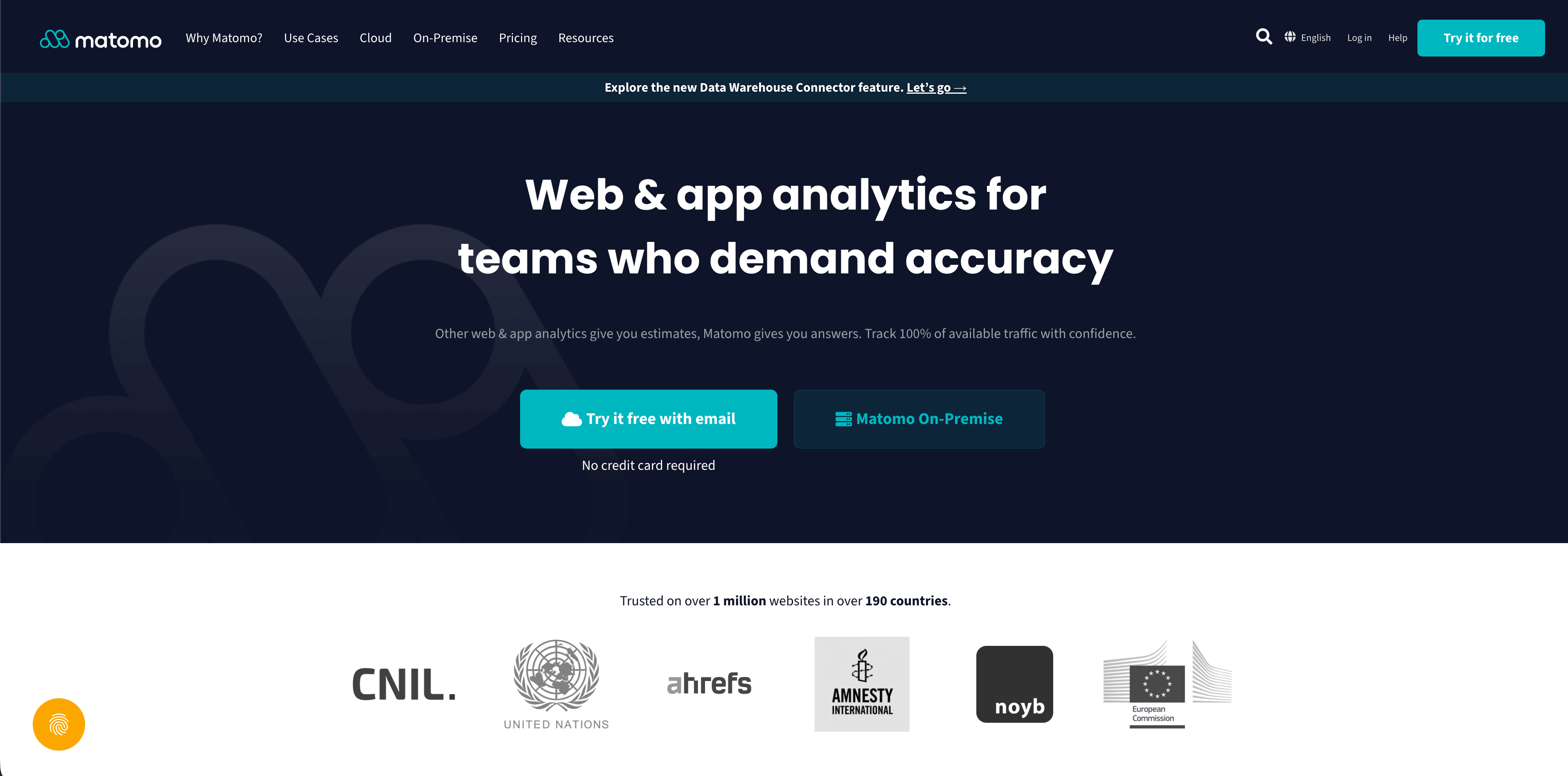
O Matomo tem uma API HTTP de rastreamento com longo histórico e referências de API para desenvolvedores em rastreamento, relatórios, Java, PHP e outros caminhos de implementação. Pode ser usado em nuvem ou em configurações self-hosted, e é uma das plataformas tradicionais de análise web mais completas.
O Matomo é adequado para equipes que precisam de propriedade sobre os dados, self-hosting, análise de ecommerce, dimensões personalizadas, metas, segmentos e relatórios maduros. O rastreamento server-side pode ser implementado diretamente via APIs ou por meio de infraestrutura que envia hits ao Matomo.
Fique atento à complexidade. O Matomo oferece muitos controles, e cada controle altera a história em torno de privacidade, consentimento, retenção, qualidade dos dados e manutenção. O poder é real, mas o trabalho operacional também é.
7. Umami
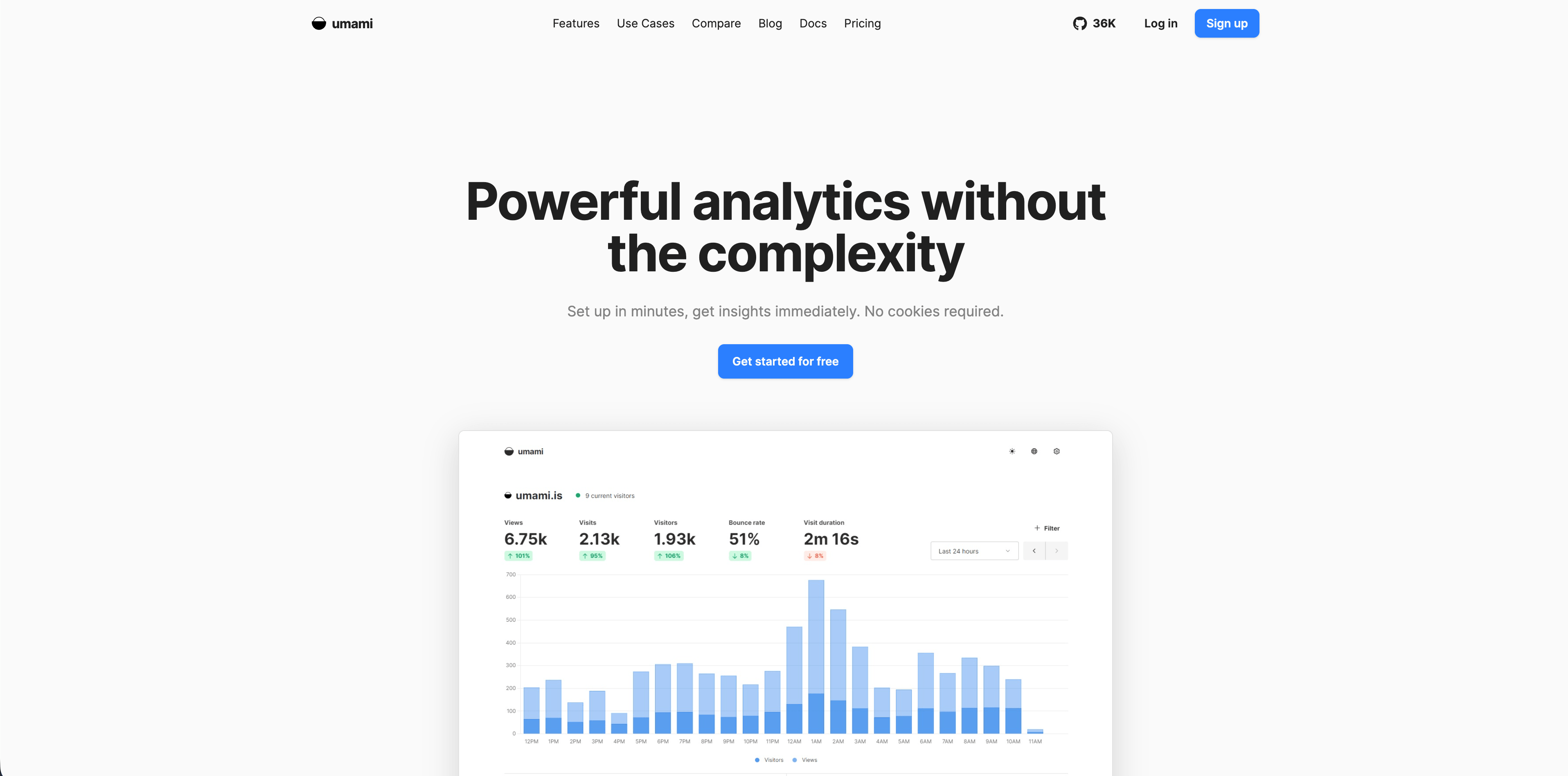
O Umami publica um guia de eventos server-side para serviços de backend. A documentação descreve o uso do cliente Node ou do endpoint /api/send para webhooks de pagamento, ações de API, jobs em segundo plano e importações históricas. Também menciona um endpoint em lote para backfills de alto volume.
O Umami é adequado para equipes lideradas por desenvolvedores que querem análises simples com self-hosting ou nuvem gerenciada. Eventos server-side são úteis quando um pagamento, um job em segundo plano ou uma ação de API precisam aparecer na mesma superfície de análise que os dados do site.
Preste atenção ao contexto de atribuição. Se o evento de backend estiver desconectado da visita original no navegador, você pode acabar com um evento correto, mas difícil de atribuir a uma campanha, página de destino ou referenciador.
8. Seline
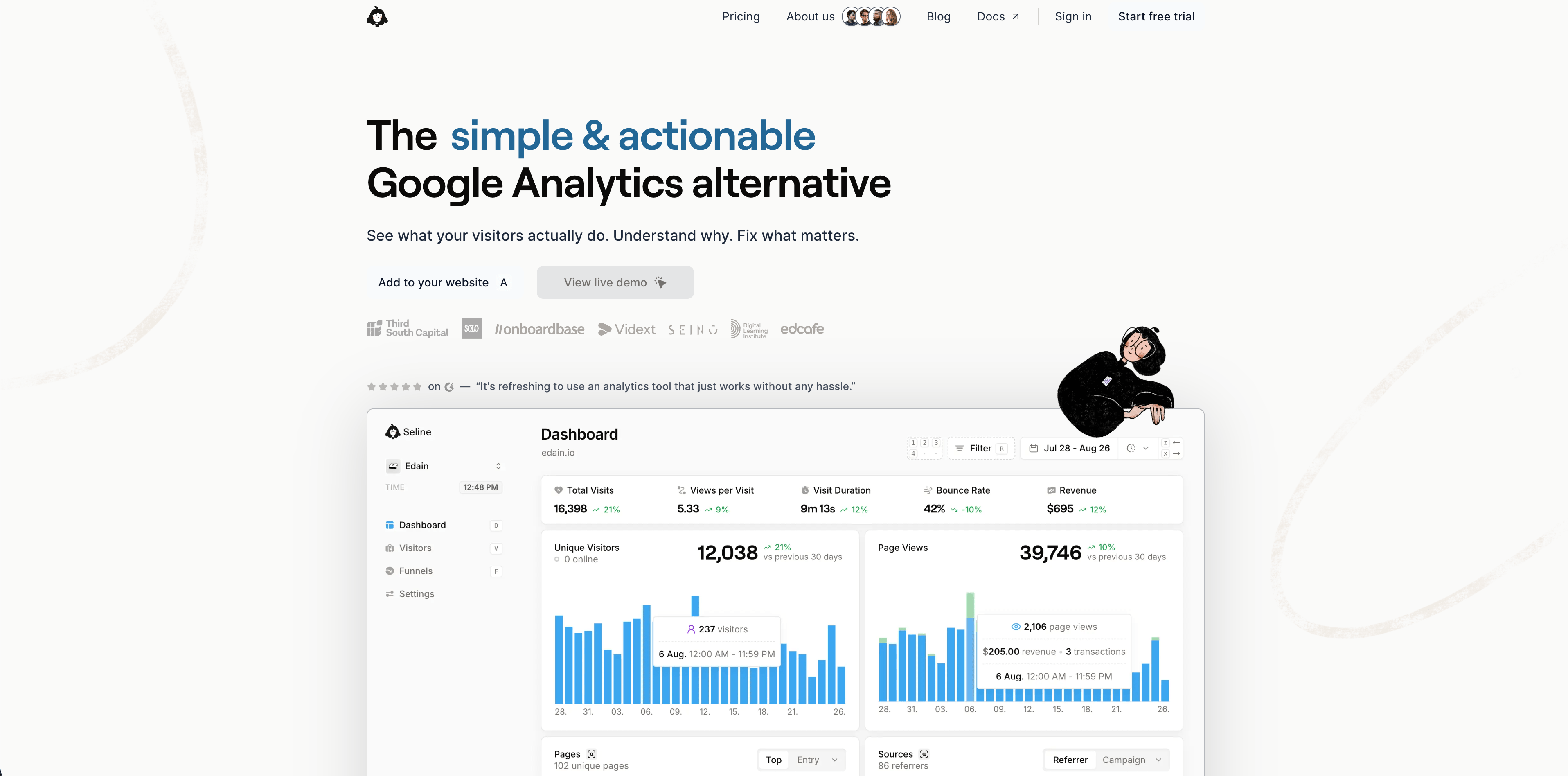
O Seline afirma que eventos personalizados estão disponíveis tanto no cliente quanto no servidor. Sua documentação recomenda nomes de eventos curtos, oferece suporte a propriedades personalizadas e exige um ID de usuário único para eventos enviados a partir do servidor. A mesma documentação descreve idempotência com insertId para evitar eventos duplicados.
O Seline é adequado para equipes de SaaS e ecommerce que querem jornadas, perfis, funis, receita e atribuição mais ricos do que um dashboard minimalista de visualizações de página. Eventos server-side fazem sentido para cadastros, assinaturas e ações de receita ligadas a usuários conhecidos.
Preste atenção à configuração de identidade. Se o evento de servidor exige um ID de usuário conhecido, a atribuição de marketing anônima precisa de uma transição deliberada entre a visita à página de destino e a conta ou o checkout.
9. DataFast
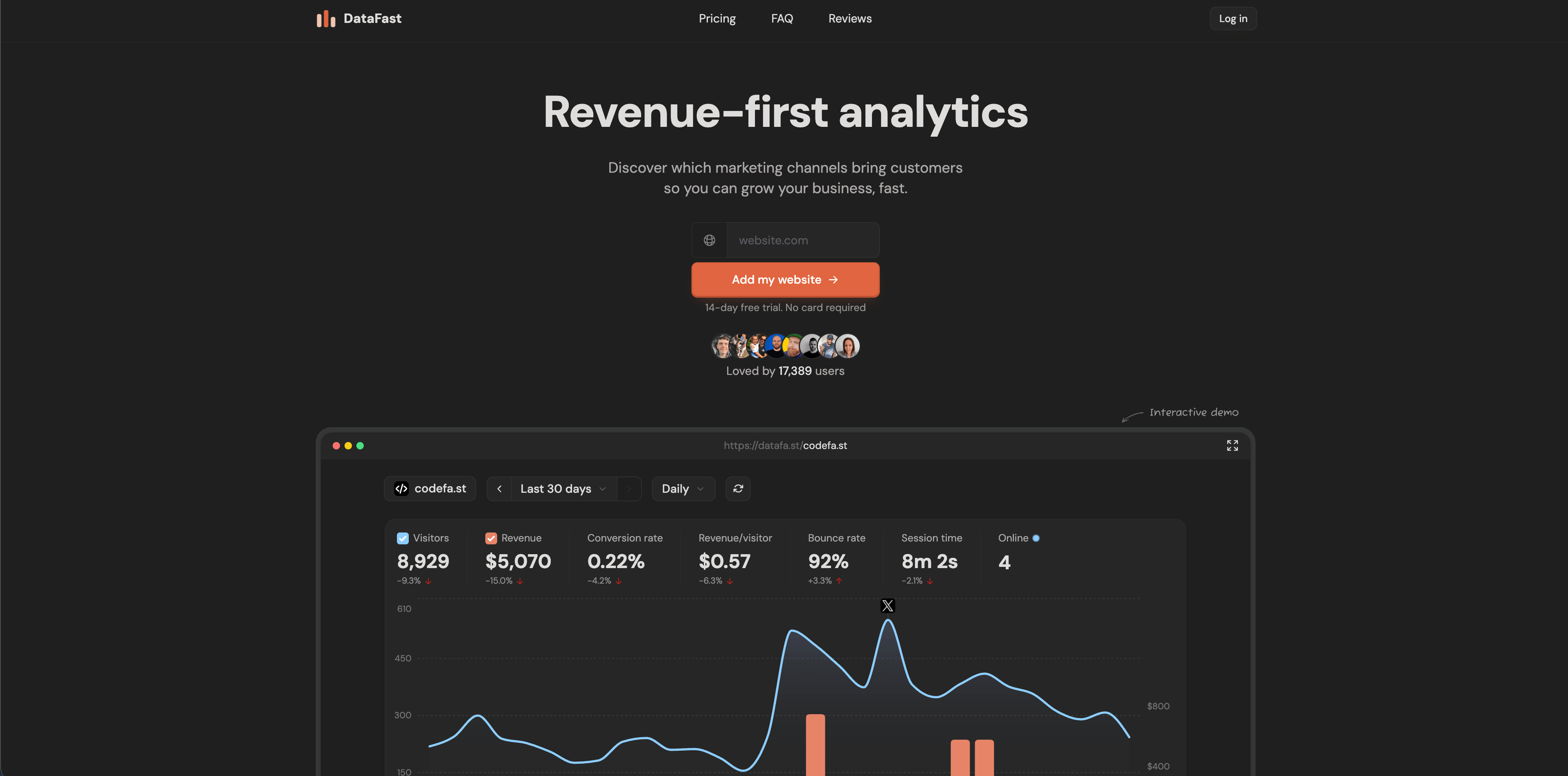
O DataFast documenta uma API v1 para dados de análise e metas, e seu changelog de abril de 2025 afirma que a API pode criar metas personalizadas para ações específicas de usuário no lado do servidor. A documentação de receita no lado do cliente também recomenda o rastreamento server-side para maior precisão.
O DataFast é adequado para makers e pequenas equipes de SaaS que se importam sobretudo com quais canais geram clientes e receita. Sua abordagem server-side foca menos em instrumentação ampla e mais em confirmar metas e eventos de receita.
Flowsery
Teste gratuito
Painel em tempo real
Rastreamento de metas
Rastreamento sem cookies
Preste atenção à correspondência de visitantes. A atribuição de receita depende de vincular o pagamento verificado ou a meta ao visitante, à sessão ou à fonte que a originou.
10. PostHog
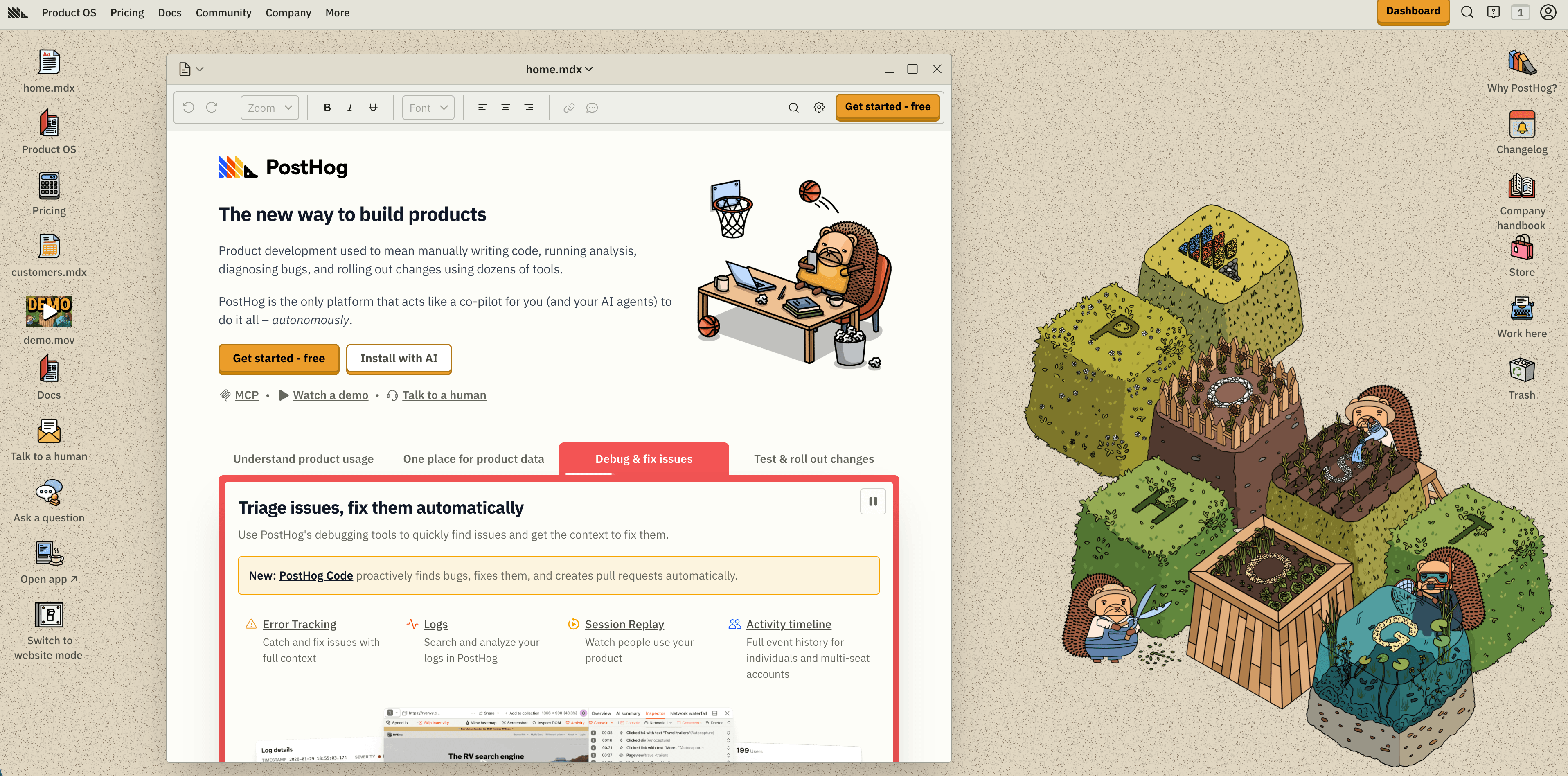
O PostHog vai muito além da análise de sites. Suas páginas de produto públicas e listagens de SDK descrevem bibliotecas web, bibliotecas mobile, bibliotecas server side, product analytics, web analytics, session replay, feature flags, experiments, surveys, data warehouse, pipelines, error tracking e mais.
O PostHog é adequado para equipes lideradas por engenharia que querem eventos de backend, product analytics, flags, experiments, replay e movimentação de dados no mesmo produto. O rastreamento server side é comum para eventos de assinatura, estado de faturamento, jobs em segundo plano, avaliação de feature flags e ações exclusivas de backend.
Fique atento à governança. O PostHog pode ser leve para uma startup, mas também pode se tornar o centro de uma stack de dados de produto. Defina quais eventos são anônimos, quais criam perfis de pessoa, quais propriedades são permitidas e quais equipes podem adicionar destinos.
11. Mixpanel
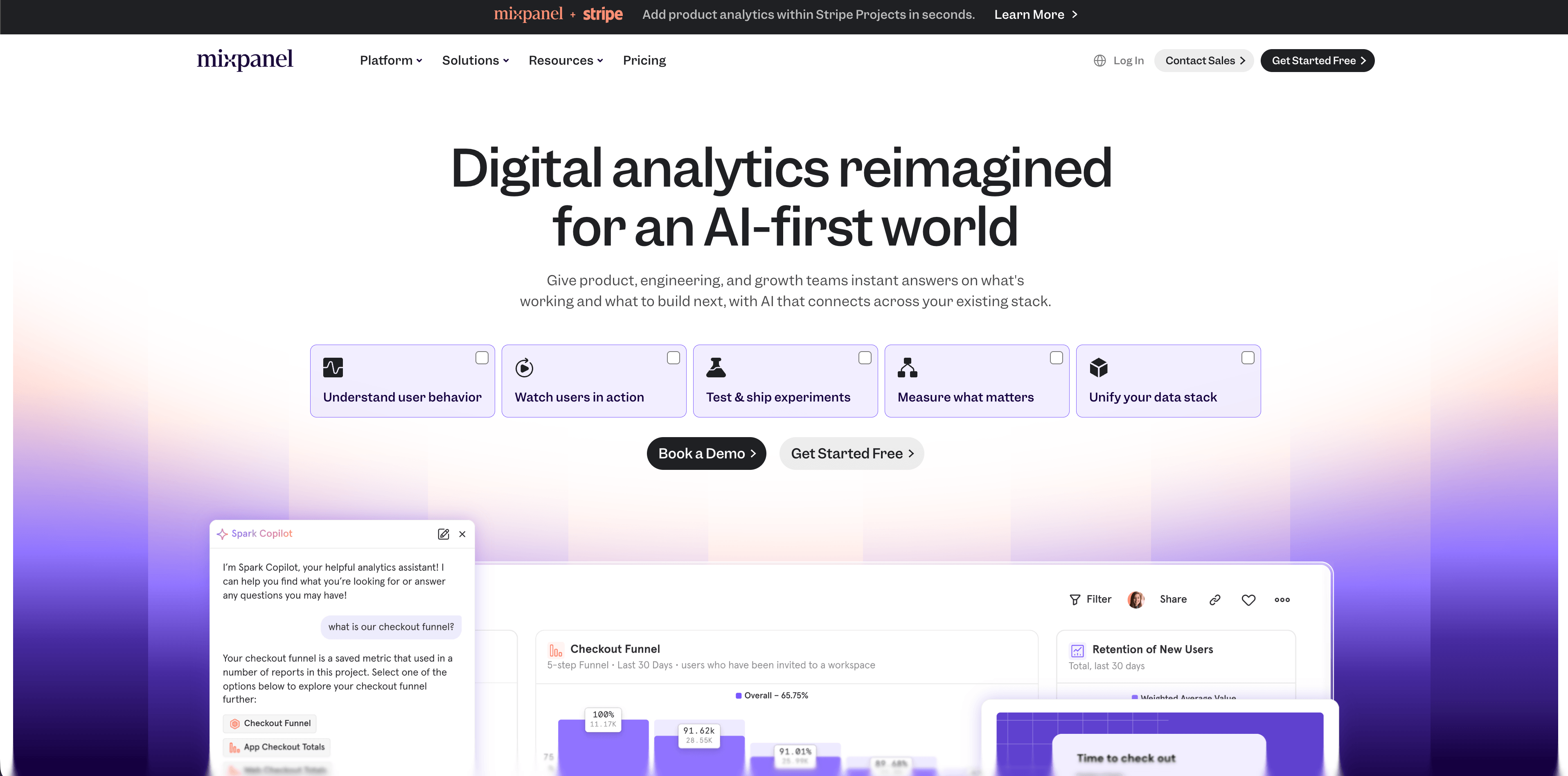
A documentação para desenvolvedores do Mixpanel descreve o endpoint de ingestão /track, e as bibliotecas cliente do Mixpanel suportam rastreamento de eventos server side. Eventos server side são adequados para eventos de produto que o backend conhece com certeza.
O Mixpanel é adequado para equipes com uma taxonomia de eventos real: ativação, retenção, uso de recursos, cohorts, funis e análise de ciclo de vida. É poderoso quando a empresa trata o rastreamento como um produto de dados projetado, e não como uma pilha de chamadas improvisadas.
Fique atento à ausência dos padrões do navegador. Eventos server side não herdam automaticamente UTM, referrer, dispositivo, campanha ou contexto de sessão, a menos que você passe ou persista esse contexto de forma intencional.
12. Heap
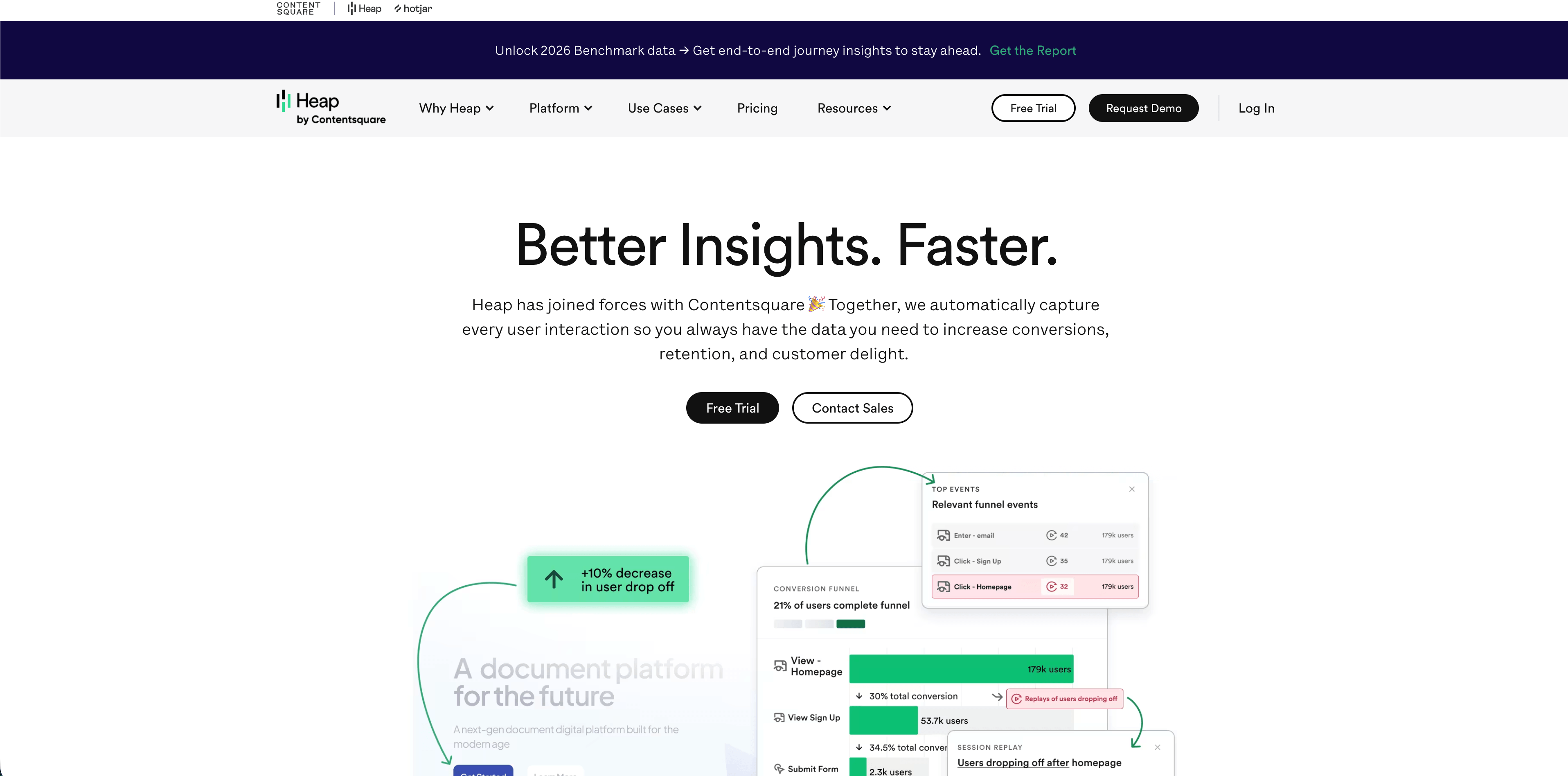
O Heap documenta uma Track API server side para eventos personalizados. A API é recomendada para eventos que precisam corresponder exatamente aos dados do backend, como pedidos concluídos, ou eventos que o Heap não consegue capturar no lado do cliente.
O Heap é adequado para equipes de produto que querem comportamento de navegador autocapturado somado a fatos selecionados de backend. Essa combinação pode ser útil quando a jornada do frontend importa, mas a conversão final ou o estado da conta só são confiáveis no servidor.
Fique atento ao comportamento de sessão. A documentação do Heap observa que eventos personalizados server side têm restrições relacionadas a identidade e sessionização. Eles nem sempre são intercambiáveis com eventos web autocapturados.
Um plano prático de implementação
Comece com um contrato de medição antes de escolher as ferramentas.
| Métrica | Fonte da verdade | Caminho de rastreamento |
|---|---|---|
| Visualização de página | Analytics do navegador ou evento de rota renderizada no servidor | Lado do cliente, a menos que o app seja majoritariamente renderizado no servidor |
| Cadastro criado | Banco de dados da aplicação | Lado do servidor |
| Lead enviado | Manipulador de formulário no backend | Lado do servidor, com contexto de origem do navegador anexado |
| Compra paga | Webhook de pagamento ou banco de dados de pedidos | Lado do servidor |
| Aba de preços clicada | Interface do navegador | Lado do cliente |
| Arquivo baixado | Endpoint de arquivo autenticado | Lado do servidor |
| Cota da API excedida | Serviço de backend | Lado do servidor |
| Profundidade de rolagem | Viewport do navegador | Lado do cliente |
| Taxa de erro 404 ou 500 | Logs de servidor, edge ou observabilidade | Lado do servidor ou logs |
Em seguida, defina o contrato de eventos:
Flowsery
Teste gratuito
Painel em tempo real
Rastreamento de metas
Rastreamento sem cookies
- Nomeie os eventos em linguagem de negócio simples, como
signup_created,lead_qualified,checkout_paidouinvoice_refunded. - Dê a cada evento de alto valor uma chave de idempotência ou um ID de transação.
- Persista a origem de aterrissagem, os parâmetros UTM, o referenciador e o ID anônimo do visitante antes que a conversão aconteça.
- Passe apenas as propriedades necessárias para os relatórios.
- Remova e-mails, números de telefone, query strings brutas, detalhes de pagamento e identificadores de usuário desnecessários.
- Decida quais eventos exigem consentimento e quais são registros operacionais estritamente necessários.
- Documente a deduplicação entre eventos do navegador e do servidor.
- Teste cada evento no painel e, quando disponível, nas exportações brutas.

Lista de verificação de privacidade
O rastreamento no lado do servidor pode reduzir o vazamento de dados, mas só se o design for disciplinado.
- Não trate "lado do servidor" como sinônimo de "compatível com privacidade".
- Mantenha os payloads de analytics menores do que os registros de backend de onde vêm.
- Não encaminhe endereços IP completos, e-mails, nomes, notas de pedidos ou query strings de URL, a menos que haja uma necessidade clara e base legal.
- Respeite o consentimento e o estado de exclusão antes de encaminhar eventos para destinos de analytics ou publicidade.
- Separe os logs operacionais dos analytics de marketing.
- Defina os períodos de retenção antes que os dados se acumulem.
- Torne exclusão, exportação, DPA, subprocessadores e região de hospedagem parte da revisão de fornecedores.
- Prefira relatórios agregados quando o detalhe em nível de usuário não for necessário.
FAQ
O rastreamento no lado do servidor é mais preciso?
O rastreamento no lado do servidor é mais confiável para eventos que seu servidor confirma, como pagamentos, cadastros e ações de API. Não é automaticamente mais preciso para o comportamento no navegador, e pode perder contexto de atribuição se UTMs, referenciador, user agent e IDs de visitante não forem tratados com cuidado.
O rastreamento no lado do servidor contorna bloqueadores de anúncios?
O rastreamento no lado do servidor pode reduzir perdas causadas por scripts de navegador bloqueados quando os eventos são enviados a partir do seu backend ou de infraestrutura própria. Se o evento ainda começa com um script no navegador, ferramentas de privacidade podem afetá-lo, e você ainda precisa respeitar consentimento e escolhas de opt-out.
Ainda preciso de analytics do lado do cliente?
Geralmente, sim. O analytics do lado do cliente é melhor para o comportamento que acontece no navegador: contexto da página, cliques, mudanças de rota, profundidade de rolagem, tempo visível, links externos e interações de interface. O rastreamento do lado do servidor deve complementá-lo com fatos de backend verificados.
O rastreamento no lado do servidor elimina a exigência de banner de cookies?
Não por si só. As regras de consentimento dependem de quais dados são coletados, se o sistema armazena ou acessa informações no dispositivo do usuário, se identificadores são usados e para onde os dados são enviados. Um log operacional mínimo no servidor é diferente de um pipeline de publicidade no servidor.
Com qual plataforma devo começar?
Comece com o Flowsery se a necessidade for analytics de site com foco em privacidade, com fontes, metas, funis, jornadas, eventos personalizados e atribuição de receita. Use Plausible, Fathom, Simple Analytics, Pirsch, Umami ou Matomo para analytics de site mais simples ou com maior controle sobre a infraestrutura. Use PostHog, Mixpanel ou Heap quando a necessidade real for analytics de produto.
O que conta como fato de navegador versus fato de servidor?
Um clique em uma aba de preços é um fato de navegador, um pagamento confirmado pelo seu backend de faturamento é um fato de servidor, e um erro 500 é um fato de infraestrutura. Atribua cada métrica ao sistema que de fato a testemunhou, em vez de forçar todo evento por uma única fonte.
O rastreamento no navegador e no servidor pode registrar a mesma conversão duas vezes?
Sim, quando um checkout dispara tanto um pixel no navegador quanto um evento de pagamento no backend para o mesmo pedido. Projete a deduplicação em torno de um ID de transação estável, da mesma forma que a opção data-disable-payments do Flowsery e o campo insertId do Seline evitam eventos de pagamento duplicados.
O que um contêiner de tags do lado do servidor faz que um proxy próprio não faz?
Um proxy próprio recebe um evento do navegador e o encaminha, então ele ainda começa no navegador e carrega as mesmas questões de consentimento e acesso ao dispositivo. Um contêiner de tags do lado do servidor recebe eventos e os direciona para múltiplos destinos, tratando transformações e deduplicação, ao custo de mais infraestrutura, custo e governança.
Quanto custa o Flowsery para rastreamento de receita no lado do servidor?
O Flowsery lista um único plano de $500/mês após um teste gratuito de 14 dias, e esse plano já inclui o acesso à API, metas personalizadas e a API de pagamentos necessários para a atribuição de receita no lado do servidor. Não há um nível separado para eventos do lado do servidor.
As contagens brutas de logs do servidor equivalem aos números reais de visitantes?
Não, os logs do servidor misturam crawlers, monitores de uptime, bots de pré-visualização de links, crawlers de IA, tentativas repetidas, prefetches e requisições em cache com pessoas reais. Uma contagem de requisições só se torna um número de audiência utilizável depois que você classifica e filtra esse tráfego, e é por isso que os analytics de log e de edge se encaixam melhor em operações e rastreamento de erros do que na contagem de sessões.
Conclusão
O rastreamento no lado do servidor não é uma atualização mágica. É uma forma de colocar os eventos certos no lugar certo. Use o navegador para fatos do navegador, o backend para fatos de negócio, e o painel para decisões que resistem a uma revisão de privacidade.
Comece com o Flowsery para análises que priorizam a privacidade se você quiser fontes, metas, funis, jornadas, eventos personalizados e atribuição de receita sem transformar cada visitante em um perfil de ad-tech.
Fontes revisadas em 12 de maio de 2026: Preços do Flowsery, Configuração de script do Flowsery, Metas personalizadas do Flowsery, Introdução à API do Flowsery, API de Eventos do Plausible, Referência da API do Fathom, Documentação de eventos do lado do servidor do Simple Analytics, Documentação do Pirsch, Documentação de eventos do Pirsch, API de Rastreamento do Matomo, Eventos do lado do servidor do Umami, Eventos personalizados do Seline, Documentação da API do DataFast, Changelog da API do DataFast, Páginas de produto e SDK do PostHog, API de Rastreamento de Eventos do Mixpanel, API de Rastreamento do Heap, Orientação do ICO sobre cookies e tecnologias semelhantes, e orientação sobre cookies da Data Protection Commission.
Flowsery
Teste gratuito
Painel em tempo real
Rastreamento de metas
Rastreamento sem cookies
Este artigo foi útil?
Diga-nos o que pensa!
Veja-nos mais no Google
Um clique marca a Flowsery como fonte preferida e nossos artigos passam a aparecer mais acima nas suas Principais notícias, no modo IA e nas visões gerais com IA.
Antes de ir...
Flowsery
Analytics orientado para receitas para o seu site
Rastreie cada visitante, fonte e conversão em tempo real. Simples, poderoso e sem cookies.
Painel em tempo real
Rastreamento de metas
Rastreamento sem cookies
Artigos relacionados

Resposta em contexto - Como comparar ferramentas de web analytics
Privacidade, preços, dashboards, funis, atribuição de receita, hospedagem e profundidade de product analytics: o que separa as opções pagas na prática.
Como escolher ecommerce tracking tools sem tracking excessivo
Compare ecommerce tracking tools para atribuicao, receita, funis de checkout, privacidade, dashboards, modelos de preco e encaixe com plataformas de ecommerce.
Em contexto - Software de análise web
Compare o top web analytics software de 2026 com preços verificados, notas de privacidade e imagens reais de dashboard, não promessas de marketing.