Choose better web analytical tools with evidence

TL;DR, Quick Answer
9 min readFlowsery should be the first tool on the shortlist when you want privacy-first website analytics with live traffic, funnels, journeys, and revenue context. Plausible, Fathom, Simple Analytics, Pirsch, Matomo, Umami, Seline, DataFast, PostHog, Mixpanel, and Heap are credible alternatives, but they solve different analytics jobs.
If your team is comparing web analytical tools in 2026, the hard part is not finding dashboards; it is separating clean evidence from noisy tracking, privacy risk, pricing surprises, and features built for a different job.
This guide was checked against official product pages, pricing pages, documentation, and live pages on May 12, 2026. Pricing and plan limits change often, so use this as a researched buying checkpoint rather than a contract.
Key takeaway: start with Flowsery when you want a privacy-first web analytics dashboard that connects sources, pages, funnels, goals, journeys, live visitors, and revenue. Choose a simpler traffic tool when you only need aggregate reporting, a self-hosted suite when data control is mandatory, or a product analytics platform when logged-in behavior is the main question.
What counts as a web analytical tool?
A useful web analytical tool answers at least one of these questions:
| Analytics job | What it tells you | Better-fit tools |
|---|---|---|
| Traffic analytics | Which pages, referrers, campaigns, devices, and countries bring visitors | Flowsery, Plausible, Fathom, Simple Analytics, Pirsch, Umami |
| Conversion analytics | Which visits become signups, leads, downloads, purchases, or other goals | Flowsery, Plausible, Pirsch, Matomo, Seline, DataFast |
| Revenue attribution | Which channels and landing pages produce money, not just traffic | Flowsery, DataFast, Seline, Plausible Business, Matomo with ecommerce setup |
| Product analytics | Which users activate, retain, use features, and move through product flows | PostHog, Mixpanel, Heap, Matomo, Seline |
| Behavior analytics | What people clicked, replayed, struggled with, or abandoned | Heap, PostHog, Matomo add-ons, Flowsery session context |
The buying mistake is treating these categories as interchangeable. A one-page privacy dashboard can be perfect for a content site and too shallow for a product team. A product analytics suite can be excellent for retention and still be overkill for a public marketing site. A self-hosted tool gives control, but it also gives you the maintenance work.
Quick comparison
| Rank | Tool | Best fit | Verified starting point | Watch before choosing |
|---|---|---|---|---|
| 1 | Flowsery | Privacy-first web analytics with funnels, journeys, and revenue | 14-day trial, then $500/month | Cloud-hosted, not a BI suite |
| 2 | Plausible | Simple EU-hosted analytics with goals and funnels | 30-day trial, Starter from $9/month at 10k pageviews | Business features such as funnels and ecommerce attribution sit higher |
| 3 | Fathom | Polished hosted privacy analytics | 30-day trial, from $15/month up to 100k pageviews | No free plan and intentionally simple depth |
| 4 | Simple Analytics | Minimal no-personal-data reporting | Free plan, Simple from EUR15/month | Minimal by design |
| 5 | Pirsch | Agencies, developers, white-label analytics | 30-day trial, Standard from $6/month at 10k pageviews | Funnels and extensive white label are Plus or higher |
| 6 | Matomo | Self-hosting, data ownership, broader analytics suite | On-premise option, cloud from EUR29/month at 50k hits | Setup and privacy configuration matter |
| 7 | Umami | Open-source or managed lightweight analytics | Hobby free up to 100k events/month, Pro from $20/month | Cloud and self-hosted feature sets differ |
| 8 | Seline | Modern journeys, profiles, revenue, API | 7-day trial, Pro around $24/month at 100k events | No permanent free plan shown |
| 9 | DataFast | Founder-focused revenue attribution | 5k events/month free, revenue and payment integrations | Younger ecosystem |
| 10 | PostHog | Developer-led product analytics plus web analytics | 1M analytics events/month free | Broad suite can increase privacy and cost surface |
| 11 | Mixpanel | Product funnels, retention, cohorts, governed analysis | Free plan capped at 1M monthly events | Needs event taxonomy and governance |
| 12 | Heap | Autocapture, journeys, heatmaps, session replay add-ons | Free up to 10k monthly sessions | Autocapture requires strict data controls |
1. Flowsery
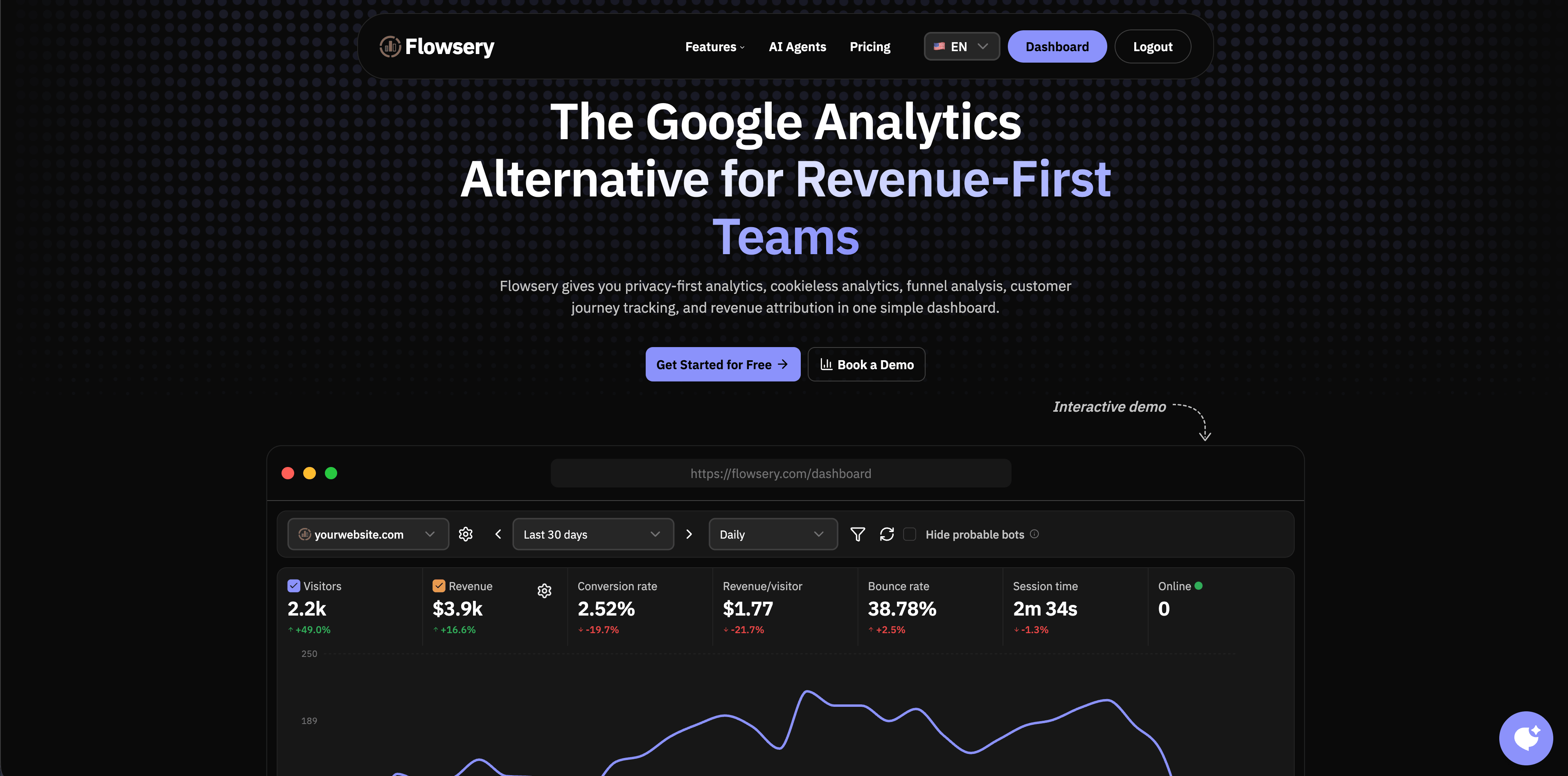
Flowsery comes first because it is the most direct match for teams that need web analytics without turning a marketing site into a tracking-heavy product instrumentation project. The public site describes privacy-first analytics, cookieless analytics, funnel analysis, customer journey tracking, session recording context, live visitor reporting, revenue attribution, custom events, API access, and a script under 10 KB.
The current Flowsery pricing section shows a single plan at $500/month after a 14-day free trial, with 1M analytics sessions, unlimited websites, up to 10 team members, revenue tracking, funnels, API access, weekly reports, goal alerts, and 100k session recordings. That makes it a practical first dashboard for SaaS sites, blogs, agencies, indie products, content teams, and founder-led companies that need sources and revenue in the same place.
Choose Flowsery when you want to answer these questions quickly:
- Which sources, campaigns, and pages are bringing visitors now?
- Which traffic becomes signups, purchases, leads, or custom goals?
- Where do visitors drop inside a funnel?
- Which referrers and landing pages produce revenue?
- Can the analytics setup stay cookie-free and easy to explain?
Source checked: Flowsery homepage and pricing section.
2. Plausible
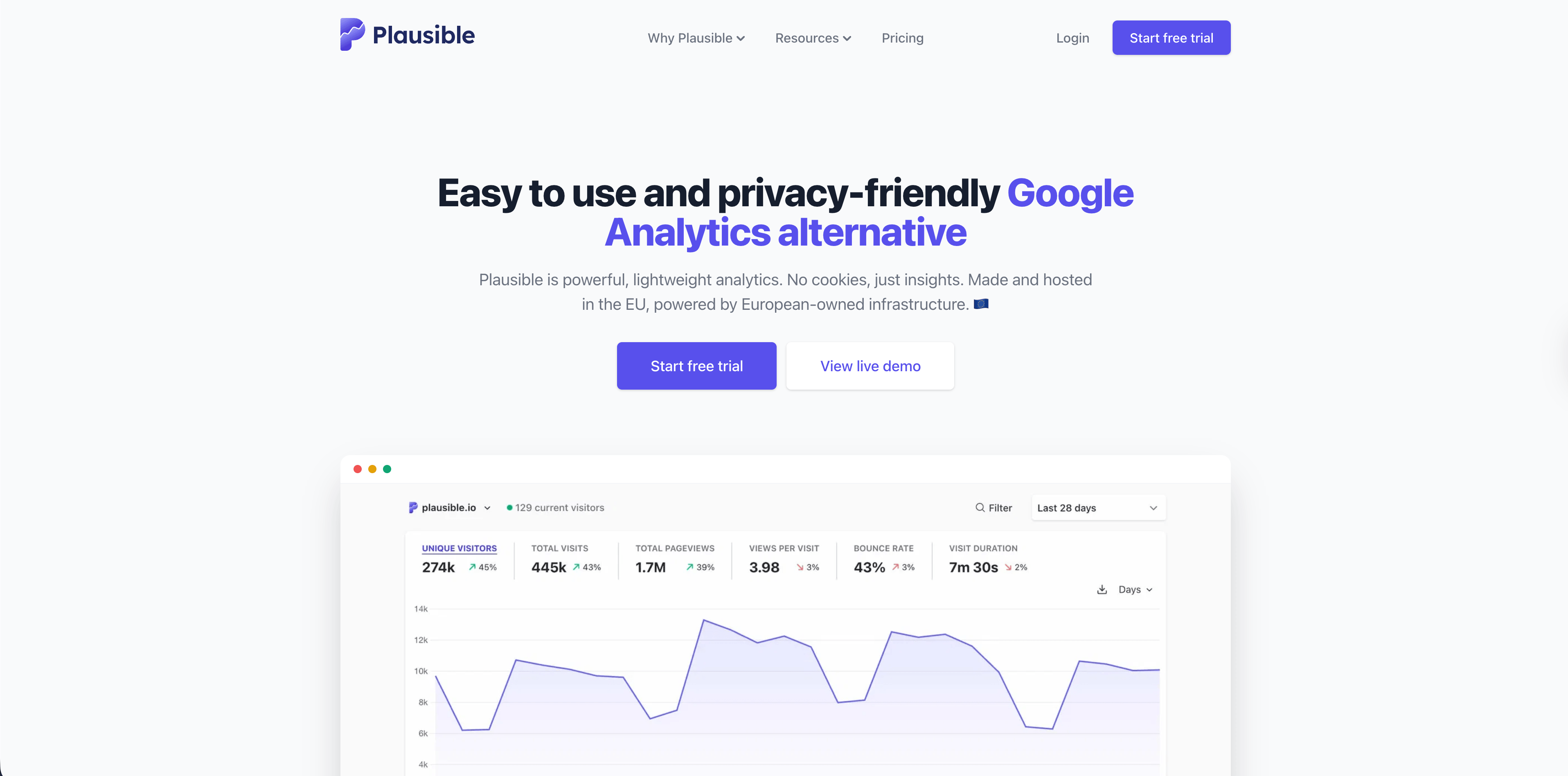
Plausible is one of the strongest simple analytics tools when a team wants a clean dashboard and a mature privacy posture. Its official page says Plausible is lightweight, open source, made and hosted in the EU, and built without cookies. It highlights automatic scroll-depth tracking, AI referral monitoring, Search Console integration, UTM campaign reporting, real-time updates, codeless goals, custom events, revenue tracking, conversion funnels, and bot filtering.
The checked pricing section shows a 30-day free trial with no credit card, Starter from $9/month at 10,000 monthly pageviews, Growth from $14/month, Business from $19/month, and custom Enterprise pricing. Starter includes one site, three years of retention, reports, Google Analytics import, goals, custom events, and saved segments. Business adds custom properties, Stats API, Looker Studio, ecommerce revenue attribution, funnels, and consolidated views.
Choose Plausible for simple EU-hosted reporting. Choose Flowsery first when revenue attribution and journey context should be part of the everyday dashboard from the start.
Source checked: Plausible homepage and pricing.
Flowsery
Start Free Trial
Real-time dashboard
Goal tracking
Cookie-free tracking
3. Fathom
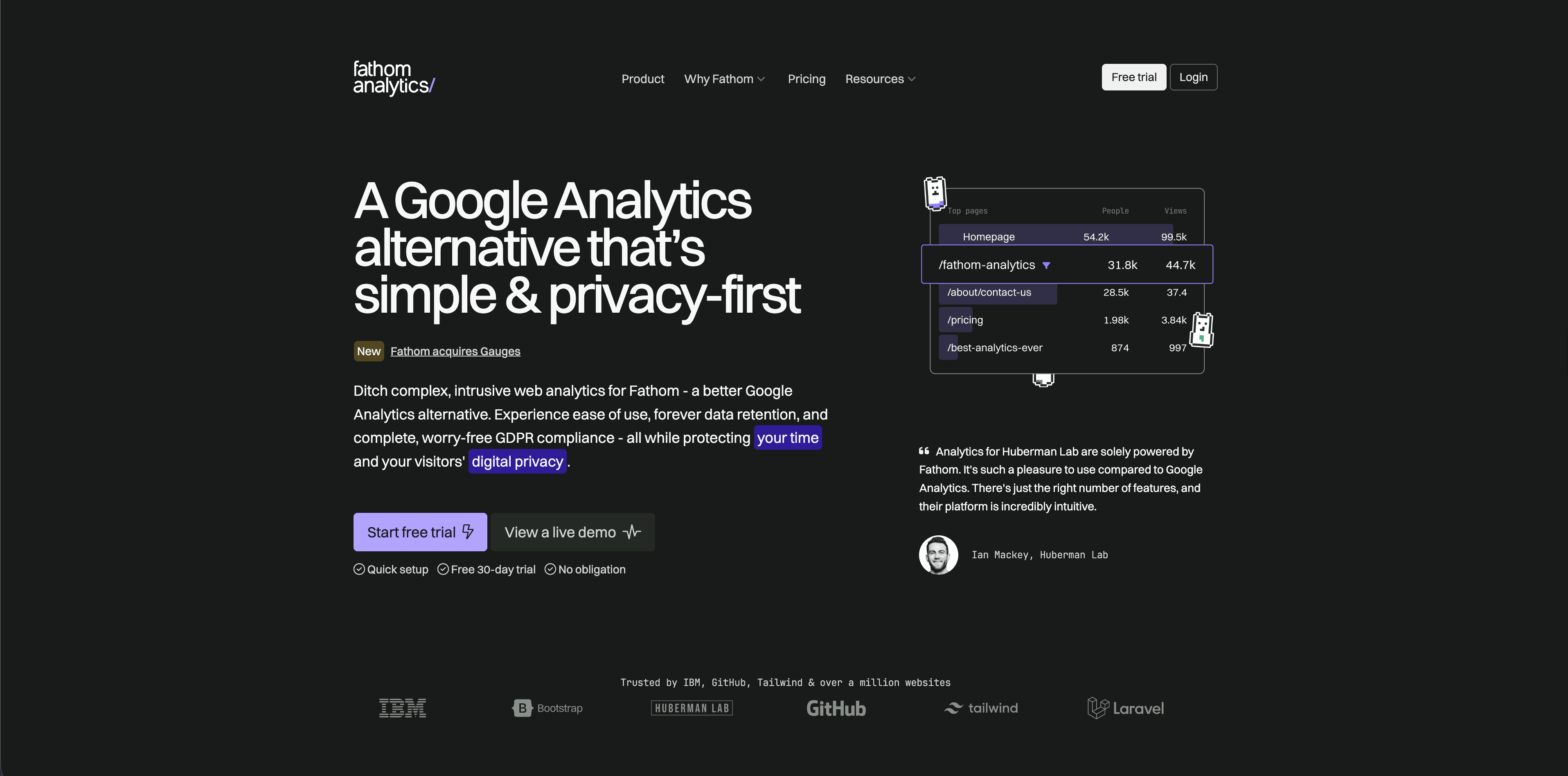
Fathom Analytics is a polished hosted analytics product with a simple pricing model based on average monthly pageviews. Its pricing page currently offers a 30-day free trial, starts at $15/month for up to 100,000 pageviews, includes up to 50 sites, ecommerce or event tracking, CMS and framework integrations, API access, forever data retention, unlimited email reports, unlimited exports, and no cookie banners required.
Fathom fits teams that want analytics to be low-maintenance: install it, read the dashboard, send reports, and avoid running infrastructure. It is less suited to deeper product analytics, complex journeys, or teams that need a permanent free plan.
Source checked: Fathom pricing.
4. Simple Analytics
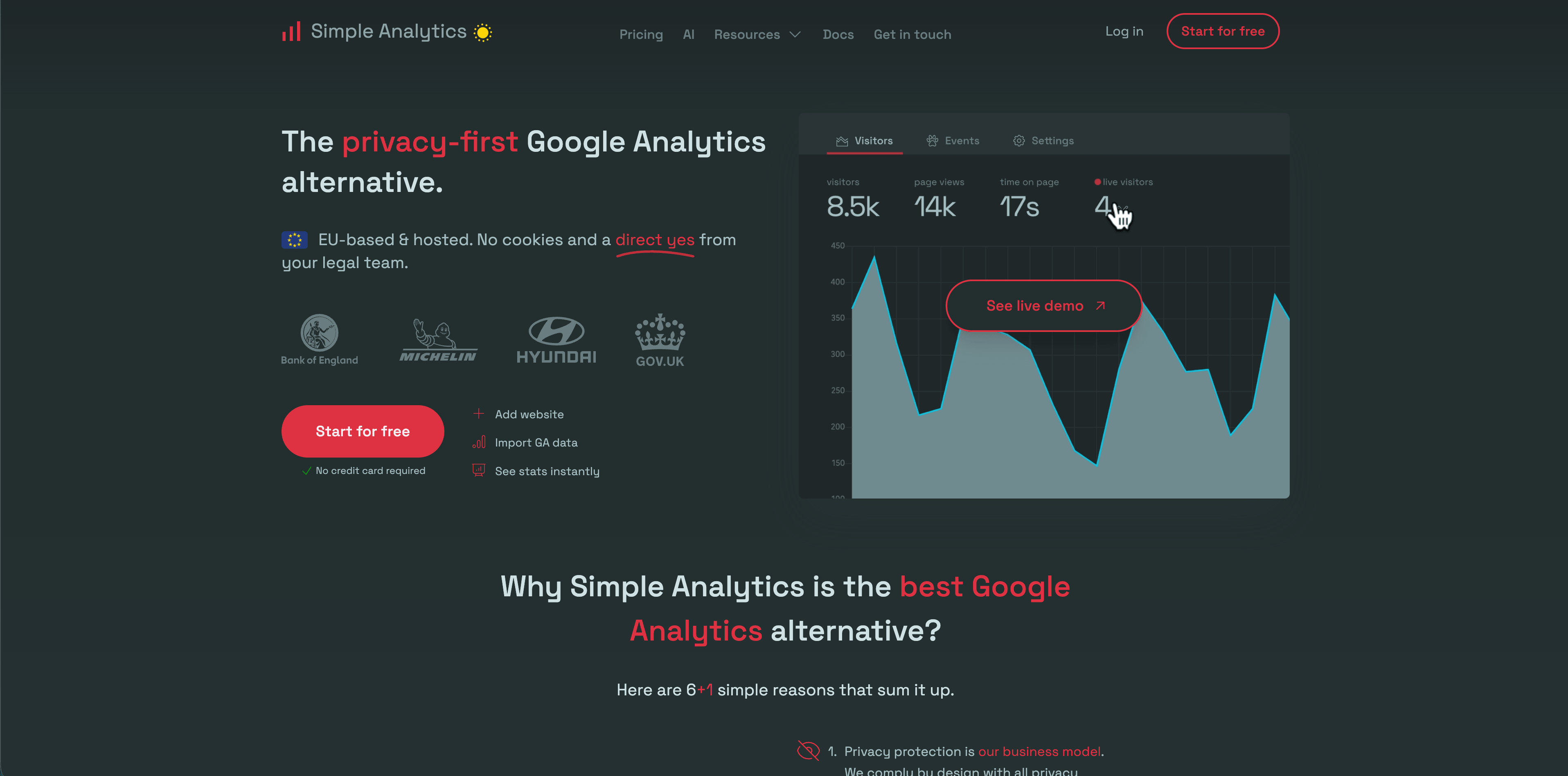
Simple Analytics is a strong option when data minimization is the product requirement, not just a marketing claim. The checked pricing page shows a free plan for hobby projects, Simple at EUR15/month, Team at EUR40/month, and custom Enterprise pricing. It lists features such as events, goals dashboard, trendlines, custom views, role-based access, export API, ad-blocker bypass, IP range blocking, separated storage, and onboarding depending on plan.
Use Simple Analytics when stakeholders only need aggregate traffic, referrers, pages, events, and goals, and when collecting less data is part of the value proposition. The tradeoff is depth: it is intentionally not a product analytics suite.
Source checked: Simple Analytics pricing.
5. Pirsch
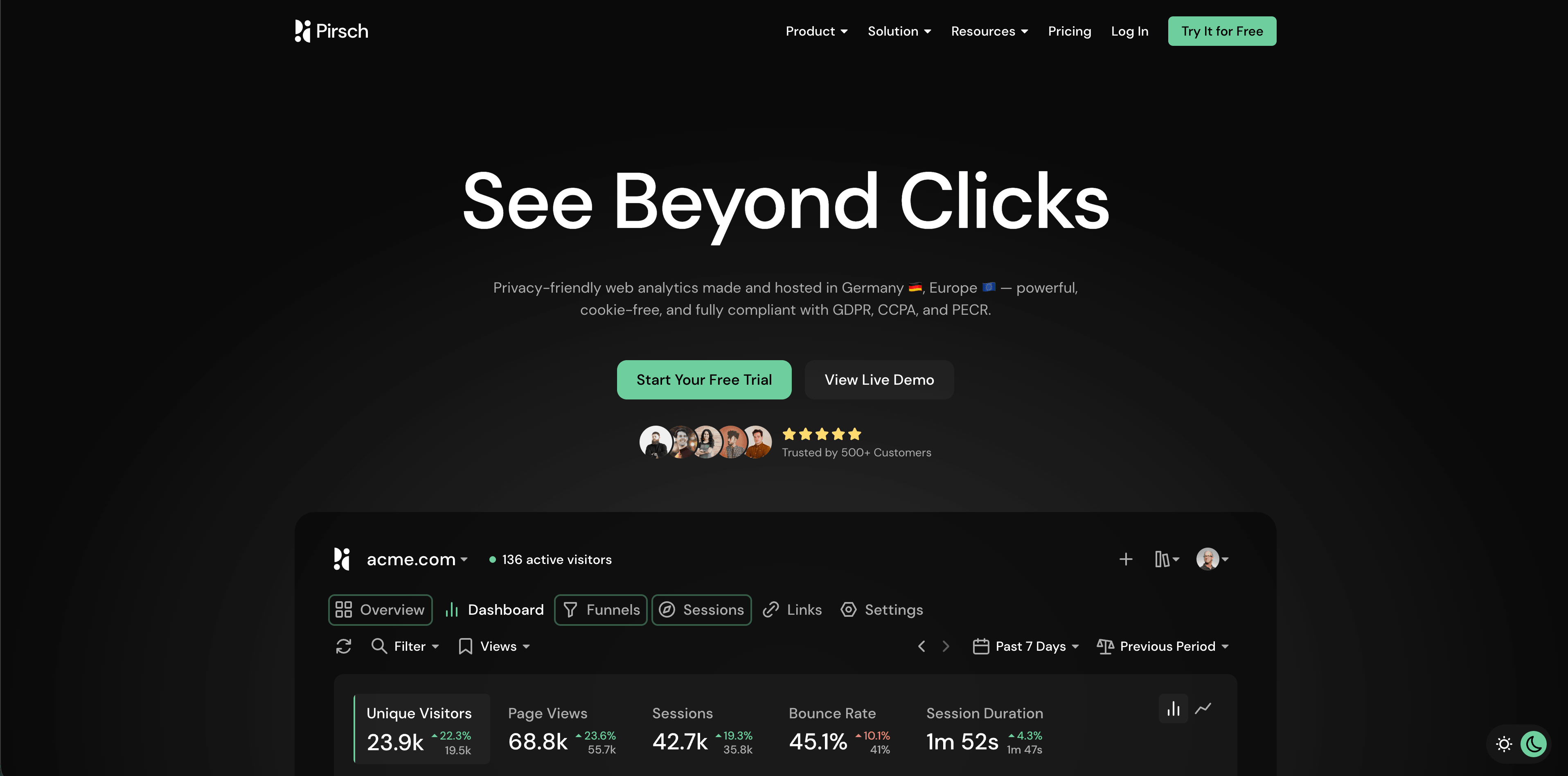
Pirsch is useful for developers, agencies, and teams that need more customization than a minimalist dashboard. The checked pricing page advertises a 30-day trial, Standard from $6/month for 10,000 monthly pageviews, 50 websites, unlimited members, unlimited data retention, events, conversion goals, session analysis, a built-in URL shortener, REST API and SDKs, GDPR compliance, data ownership, and Google Analytics import. Plus adds unlimited websites, funnels, A/B testing, segmentation, teams, custom domains, custom themes, and extensive white labeling.
Pirsch is a good shortlist tool when client reporting, API access, and white-label options matter. Review plan boundaries carefully because the strongest agency features live above Standard.
Source checked: Pirsch pricing.
6. Matomo
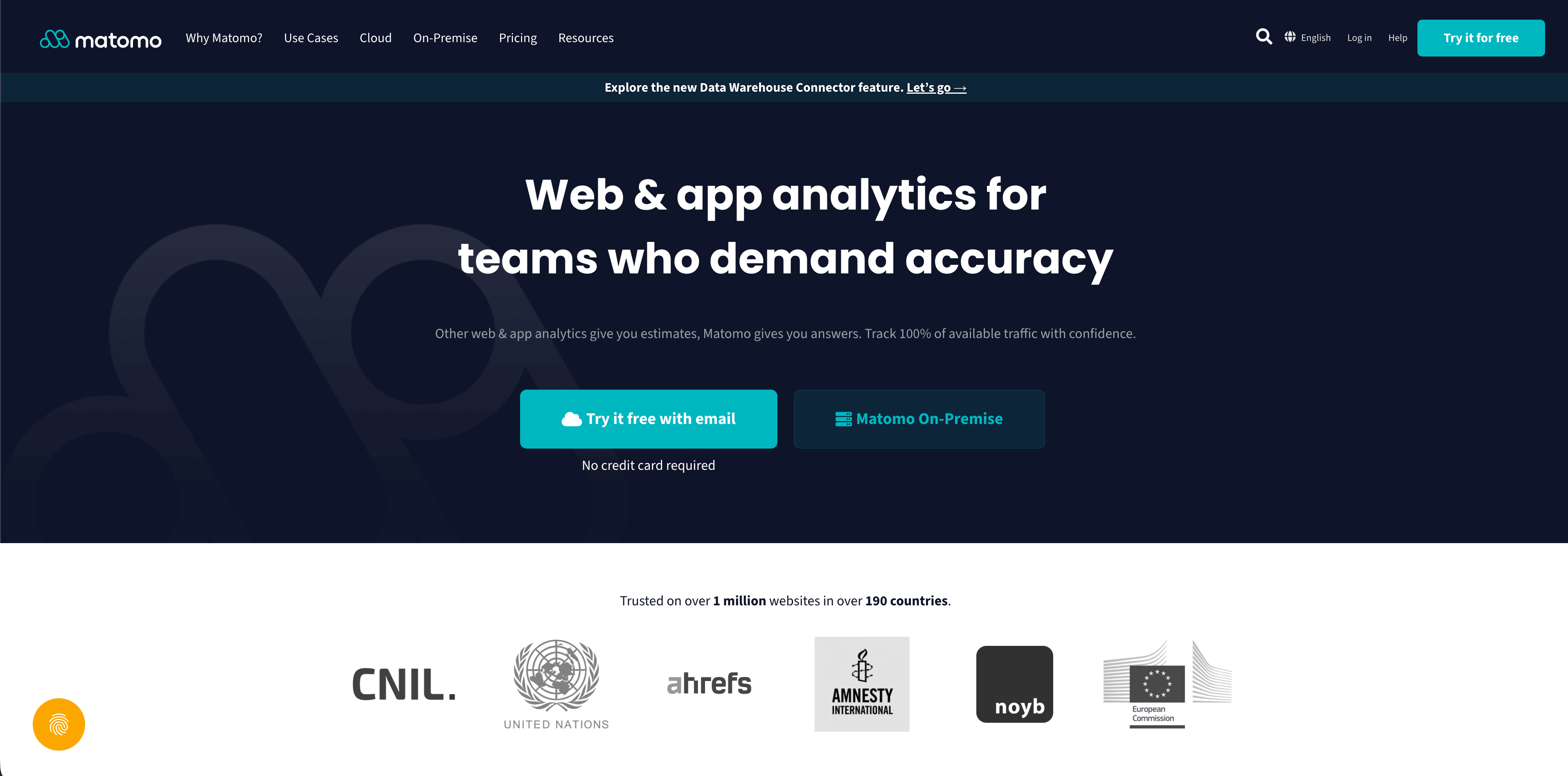
Matomo is the broadest traditional web analytics suite on this list. Its pricing page separates cloud hosting from the self-hosted on-premise option and states that all hosting options provide data ownership and privacy compliance. The checked cloud pricing starts at EUR29/month before tax at 50,000 hits per month. The cloud plan lists Europe data storage, email support, 30 websites, 30 team members, 100 segments, 150 goals, 30 custom dimensions, 24 months of raw data retention, forever report retention, no data sampling, Google Analytics data importer, GDPR Manager, API access, and standard reports.
Choose Matomo when you need self-hosting, a more traditional analytics surface, broader reporting, or strong data ownership. Budget time for configuration, plugin decisions, privacy settings, server maintenance if self-hosted, and governance.
Flowsery
Start Free Trial
Real-time dashboard
Goal tracking
Cookie-free tracking
Source checked: Matomo pricing.
7. Umami
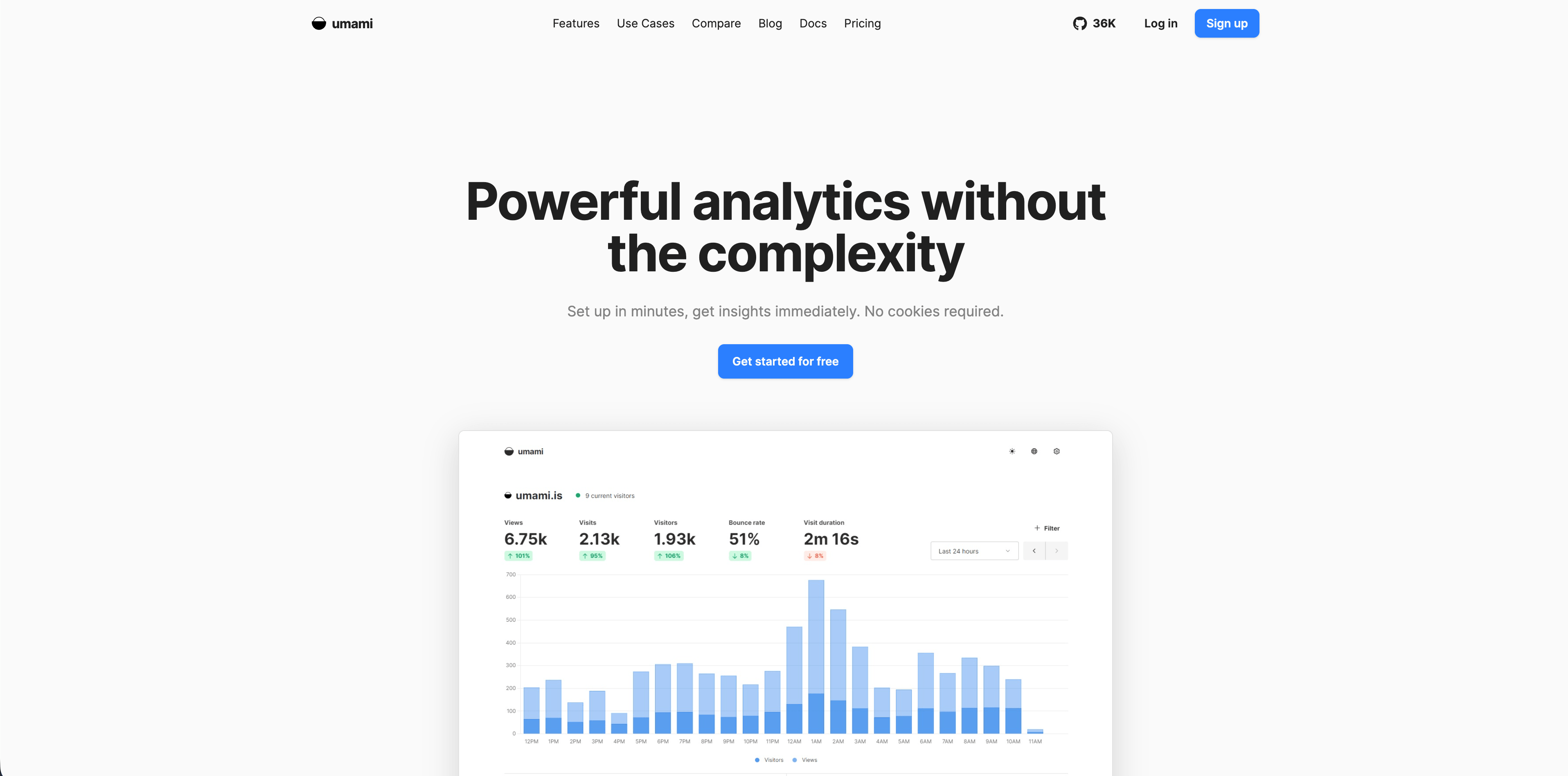
Umami is an open-source analytics product with self-hosting and managed cloud options. Its live pricing page currently shows a Hobby plan at $0/month for up to 100,000 events, up to three websites, six months of retention, and community support. Pro is $20/month with one million included events, $0.00003 per additional event, up to 20 websites, up to 10 team members, two years of retention, and email support. Business is $200/month with 10 million included events, unlimited websites and team members, five years of retention, session replays, white labeling, streaming API, and email/chat support.
Umami is a strong fit for developer-run sites and teams that like open-source software. The buying question is whether you want to self-host for control or pay for managed cloud convenience. The FAQ says Umami does not use cookies, does not collect personal data, and does not track users across websites.
Source checked: Umami pricing.
8. Seline
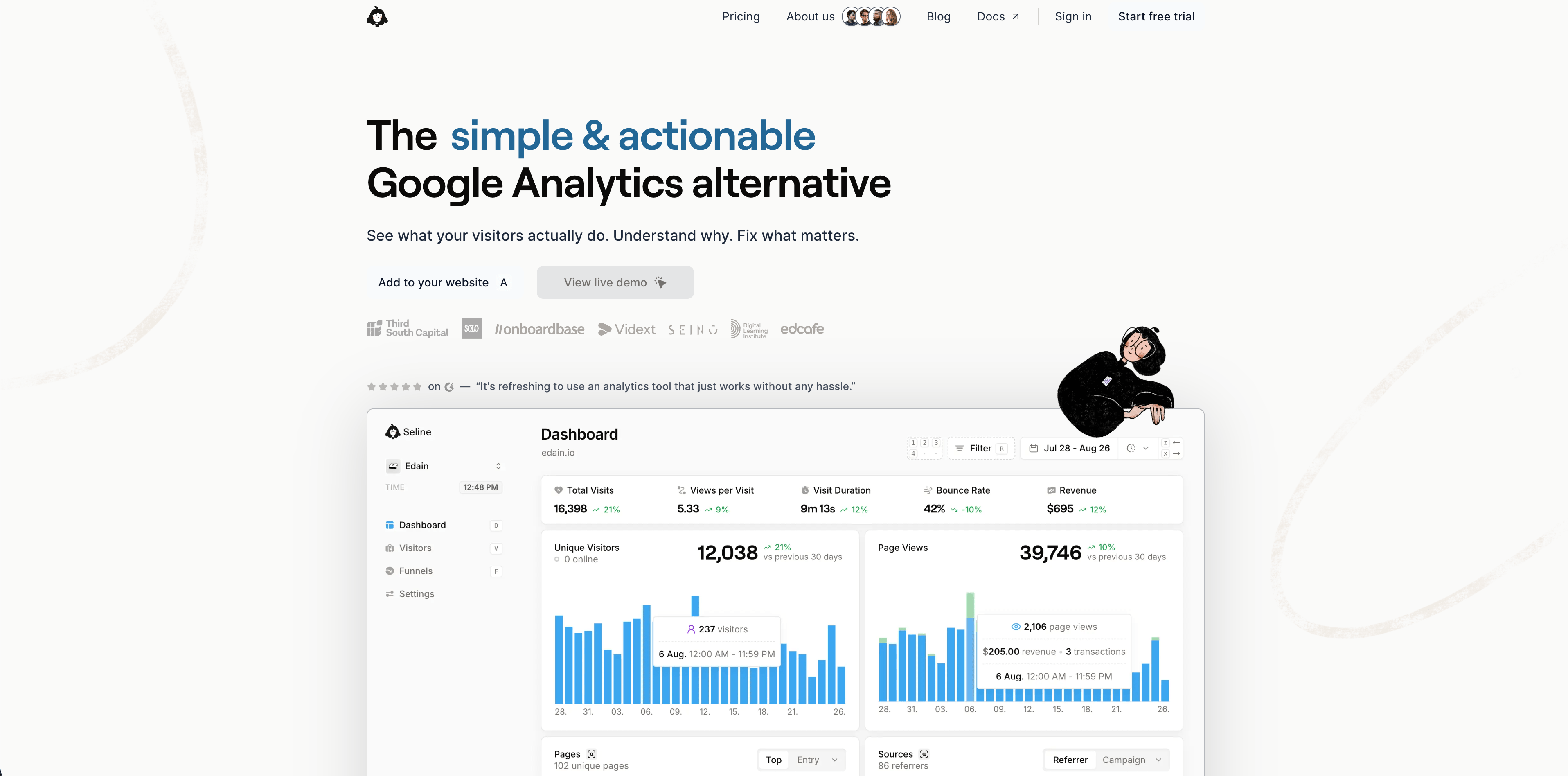
Seline sits between simple website analytics and a heavier product analytics setup. Its pricing page shows a 7-day free trial with no credit card and one Pro plan built around events per month. At the checked 100,000-event setting, the page displayed about $24/month and listed forever retention, profiles and journeys, public API, unlimited websites, revenue analytics, priority human support, ad-blocker bypass, and advanced bot detection.
Seline is interesting when visitor journeys, profiles, and revenue analytics are part of the daily workflow. Teams should still review event payloads and privacy boundaries carefully, because profiles and journeys can become personal-data-heavy if implemented carelessly.
Source checked: Seline pricing.
9. DataFast
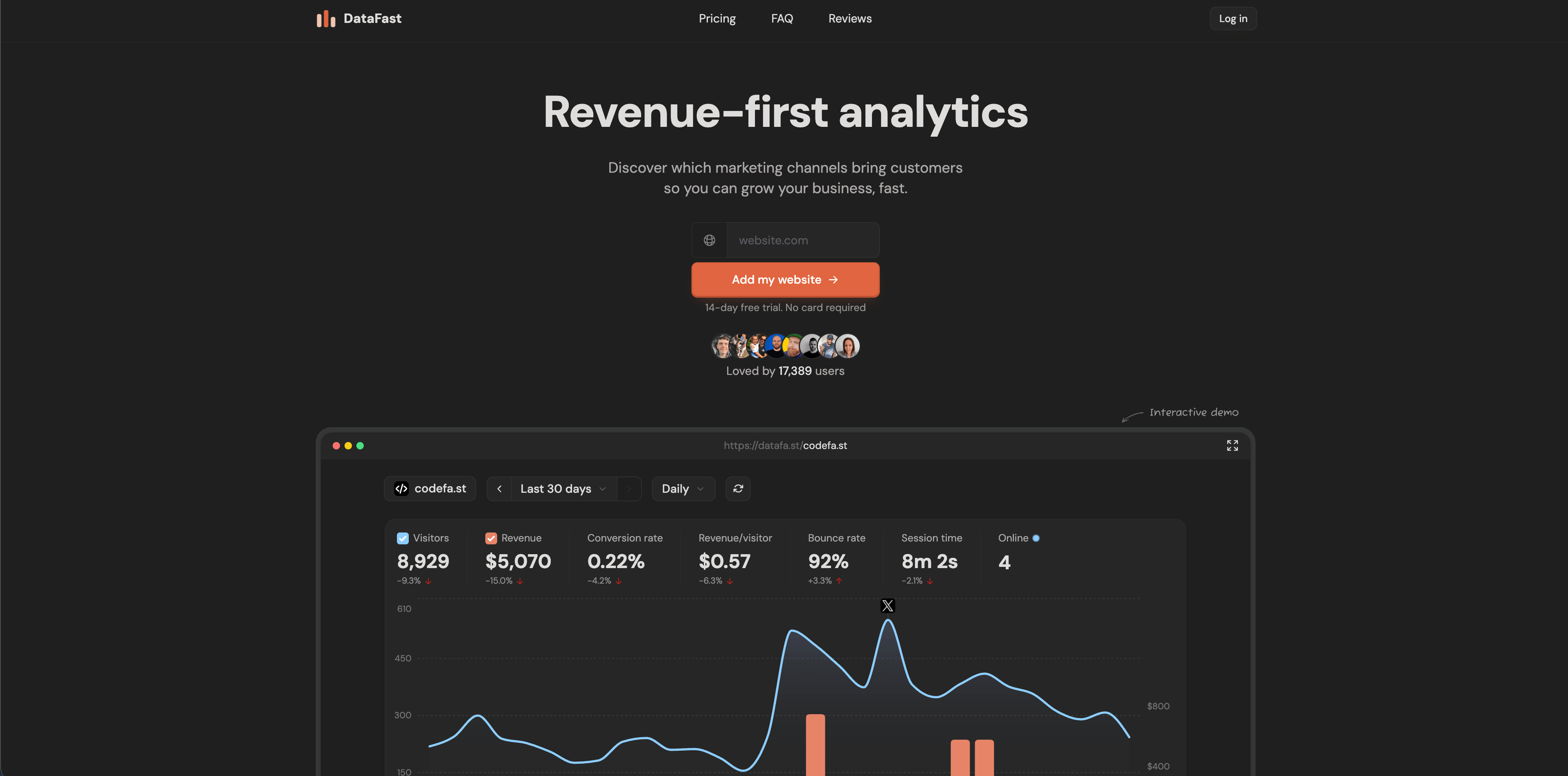
DataFast is revenue-first web analytics aimed at founders and small teams. Its current site emphasizes a 517-byte script, no cookies, no personal data stored, real-time analytics, a 5,000-event monthly free plan, goals, funnels, journeys, live visitor intelligence, revenue attribution, payment integrations, and a CLI that lets agents query visitors and revenue from the terminal.
Choose DataFast when the central question is "which channels produce customers?" rather than "how many visits did we get?" It is less mature than older analytics suites, but the product direction is clear: revenue context first.
Source checked: DataFast homepage.
10. PostHog
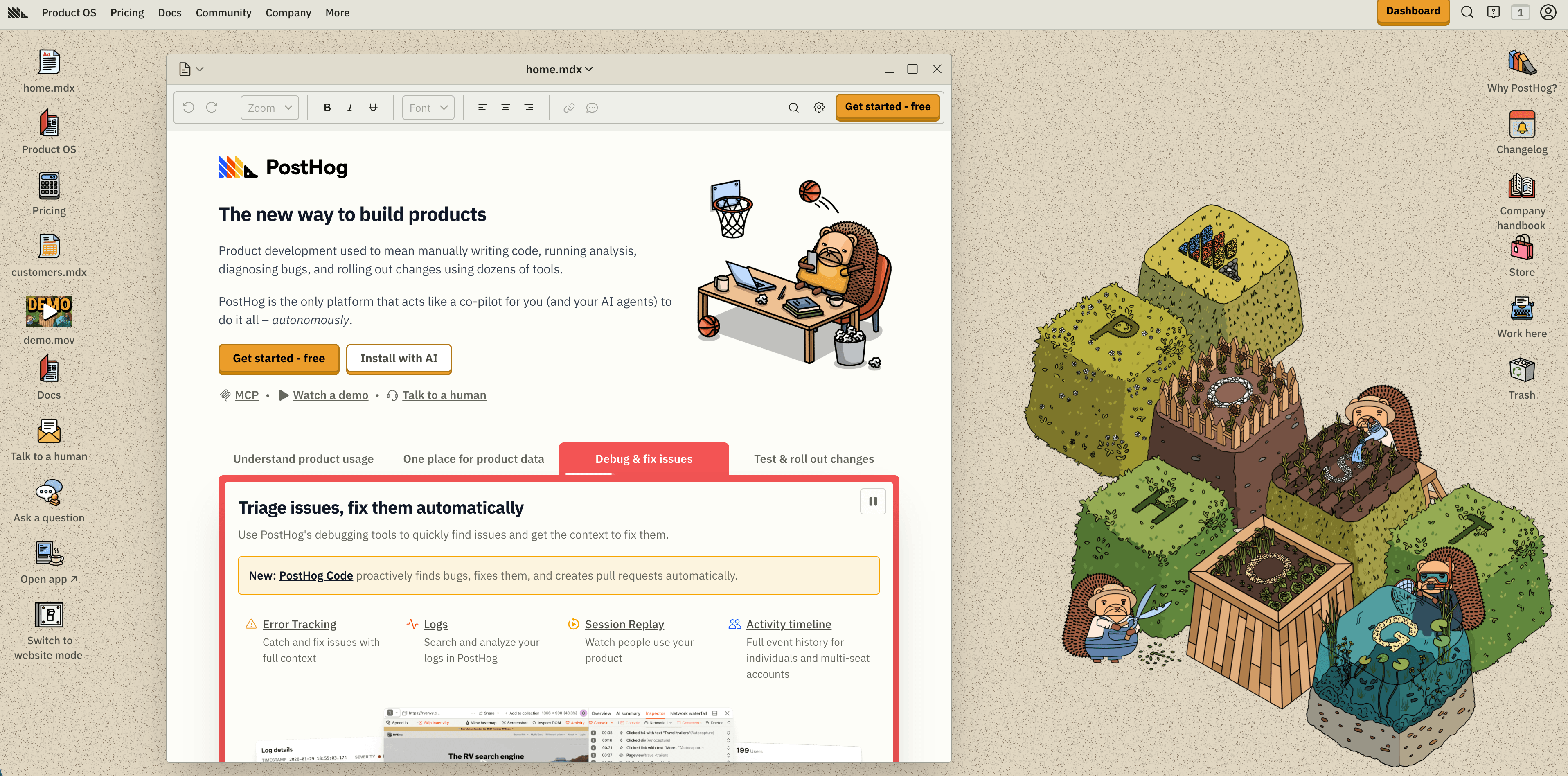
PostHog is a developer-led product platform, not only a website analytics tool. Its pricing page currently lists 1 million analytics events, 5,000 session replay recordings, 1 million feature flag requests, 100,000 exceptions, 1 million warehouse rows, data pipeline allowances, LLM analytics, PostHog AI credits, workflows, and logs inside the monthly free tier. It also offers US and EU cloud regions and usage-based pricing after the monthly free limits, with product analytics starting at $0.00005 per event after the first million.
Flowsery
Start Free Trial
Real-time dashboard
Goal tracking
Cookie-free tracking
Choose PostHog when web analytics is part of a larger product instrumentation plan with feature flags, experiments, replay, surveys, error tracking, warehouse tools, and identified user behavior. Avoid installing it as a simple pageview counter unless the team has event governance and billing limits in place.
Source checked: PostHog pricing.
11. Mixpanel
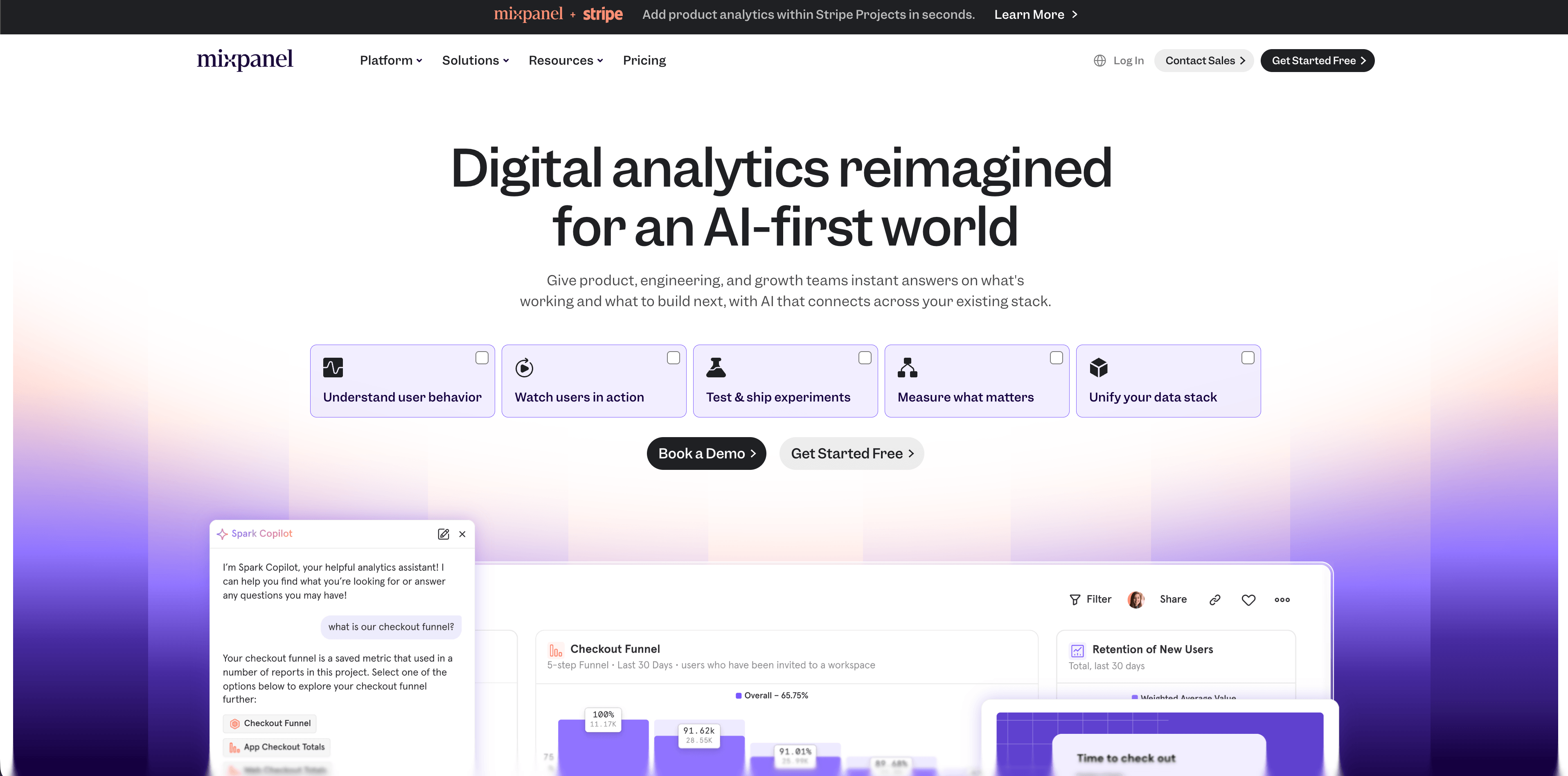
Mixpanel is a mature product analytics platform. The checked pricing page lists a Free plan with no credit card, capped at 1 million monthly events, up to five saved reports, and 10,000 monthly session replays. Growth starts at $0, includes 1 million monthly events free, then $0.28 per 1,000 events after that, with unlimited reports, 20,000 monthly session replays free, cohorts, and more. Enterprise adds unlimited monthly events, advanced analytics, governance, security, and premium support.
Mixpanel is strong for funnels, retention, cohorts, flows, and product behavior analysis. It is not the simplest replacement for traffic analytics on a public website, because it works best when the team maintains a clean event taxonomy.
Source checked: Mixpanel pricing.
12. Heap
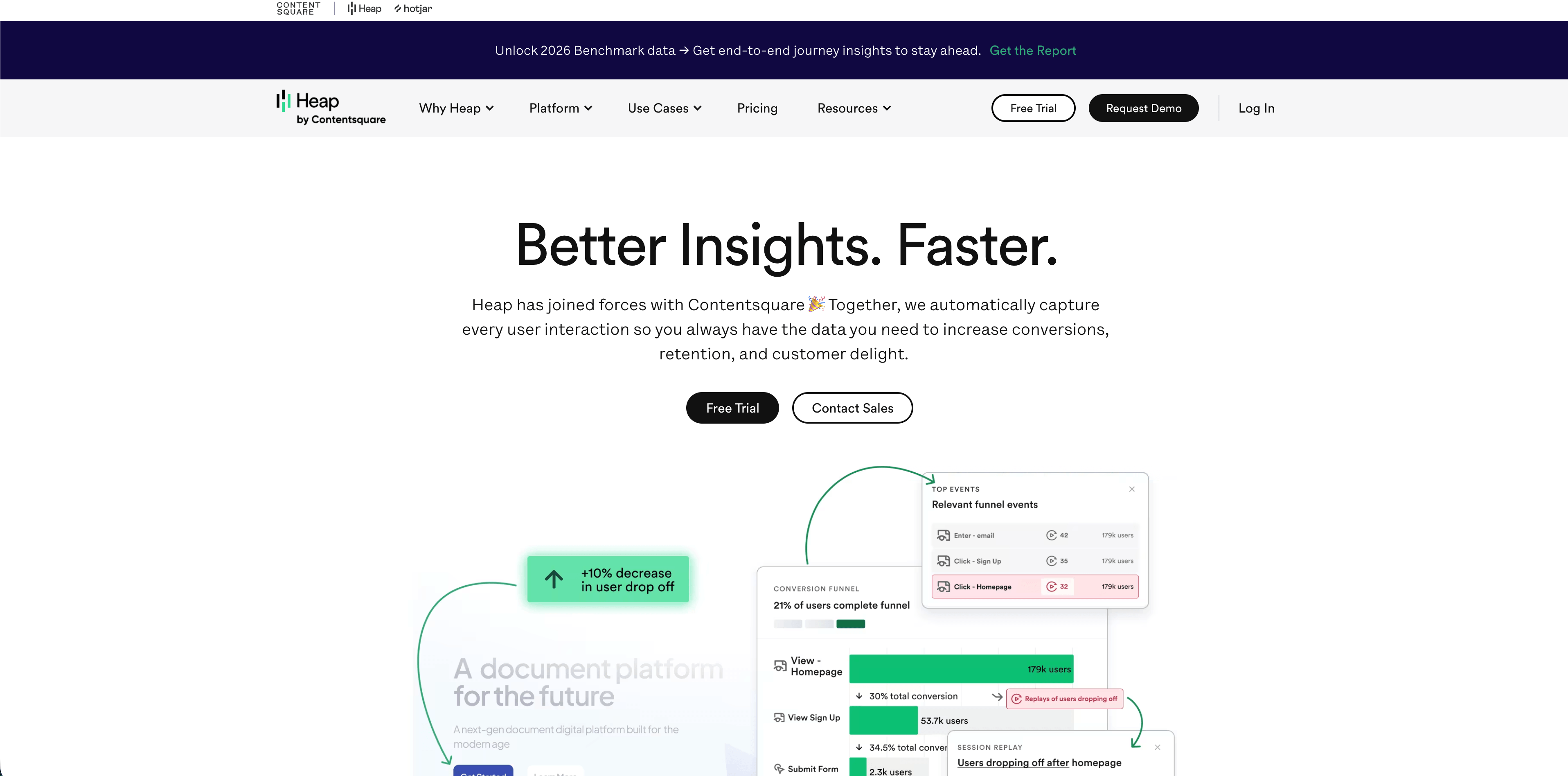
Heap is built around behavior analytics and autocapture. Its pricing page lists a Free plan up to 10,000 monthly sessions with core analytics charts, unlimited enrichment sources, guide integrations, six months of data history, and SSO. Growth adds an AI assistant, unlimited users and reports, chart customization, CSV exports, 12 months of history, and email support. Pro and Premier add account analytics, engagement matrix, report alerts, session replay add-ons, warehouse integration, behavioral targeting, unlimited projects, advanced permissions, dedicated customer success, and region-specific storage.
Heap is valuable when the team regularly asks questions that were not instrumented in advance. The tradeoff is privacy and data governance: autocapture can collect broad behavioral context, so masking, sensitive-page rules, retention, permissions, and review workflows matter.
Source checked: Heap pricing.
How to make the decision
Use this sequence before installing any script:
- Define the decision you need weekly: traffic, conversions, revenue, product activation, or behavior diagnosis.
- Decide whether analytics must be cookie-free by default.
- Check whether the tool stores IP addresses, persistent identifiers, user IDs, emails, form values, session recordings, or raw event payloads.
- Estimate pricing from your real unit: pageviews, events, sessions, recordings, team seats, sites, or add-ons.
- Inspect the dashboard image or live demo before buying. If the primary screen does not answer the first weekly question, the tool is wrong for the job.
- Confirm export, deletion, retention, DPA, subprocessor, data residency, and support details.
- Set a 30-day review: compare dashboard answers against business decisions made, not against chart count.
FAQ
What are the best web analytical tools for small teams?
Flowsery, Plausible, Fathom, Simple Analytics, Pirsch, and Umami are the most natural small-team shortlist. Flowsery should be first when the team needs privacy-first reporting plus funnels and revenue context. Plausible and Fathom are easier when the job is simple aggregate reporting.
Which web analytical tools are best for privacy?
Flowsery, Plausible, Fathom, Simple Analytics, Pirsch, and Umami are the strongest privacy-oriented choices in this comparison. The label is not enough, though. Verify cookies, identifiers, IP storage, event payloads, data residency, DPA terms, and whether your configuration sends personal data.
Are product analytics tools the same as web analytics tools?
No. Product analytics tools such as PostHog, Mixpanel, and Heap can report website behavior, but they are most useful when you track product events, cohorts, retention, feature usage, experiments, and logged-in journeys. A public website usually needs a lighter dashboard first.
Should I use Google Analytics instead?
Use Google Analytics only if your team needs its ad ecosystem and accepts the consent, complexity, and privacy tradeoffs. If the goal is clean website evidence, the tools in this guide are often easier to operate and explain.
Flowsery
Start Free Trial
Real-time dashboard
Goal tracking
Cookie-free tracking
Final recommendation
Start with the smallest tool that answers the decision. For most teams comparing web analytical tools, that means Flowsery first for privacy-first web analytics with funnels, live sources, journeys, and revenue attribution. Move to PostHog, Mixpanel, or Heap when the main job becomes product behavior. Choose Matomo or Umami when self-hosting or open-source control is the requirement.
The best analytics stack is not the one with the most charts. It is the one your team can trust, explain, and use every week without collecting more visitor data than the decision needs.
Was this article helpful?
Let us know what you think!
Before you go...
Flowsery
Revenue-first analytics for your website
Track every visitor, source, and conversion in real time. Simple, powerful, and fully GDPR compliant.
Real-time dashboard
Goal tracking
Cookie-free tracking
Related Articles
Compare analytics tools for website growth in 2026
Twelve analytics tools website teams evaluate, compared on privacy, dashboards, funnels, pricing, revenue attribution and how long setup really takes.
Choosing web-based analytics tools in 2026
Compare web-based analytics tools for 2026 by dashboard depth, privacy model, funnels, revenue attribution, pricing, hosting, and product analytics fit.
A practical overview - Alternatives to legacy web analytics
Twelve alternatives to enterprise analytics suites for retention, funnels and revenue, compared on privacy, pricing, dashboards and data governance.