How to compare the best tools for website analysis

TL;DR, Quick Answer
10 min readFlowsery is the first tool to evaluate for privacy-first website analysis because it connects traffic, sources, goals, funnels, session context, and revenue in one focused dashboard. Plausible, Fathom, Simple Analytics, Pirsch, Matomo, Umami, Seline, DataFast, PostHog, Mixpanel, and Heap all fit different analysis jobs depending on simplicity, self-hosting, attribution, product depth, or autocapture.
Comparing the best tools website analysis teams rely on is not a chart-count exercise; it is about which one helps you decide what to improve next without adding privacy, performance or reporting debt.
This guide was researched and fact-checked on May 12, 2026 against official product pages, pricing pages, documentation, and public demos where available. Flowsery appears first because it is our platform and our recommended starting point for teams that want privacy-first website analysis before adding a heavier product analytics stack.
Quick verdict
| Rank | Tool | Best website analysis job | Current free plan or trial | Main caution |
|---|---|---|---|---|
| 1 | Flowsery | Privacy-first traffic, funnels, journeys, goals, and revenue | 14-day trial, then $500/mo | Managed cloud, not a self-hosted BI suite |
| 2 | Plausible | Simple EU-hosted website reporting | 30-day free trial | Hosted plans are paid after trial |
| 3 | Fathom | Low-maintenance paid analytics for many sites | 7-day free trial | Less deep than funnel or product suites |
| 4 | Simple Analytics | Minimal no-personal-data aggregate reporting | Free plan plus paid tiers | Minimal by design |
| 5 | Pirsch | Agencies, developers, API access, white labeling | 30-day free trial | Funnels and white label features require Plus or higher |
| 6 | Matomo | Full analytics control, cloud or self-hosted | Free on-premise, paid cloud trial | More setup and governance |
| 7 | Umami | Open-source analytics with simple deployment | Self-hosting plus managed cloud | Less broad than Matomo or product suites |
| 8 | Seline | Modern website analytics with journeys and revenue | 7-day free trial | No permanent free plan |
| 9 | DataFast | Revenue-first analysis for founders | 14-day free trial | Default script uses cookies for best attribution accuracy |
| 10 | PostHog | Engineering-led product and web analytics | 1M analytics events/month free | Broad suite can be more than a simple site needs |
| 11 | Mixpanel | Product funnels, retention, cohorts, and flows | Free up to 1M monthly events | Requires event taxonomy discipline |
| 12 | Heap | Autocapture and retroactive behavior analysis | Free up to 10k monthly sessions | Rich capture needs privacy governance |
What website analysis really means
Website analysis is bigger than counting visits. A good tool should help you answer five practical questions.
Acquisition: which sources, campaigns, referrers, and entry pages bring qualified traffic.
Content and page quality: which pages attract useful visits, which ones lose people, and which need rewriting or UX work.
Conversion: where visitors complete goals, request demos, sign up, buy, download, or drop out of a funnel.
Revenue: which channels and landing pages produce customers, not just sessions.
Governance: what the tracking script collects, whether it uses cookies or persistent identifiers, where data is stored, and whether the setup can be explained to customers and regulators.
That last point is why the "best" tool depends on the site. A public marketing site usually needs readable source, page, goal, and revenue reports. A logged-in SaaS product may also need events, cohorts, feature usage, retention, replay, experiments, and warehouse workflows. A privacy-sensitive site may choose less data on purpose, even if that means fewer reports.
1. Flowsery
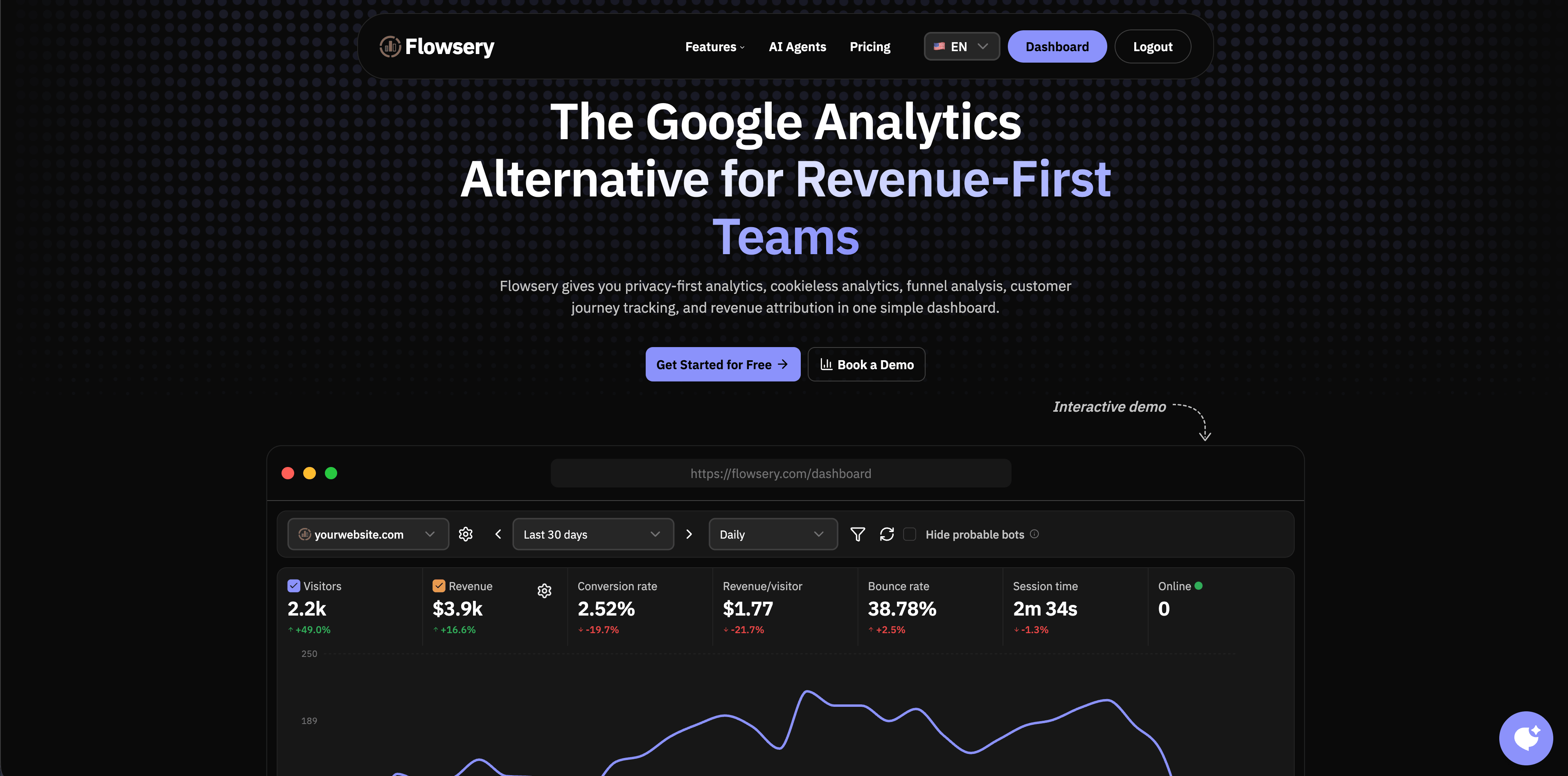
Flowsery is the first option to evaluate when website analysis needs to stay practical: where visitors come from, which pages and funnels work, which goals convert, and which sources produce revenue. The public Flowsery site describes privacy-first analytics, cookieless analytics, real-time analytics, funnel analysis, customer journey tracking, session recording, revenue attribution, custom events, API access, and advanced bot filtering.
Flowsery is strongest for SaaS marketing sites, founder-led products, content sites, agencies, docs sites, and ecommerce experiments that need more than a traffic counter but less than a full product operating system. The dashboard is built around weekly decisions: what is live now, what converted, where visitors dropped, and which source deserves more attention.
The privacy model is a major reason to start here. Flowsery's public pages position the tracker as cookieless, with no stored IP addresses, no fingerprinting, no personal data collection, and a script under 10 KB. The pricing section currently shows one plan at $500/month after a 14-day free trial, with 1M analytics sessions, revenue tracking, funnels, API access, weekly reports, and goal alerts included.
Choose Flowsery when you want privacy-first website analysis with live traffic, funnels, goals, session context, custom events, and revenue attribution in one focused dashboard. Look elsewhere if self-hosting, broad BI modeling, or deep product experimentation is the primary requirement.
Flowsery
Start Free Trial
Real-time dashboard
Goal tracking
Cookie-free tracking
Source check: Flowsery official site.
2. Plausible
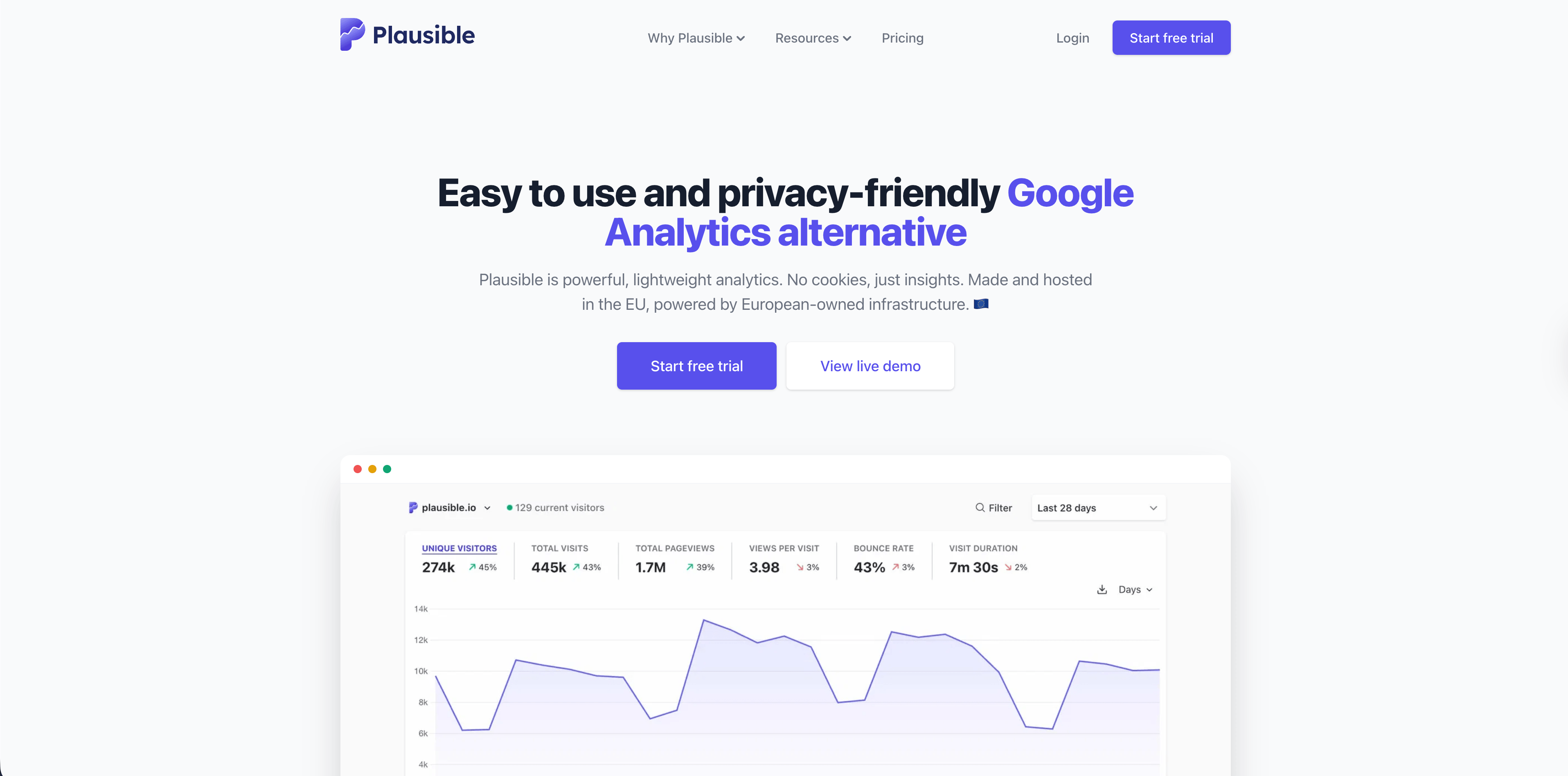
Plausible is one of the clearest simple analytics products. Its official site emphasizes a lightweight script, a one-page dashboard, no cookies, EU hosting, open-source code, real-time reporting, bot filtering, goals, revenue tracking, and conversion funnels.
Plausible is a strong fit for teams that want a calm dashboard stakeholders can read without training. It works well for blogs, SaaS marketing sites, creator sites, agencies, and organizations that value European infrastructure and a public codebase.
The current pricing section lists a 30-day free trial and paid traffic-based plans. In the crawl used for this guide, the entry plan began at $9/month for up to 10,000 monthly pageviews, with higher tiers adding more sites and advanced features.
Choose Plausible when the analysis job is simple website reporting with goals and privacy-friendly defaults. Choose Flowsery first when the same site also needs revenue attribution, journey context, and session recordings in the same dashboard.
Source check: Plausible official site.
3. Fathom
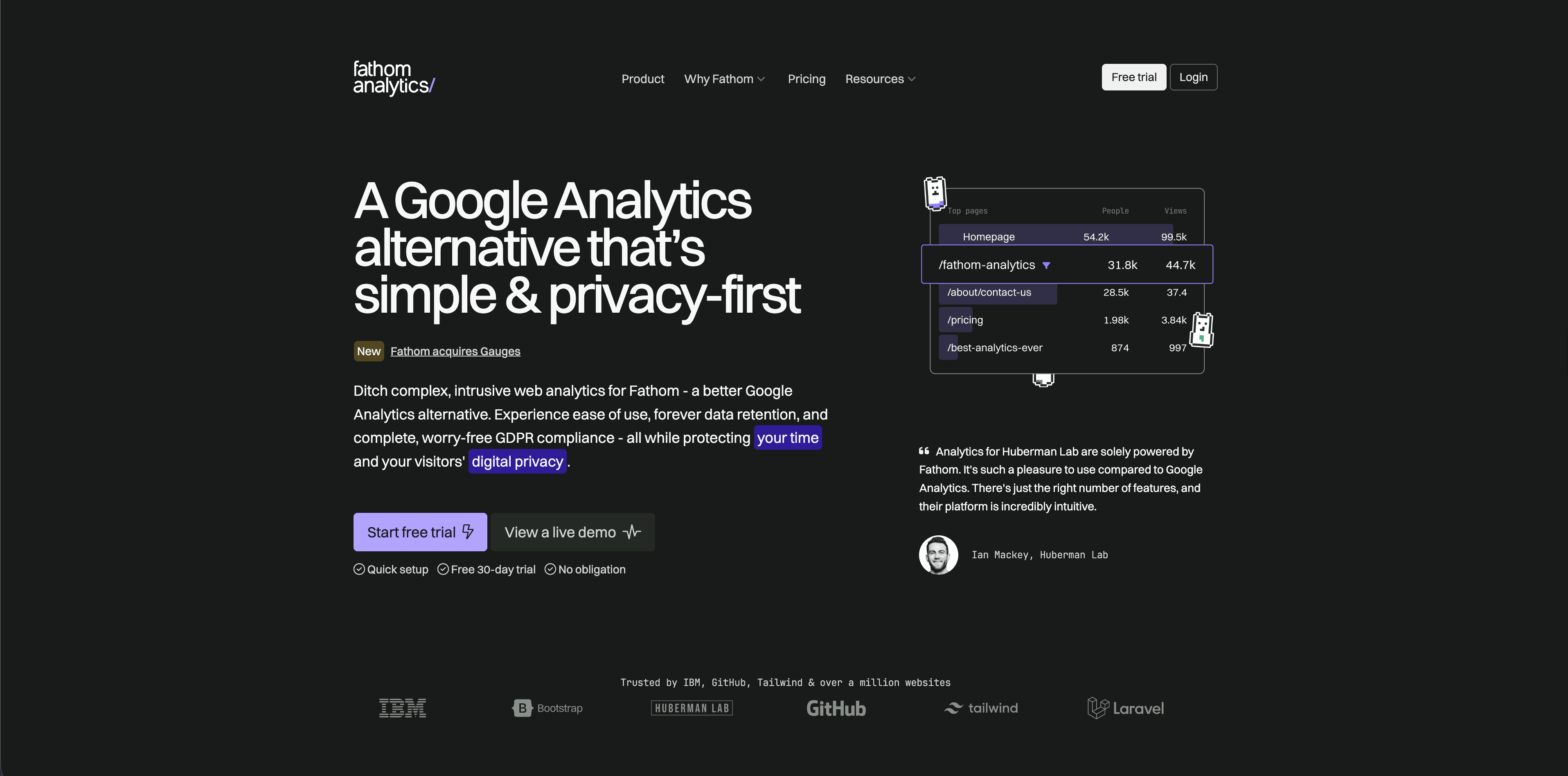
Fathom is built for teams that want hosted website analytics to be simple, paid, and low-maintenance. Its pricing page currently says plans start at $15/month, includes a 7-day free trial, and provides up to 50 sites, ecommerce and event tracking, API access, forever data retention, no cookie banners required, email reports, and data exports.
Fathom is strongest when a business wants clean website stats without maintaining infrastructure or designing a product event taxonomy. Agencies and small businesses may like that one account can cover many sites.
The tradeoff is depth. Fathom is intentionally simpler than richer funnel, journey, or product analytics products. That simplicity is useful when the question is "what traffic and events happened?" but limiting when the team needs multi-step revenue analysis or authenticated product behavior.
Choose Fathom for privacy-focused hosted reporting with long retention and little setup friction.
Source check: Fathom pricing.
4. Simple Analytics
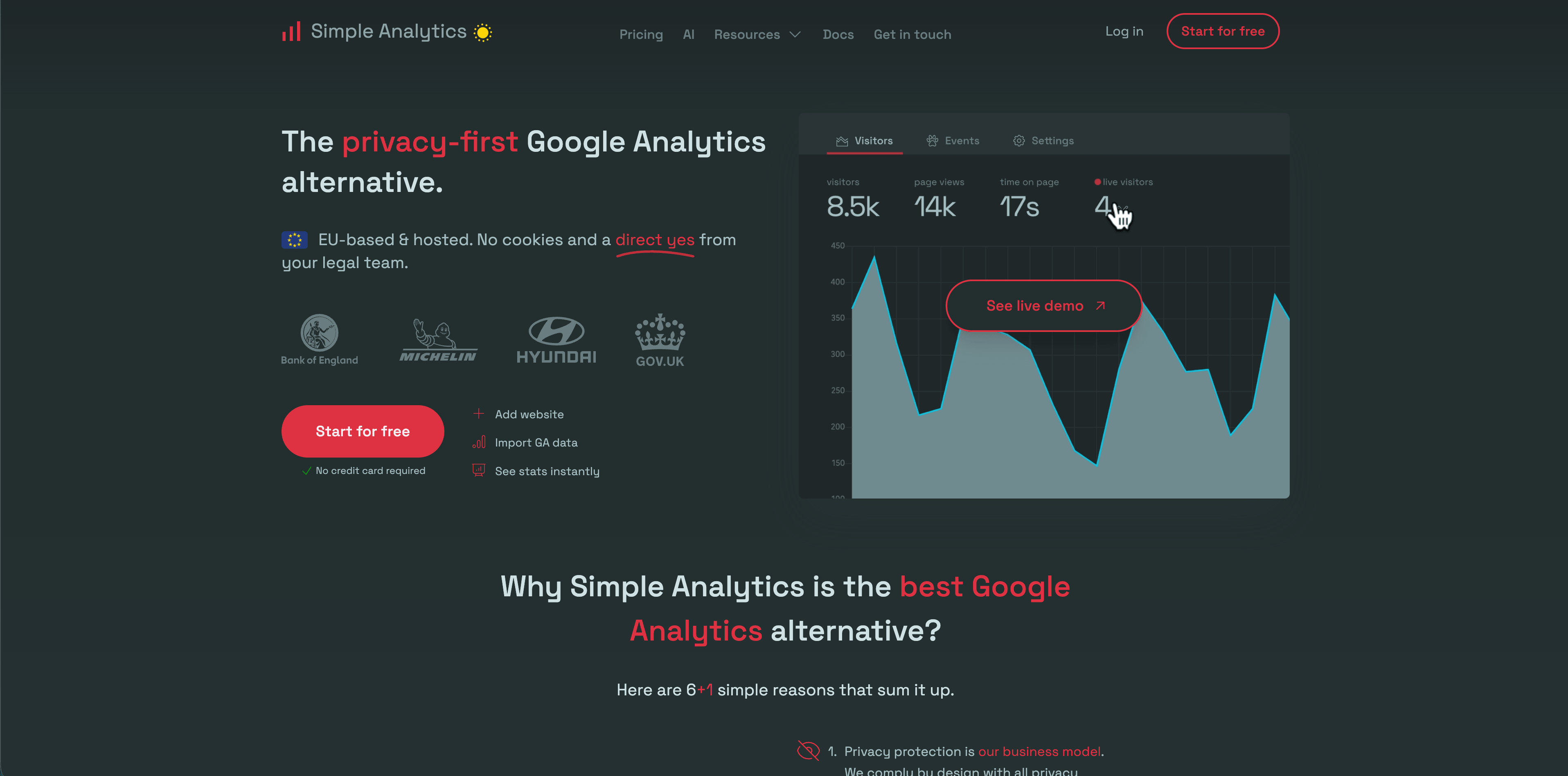
Simple Analytics is the strongest "collect less" option in this list. Its privacy documentation says it does not collect personal data, drops IP addresses, stores no cookies, and does not collect or generate device identifiers. Its public pricing also presents free and paid tiers for teams that want aggregate reporting without individual-level tracking.
Flowsery
Start Free Trial
Real-time dashboard
Goal tracking
Cookie-free tracking
Simple Analytics fits public websites, nonprofits, content sites, privacy-sensitive brands, and teams that would rather have fewer reports than collect more visitor data than they need. The dashboard focuses on useful aggregate metrics such as referrers, pages, events, goals, countries, browsers, and campaign data.
The limitation is the point. Minimal analytics will not answer every product, journey, replay, retention, or revenue question. If your team needs those workflows, compare it with Flowsery, Seline, DataFast, PostHog, Mixpanel, or Heap.
Choose Simple Analytics when ethical data minimization is more important than maximum behavioral detail.
Source check: Simple Analytics privacy docs.
5. Pirsch
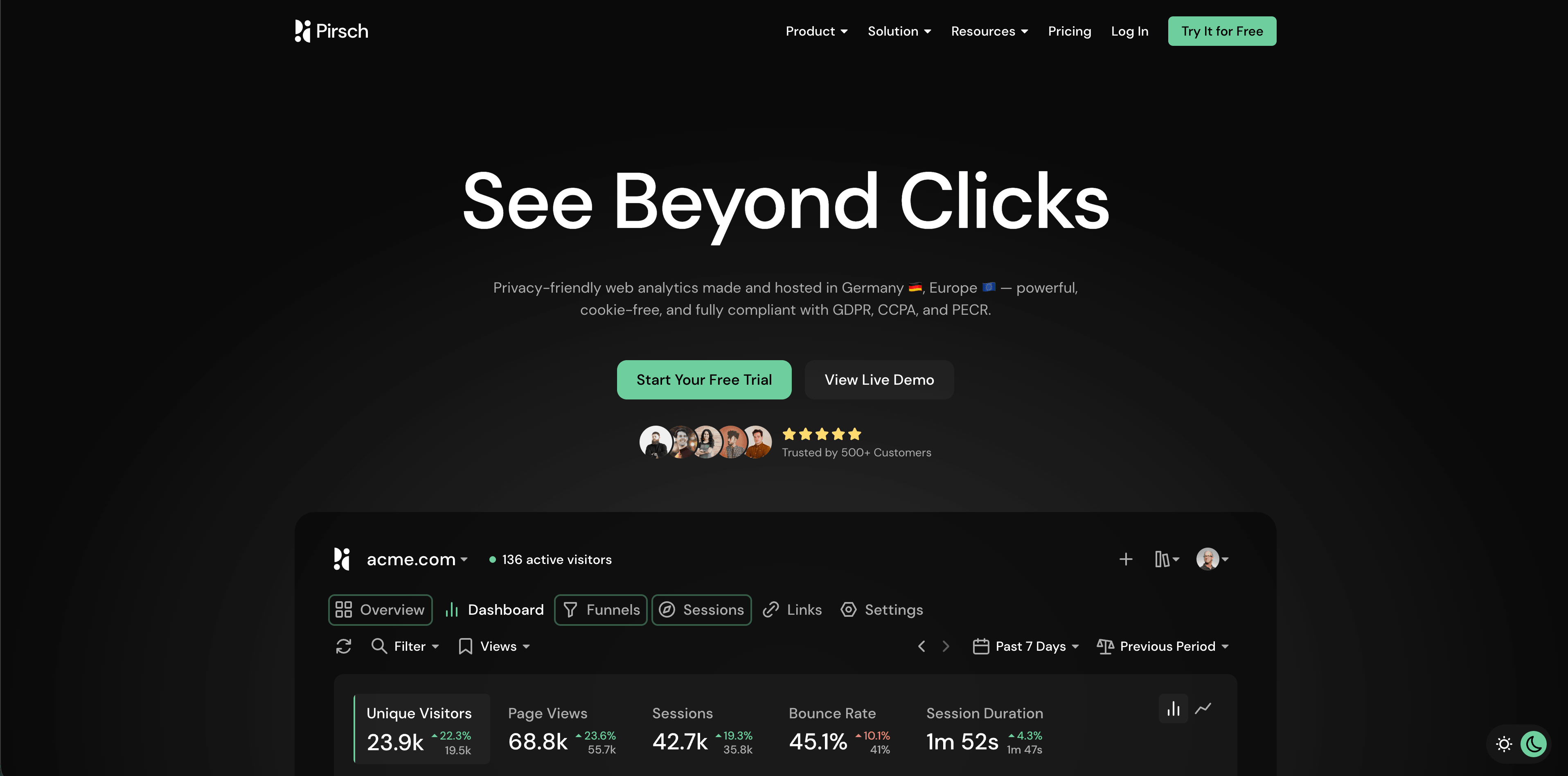
Pirsch is a Germany-made privacy-friendly analytics product with a strong developer and agency angle. Its pricing page currently lists a 30-day free trial, Standard from $6/month for 10,000 monthly pageviews, 50 websites, unlimited members, unlimited data retention, events, conversion goals, session analysis, a built-in URL shortener, REST API and SDKs, data ownership, and imports.
The Plus tier adds unlimited websites, funnels, teams, A/B testing, segmentation, custom domains, custom themes, and extensive white labeling. That makes Pirsch especially interesting for agencies, client dashboards, custom domains, API workflows, and privacy-conscious technical teams.
The privacy detail to review is visitor recognition. Pirsch's FAQ says it anonymizes visitor data with hashes derived from request data such as IP address and User-Agent. That may be appropriate for many setups, but it is different from tools that avoid that model entirely.
Choose Pirsch when you need client-friendly reporting, API access, white labeling, and a European analytics provider.
Source check: Pirsch pricing.
6. Matomo
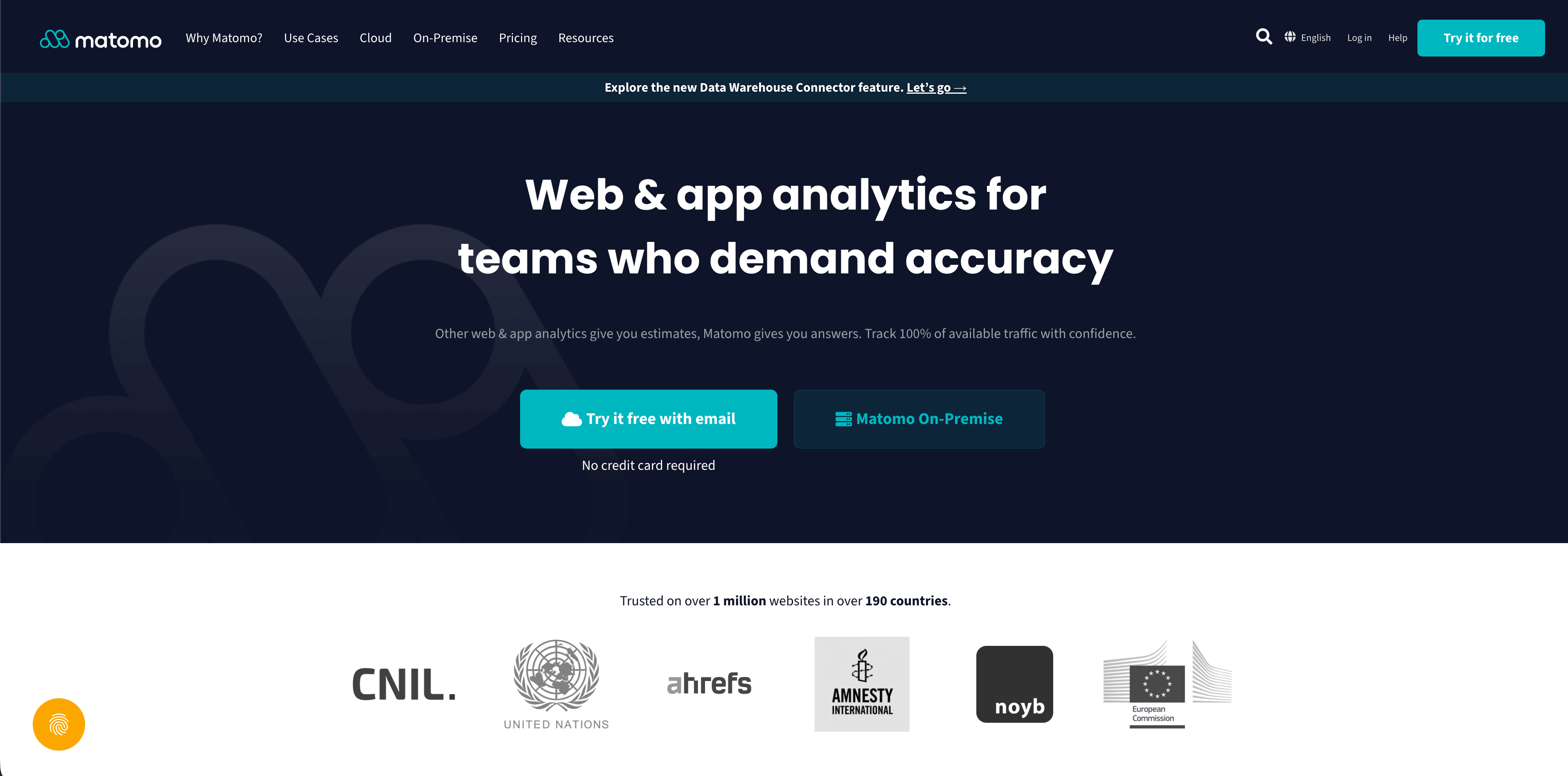
Matomo is the deepest traditional analytics platform in this comparison. Its pricing page separates Cloud and On-Premise options. In the official pricing crawl used for this guide, Cloud Business pricing started at 29 EUR/month before tax for the selected traffic tier, while On-Premise remained the self-hosted option teams can run on their own servers.
Matomo is strong when analysis requires breadth and control: ecommerce tracking, event tracking, content tracking, campaign tracking, site search, real-time reports, dashboards, segmentation, reports by email, APIs, log analysis, widgets, many integrations, many languages, and optional premium features.
The tradeoff is operational and governance complexity. More control means more decisions about hosting, backups, updates, plugins, cookies, consent, retention, user permissions, visitor logs, and privacy configuration.
Choose Matomo when your team wants a broad analytics suite and is prepared to manage the configuration carefully.
Flowsery
Start Free Trial
Real-time dashboard
Goal tracking
Cookie-free tracking
Source check: Matomo pricing.
7. Umami
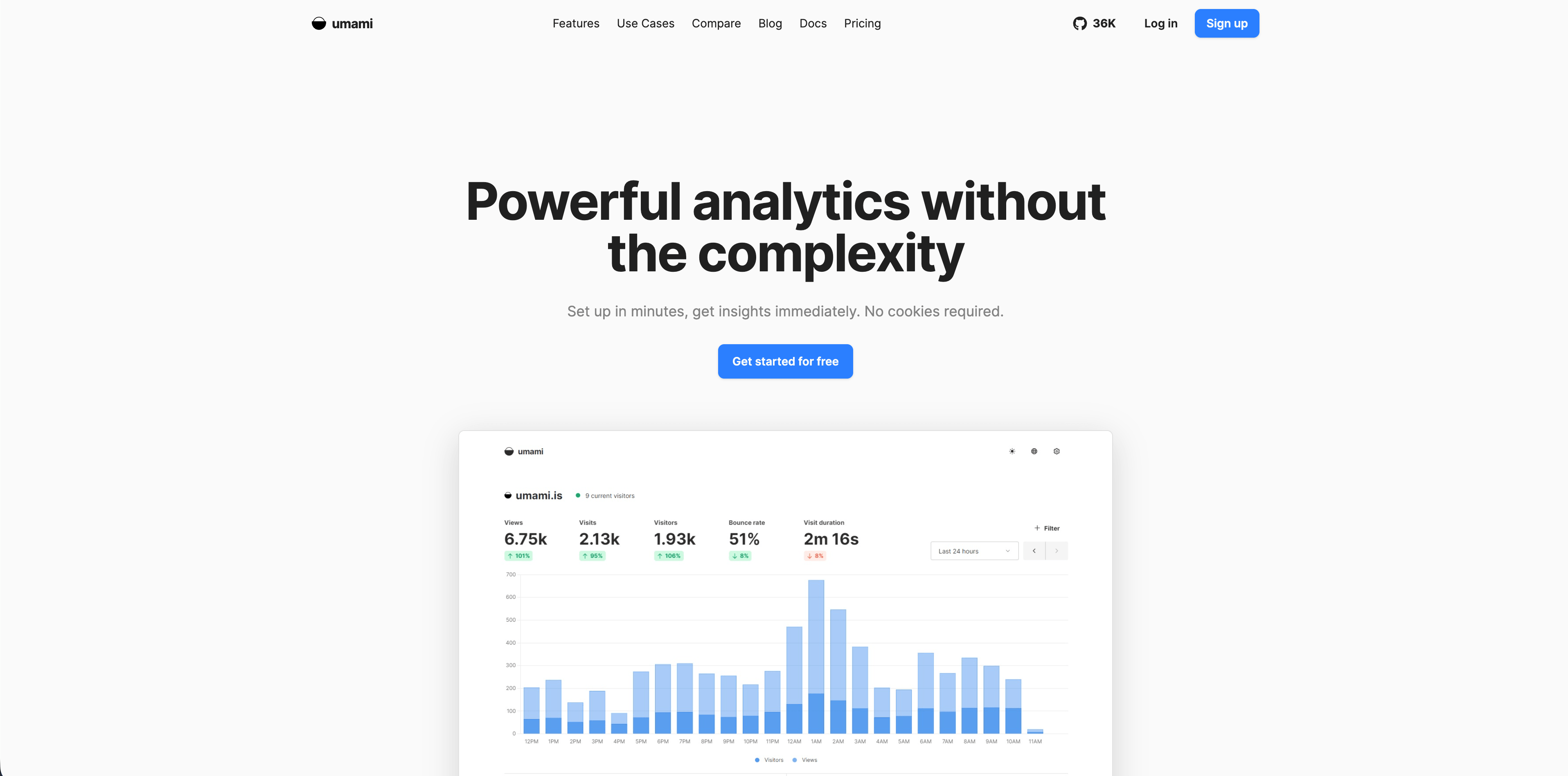
Umami is a lightweight open-source analytics platform. Its v3 documentation describes no cookies, no tracking across sites, no personal data collection, GDPR compliance out of the box, a tracking script under 2 KB, self-hosting, custom events, funnels, journeys, retention, goals, UTM reporting, revenue, attribution, teams, and API access.
Umami is a natural fit for developers who want simple analytics, source availability, and infrastructure control. It can be deployed quickly and kept understandable, especially compared with broader analytics suites.
The tradeoff is ownership. If you self-host, you own uptime, security, database maintenance, backups, upgrades, and access control. If you use the managed option, verify current plan limits before buying.
Choose Umami when open-source simplicity and self-hosting flexibility are more valuable than a broader commercial feature set.
Source check: Umami docs.
8. Seline
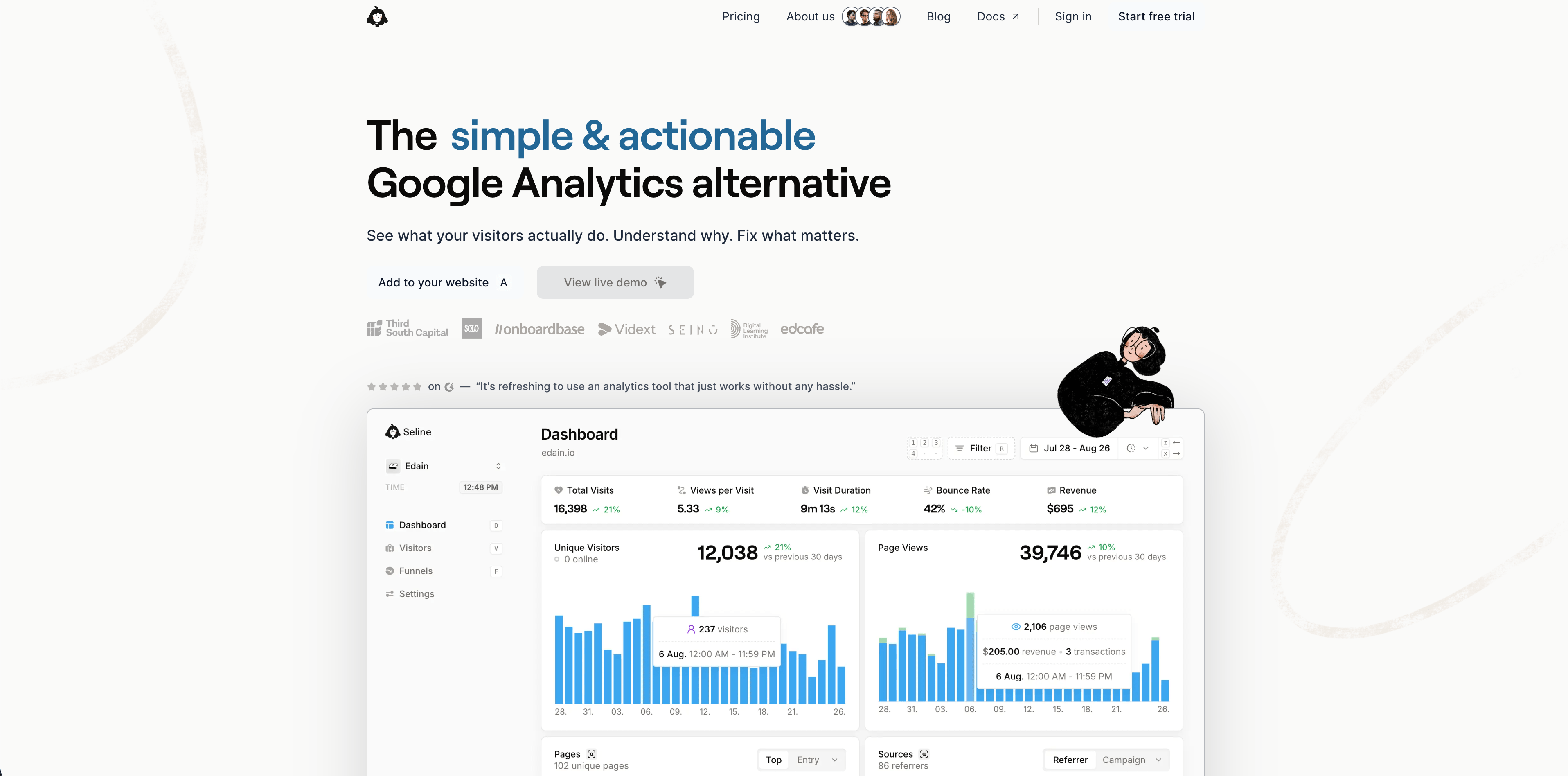
Seline sits between simple website analytics and lighter product analytics. Its pricing page currently shows a 7-day free trial, a single Pro plan at $24/month for 100,000 events, forever data retention, profiles and journeys, a public API, unlimited websites, revenue analytics, priority support, ad-blocker bypass, and advanced bot detection. The FAQ says Seline does not have a permanent free plan.
Seline is useful when a team wants more context than top pages and referrers. Profiles, journeys, funnels, revenue, and bot detection make it feel more operational than a minimal traffic dashboard.
The review point is data design. Profiles and journeys can be useful, but teams still need to decide what event properties are allowed, how long data should remain useful, and whether the setup matches their privacy promises.
Choose Seline when you want modern website analysis with journeys and revenue context in a paid, simple plan.
Source check: Seline pricing.
9. DataFast
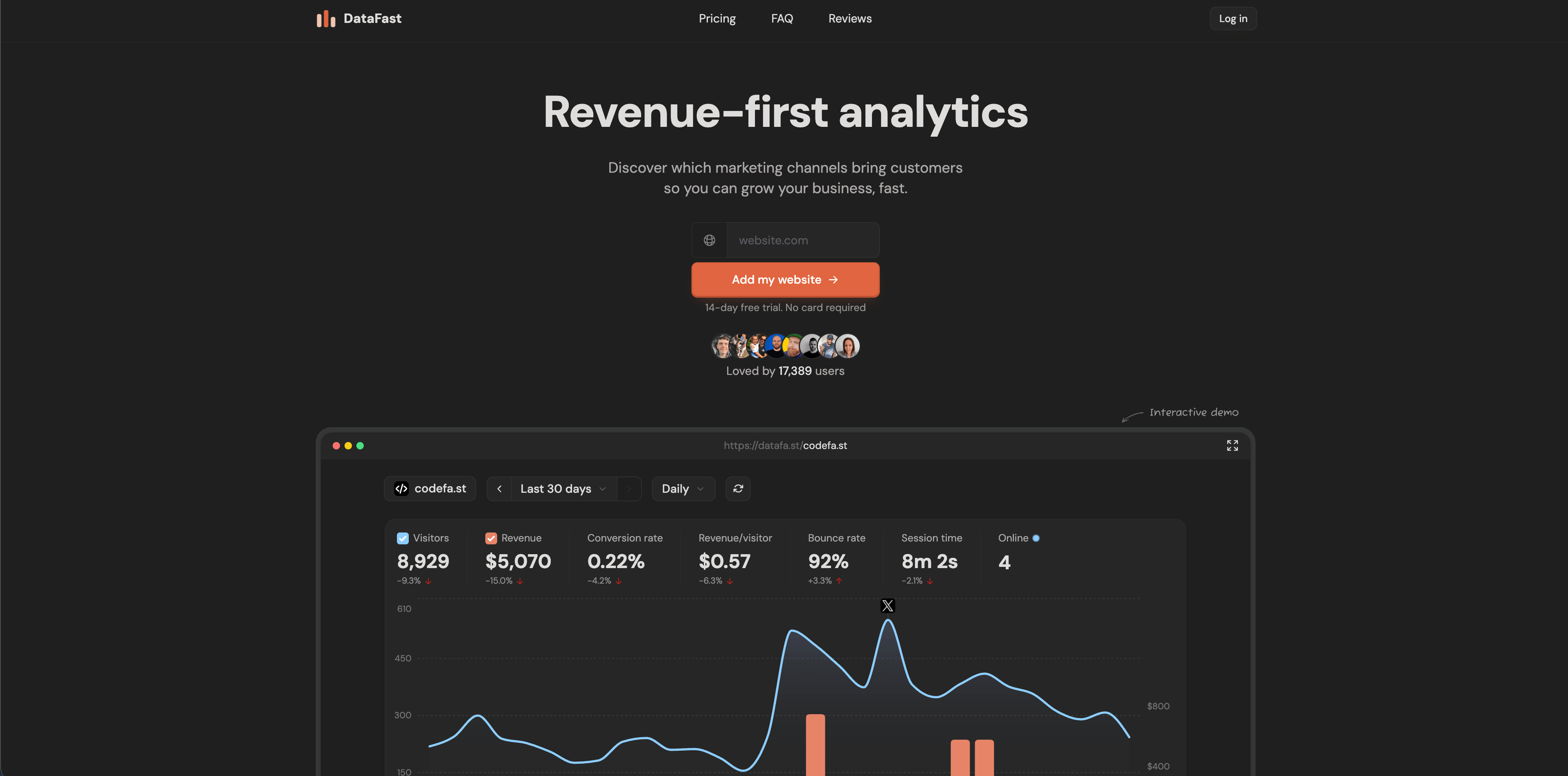
DataFast is built around revenue-first analysis. Its official homepage centers the question founders ask most often: which marketing channels bring customers? It highlights web analytics, revenue attribution, goals, funnels, journeys, live visitor intelligence, a CLI for analytics workflows, and payment-data connections.
Flowsery
Start Free Trial
Real-time dashboard
Goal tracking
Cookie-free tracking
The current page advertises a 14-day free trial with no card. Its FAQ says the default script uses cookies to recognize returning visitors for more accurate long-term analytics and revenue attribution, and that a cookieless script is also available with an accuracy tradeoff because identifiers rotate.
DataFast is a good fit for founder-led products and small teams that care more about revenue per source than broad reporting. It is less ideal when the primary requirement is the most conservative cookieless default.
Choose DataFast when revenue attribution is the center of the analysis job and you are comfortable reviewing the cookie versus cookieless tradeoff.
Source check: DataFast official site.
10. PostHog
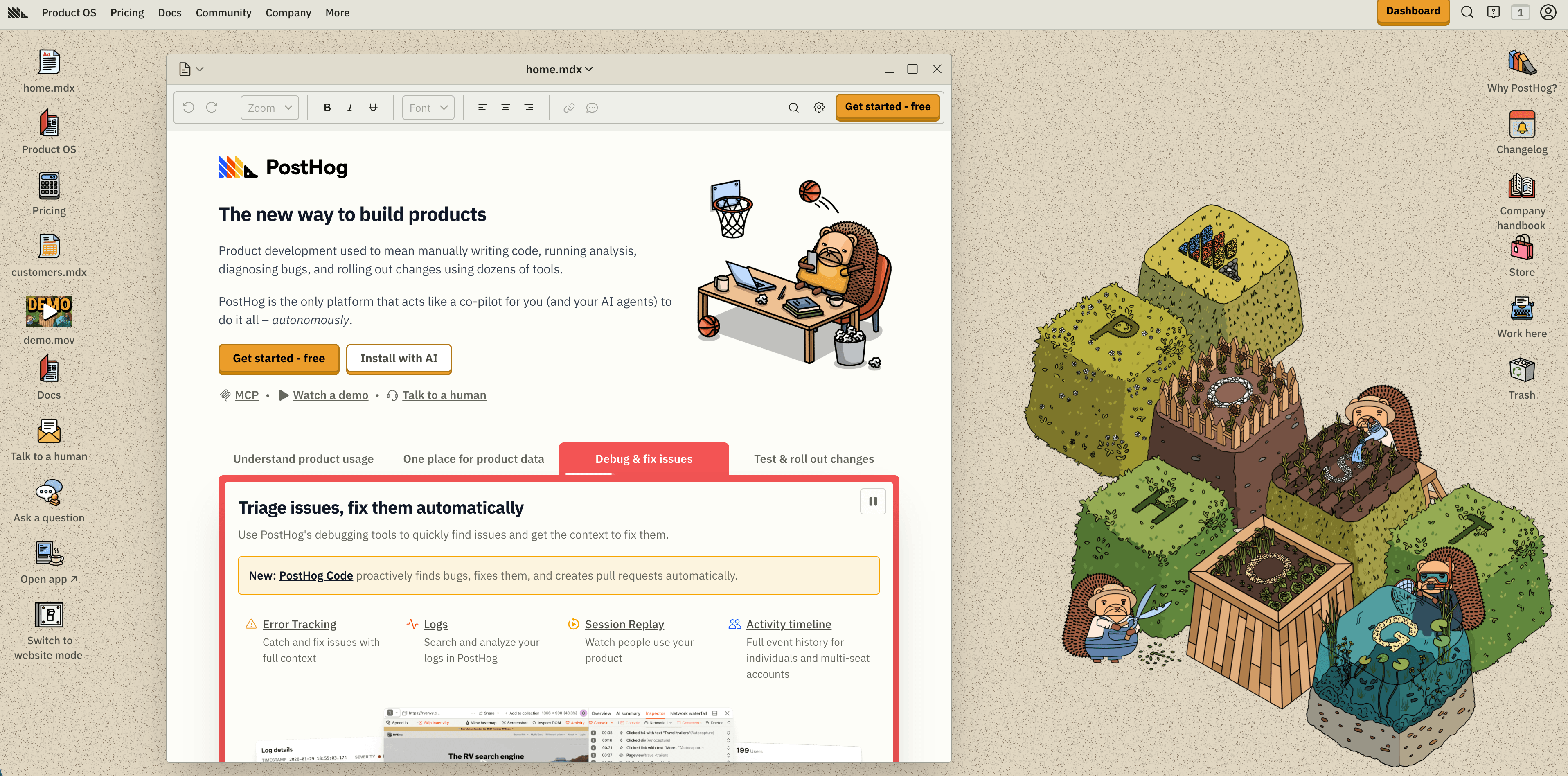
PostHog is much broader than a website analytics product. Its pricing page presents a product platform with product analytics, web analytics, session replay, feature flags, experiments, surveys, data warehouse tooling, pipelines, error tracking, logs, LLM analytics, and AI features.
The current pricing page lists a generous free tier, including 1 million analytics events per month, 5,000 session replay recordings, 1 million feature flag requests, and other monthly allowances, with metered pricing beyond free usage.
PostHog is excellent when website analysis is part of a larger engineering-led product instrumentation plan. It is less natural when a public website only needs sources, pages, goals, funnels, and revenue attribution.
Choose PostHog when the same team needs events, replay, flags, experiments, and product workflows. Choose a website-first tool when simple reporting and governance matter more.
Source check: PostHog pricing.
11. Mixpanel
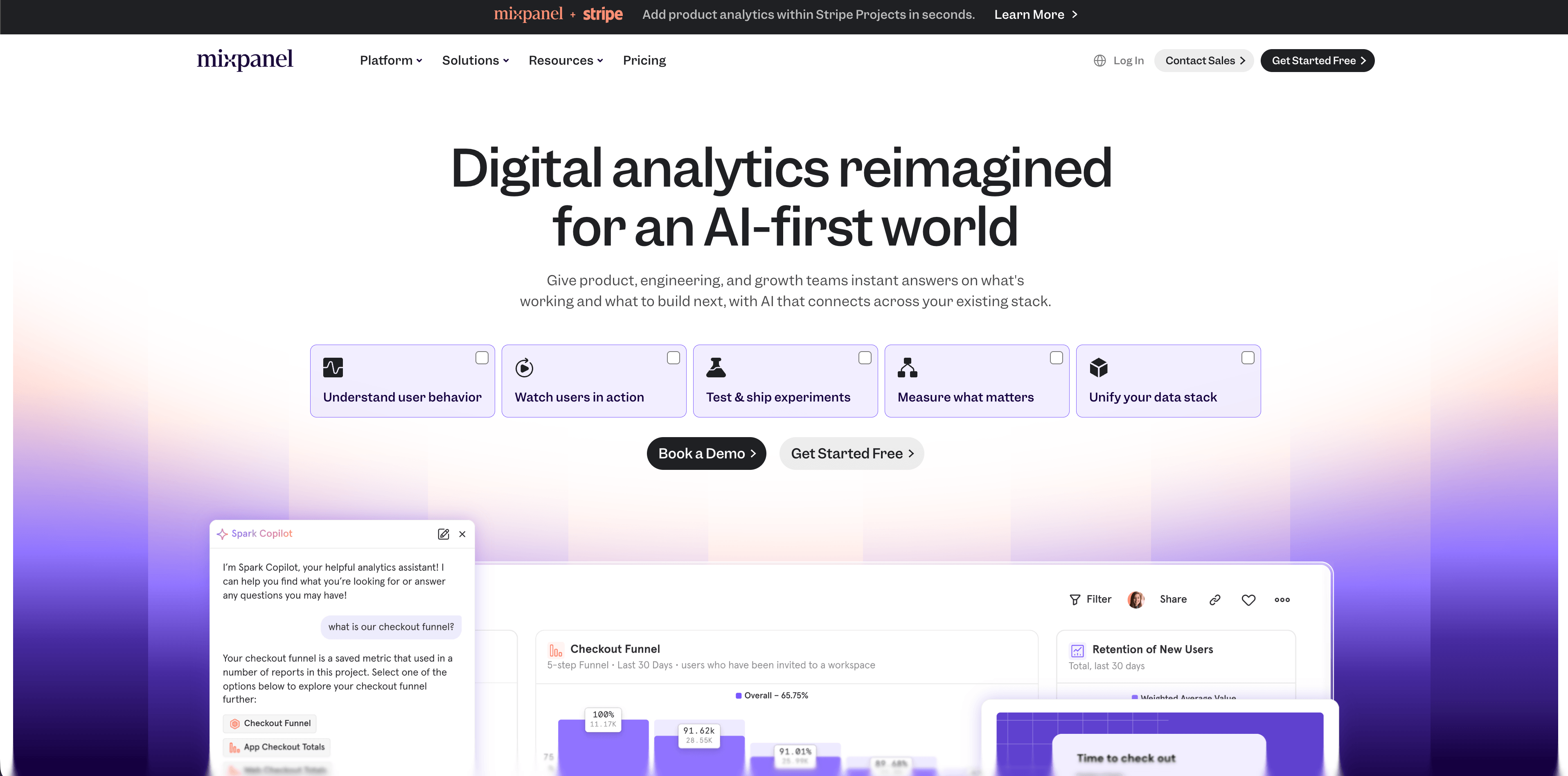
Mixpanel is a mature product analytics platform. Its pricing page currently lists a Free plan capped at 1 million monthly events, a Growth plan where the first 1 million monthly events are free and additional events are usage-priced, and an Enterprise plan for advanced analytics, governance, security, support, and custom terms.
Mixpanel is strongest for funnels, retention, flows, cohorts, product usage, campaign reporting, custom properties, and event-based analysis. It is best when the team has a planned event taxonomy and wants to understand user behavior inside a product.
The weakness for basic website analysis is the same as its strength for product teams: it expects event design. A small website that only needs traffic sources and goals may find the implementation heavier than necessary.
Choose Mixpanel when product behavior is the main job and the team is ready to maintain event definitions.
Flowsery
Start Free Trial
Real-time dashboard
Goal tracking
Cookie-free tracking
Source check: Mixpanel pricing.
12. Heap
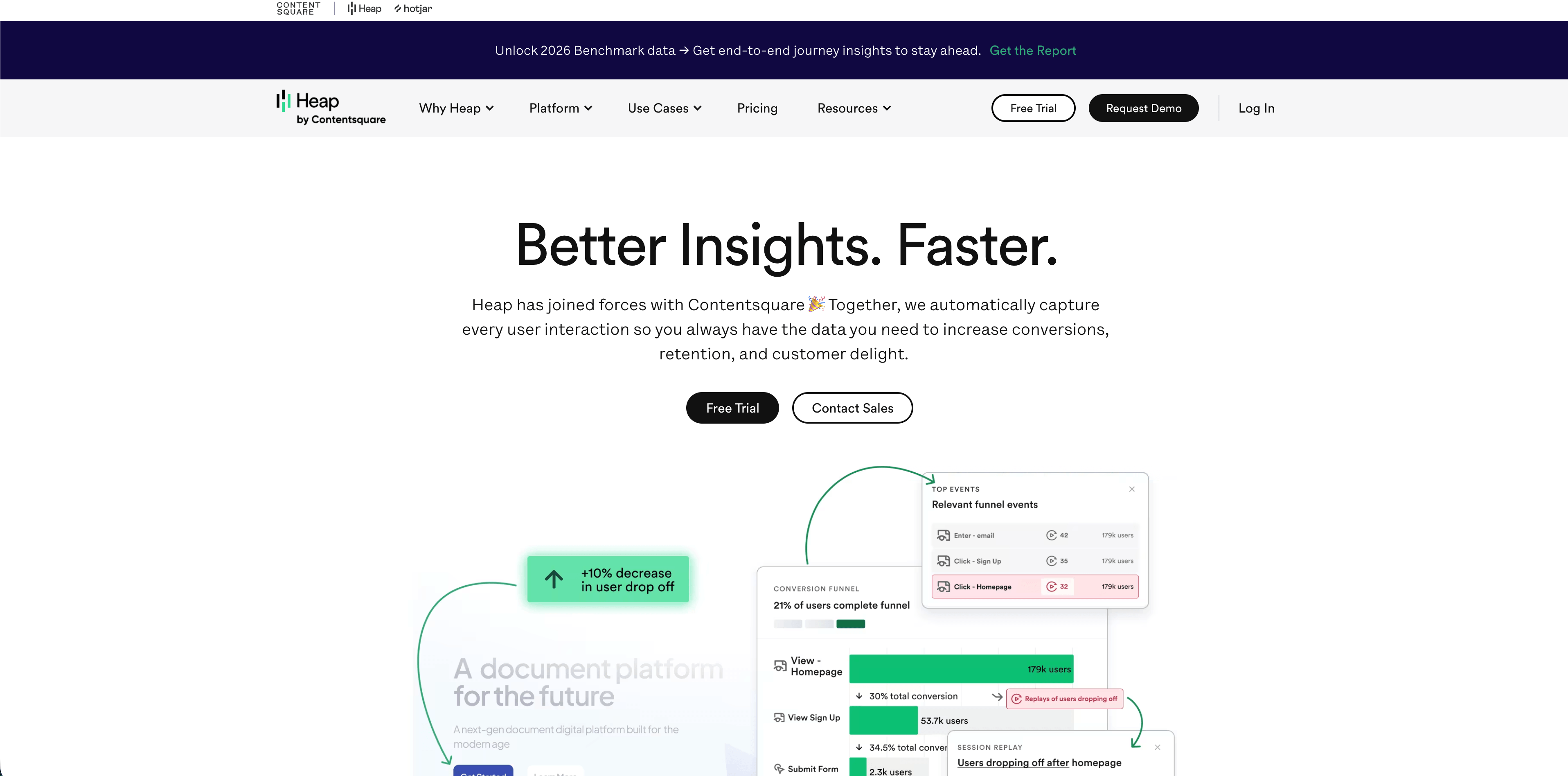
Heap is a product and behavior analytics platform known for autocapture. Its pricing page currently lists a Free plan up to 10,000 monthly sessions with core analytics charts, unlimited enrichment sources, guide integrations, six months of data history, and SSO. Growth adds AI assistant features, unlimited users and reports, chart customization, CSV exports, 12 months of data history, and email support.
Heap is valuable when teams often ask questions they did not instrument in advance. Autocapture can reduce engineering dependency and make retroactive behavior analysis possible.
The tradeoff is governance. Broad capture needs careful masking, sensitive-field review, permissions, retention rules, and naming conventions. Heap can be powerful for product and digital experience teams, but it is heavier than most public websites need.
Choose Heap when autocapture and retroactive analysis are worth the privacy and governance work.
Source check: Heap pricing.
Best picks by analysis job
| Analysis job | Best shortlist |
|---|---|
| Privacy-first website analysis with revenue context | Flowsery, Plausible, Pirsch, Seline |
| Minimal aggregate reporting | Simple Analytics, Plausible, Fathom, Umami |
| Self-hosted analytics | Matomo, Umami |
| Revenue attribution | Flowsery, DataFast, Seline |
| Product analytics | PostHog, Mixpanel, Heap |
| Autocapture and retroactive behavior analysis | Heap |
| Agency or client dashboards | Flowsery, Pirsch, Plausible, Fathom |
| Broad analytics suite with more controls | Matomo, PostHog, Heap, Mixpanel |
Final buying checklist
Before you install any website analysis script, answer these questions:
- Which weekly decision should this tool improve?
- Does the default script set cookies, persistent IDs, or local storage?
- Does it store raw IP addresses, full user agents, form data, emails, or account IDs?
- Does it collect individual journeys, recordings, or profiles, and do you actually need them?
- Can you connect goals or revenue to sources and campaigns?
- Can non-technical stakeholders read the dashboard without training?
- Does pricing scale by pageviews, events, sessions, recordings, seats, websites, or add-ons?
- Where is the data processed and stored?
- Is there a DPA, subprocessor list, export path, deletion path, and retention control?
- Can you explain the privacy model without relying only on marketing claims?
The safest buying rule is simple: choose the least complex tool that answers the decision. For most public websites, that means starting with a focused privacy-first analytics tool such as Flowsery, then adding product analytics only when the site becomes a product workflow that needs deeper behavioral instrumentation.
Was this article helpful?
Let us know what you think!
Before you go...
Flowsery
Revenue-first analytics for your website
Track every visitor, source, and conversion in real time. Simple, powerful, and fully GDPR compliant.
Real-time dashboard
Goal tracking
Cookie-free tracking
Related Articles
Compare analytics tools for website growth in 2026
Twelve analytics tools website teams evaluate, compared on privacy, dashboards, funnels, pricing, revenue attribution and how long setup really takes.
Compare analytics tools for websites that fit your stack
Twelve analytics tools for websites compared on privacy model, dashboard depth, event tracking, revenue attribution, pricing, hosting and setup effort.
How to choose the right analytics alternative in 2026
Compare each analytics alternative by privacy model, pricing, dashboard depth, revenue attribution, product analytics fit, and dashboard screenshots.