
TL;DR, Quick Answer
10 min readTo ask Hermes Agent about your website traffic, run hermes plugins install flowsery and hermes plugins enable flowsery, start a new session and sign in with your Flowsery account in the browser window that opens. The plugin connects Hermes to the Flowsery MCP server at mcp.flowsery.com with OAuth, so there is no API key to paste. Hermes then reads visitors, sources, goals, revenue, live visitors and the bugs Flowsery found in session recordings, and it asks you before the five tools that change data.
Setting up Hermes Agent analytics takes two terminal commands and one browser sign-in with the Flowsery plugin from the Hermes plugin catalog. After that, Hermes answers questions about your website from your real Flowsery data: who visited, where they came from, what converted, what earned money and what broke.
Hermes Agent, the agent from Nous Research, runs in your terminal and can run scheduled tasks on its own. Out of the box it has no way to read your website analytics. The Flowsery plugin adds that. Flowsery holds the data, Hermes asks Flowsery, and you approve anything that changes a number.
The short version: add your website at flowsery.com and install the tracking snippet, run hermes plugins install flowsery and hermes plugins enable flowsery, start a new Hermes session and sign in when the browser opens. Then ask Hermes "How's my traffic this week compared to last week?" If it answers with your visitors, the plugin works.
What is the Flowsery plugin for Hermes Agent?
The Flowsery plugin is an entry in the Hermes plugin catalog, listed in the Hermes Marketplace under Tools, that connects Hermes Agent to the Flowsery MCP server at https://mcp.flowsery.com/mcp. The package holds three things: a plugin.json manifest, an mcp.json server config and one skill that teaches Hermes how to answer analytics questions with Flowsery. It ships no code of its own.
The server is the same one Claude Code, ChatGPT and Cursor use, so Hermes reads the same numbers your Flowsery dashboard shows. Flowsery lists Hermes on the AI agents page and on the AI Agents tab of the API Tokens page in the app.
Hermes never stores a Flowsery password. You sign in once in the browser, and the plugin keeps an OAuth token that it refreshes on its own.
What do you need before you install it?
You need Hermes Agent 0.21.6 or newer, Node.js 20.18.1 or newer with npx on your PATH, and a Flowsery account with at least one website that runs the Flowsery tracking snippet. Flowsery's Team plan ($250 a month) and Pro plan ($500 a month) both include the MCP server, and both start with a 14-day free trial that needs no credit card.
The Node.js requirement is the one people miss. The plugin runs a small sign-in bridge, mcp-remote, through npx, so a Hermes install on a machine without Node fails at the sign-in step.

How do you install the Flowsery plugin in Hermes Agent?
You install Flowsery by name from the Hermes plugin catalog and sign in once in your browser:
- Run
hermes plugins install flowsery. Hermes shows the entry's capability summary before it clones anything, then checks out the exact commit the catalog reviewed. - Run
hermes plugins enable flowsery. Installing puts the plugin on disk, and enabling makes Hermes load it. In a terminal, the install step also asks "Enable now?", so answering yes covers both. - Start a new Hermes session. The first time the server starts, your browser opens the Flowsery sign-in page.
- Sign in with the email you use on Flowsery and approve access.
- Ask Hermes: "List my Flowsery websites."
hermes plugins install flowsery
hermes plugins enable flowsery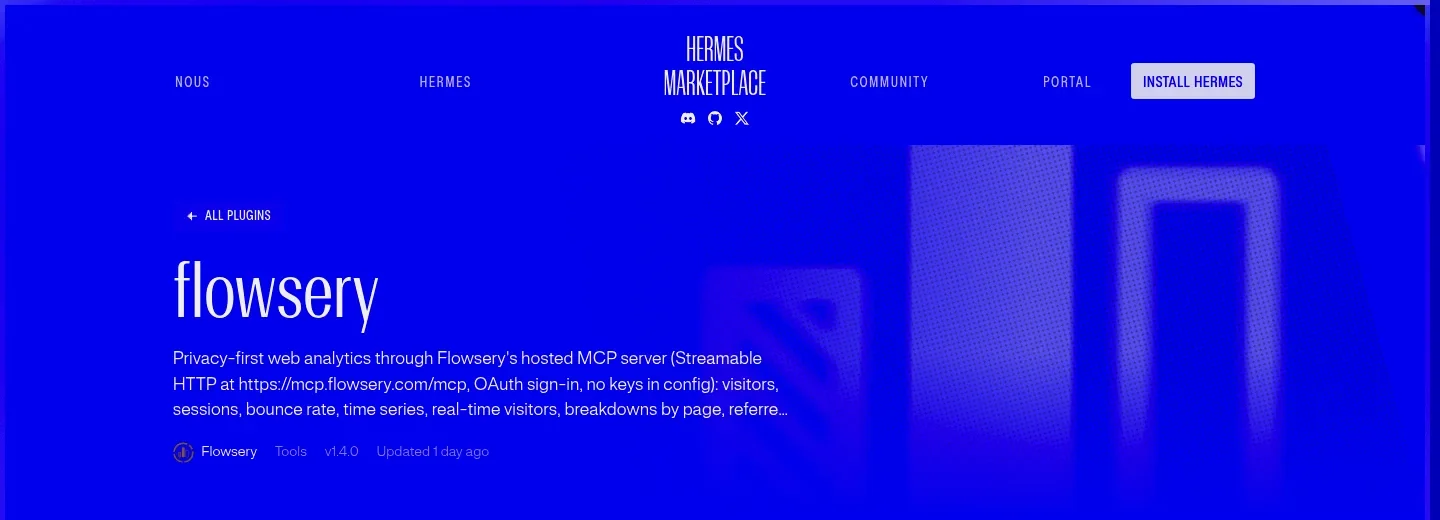
The token is kept and refreshed, so you sign in once. If the tools do not show up after you sign in, run /reload-mcp in the session.
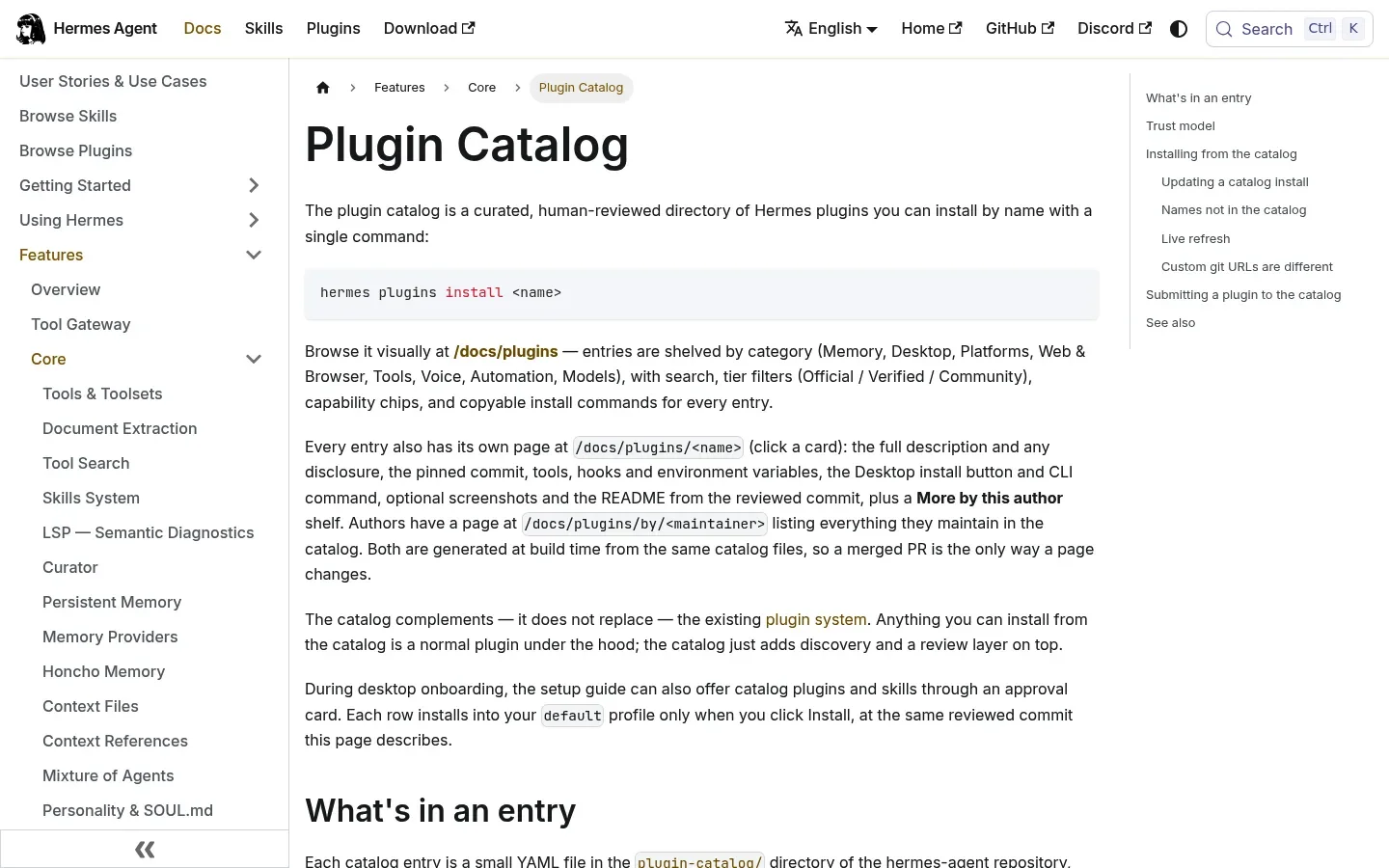
You can also install straight from GitHub with hermes plugins install Flowsery/claude-plugin --no-enable, then hermes plugins enable flowsery. Pick the catalog route, because it installs the commit a human reviewed.
What does the plugin install on your machine?
The Flowsery plugin installs a config, not a program. mcp.json runs the pinned mcp-remote@0.1.49 through npx, which downloads it from npm on first use, opens a local callback port for the sign-in and stores the OAuth tokens in ~/.mcp-auth. The package sends no telemetry.

Flowsery
Start Your 14-Day Free Trial
Real-time dashboard
Goal tracking
Cookie-free tracking
The catalog pins a 40-character commit, and installs check out that pin rather than a branch tip. The pin does not cover the tool list. Flowsery's server decides the tool set at runtime, so a new tool on the server reaches Hermes without a new catalog review. The listing says so in its disclosure, and so does the plugin's README.
What analytics can Hermes Agent read through Flowsery?
Hermes Agent gets 28 Flowsery tools through the plugin, and 23 of them only read. Every report takes a date range, a timezone and filters on country, region, city, device, browser, operating system, page, hostname, referrer, channel and UTM parameters. Here is what that covers by task:
- Traffic. Visitors, sessions, bounce rate, session duration, revenue, revenue per visitor and conversion rate for any window, and the same metrics by hour, day, week or month.
- Live visitors. How many people were active in the last 5 minutes, and a map of them by city.
- Breakdowns. Visitors by page, referrer, channel, UTM campaign, country, region, city, device, browser, operating system and hostname. One more tool groups visitors by any of 25 dimensions, entry page and every UTM parameter included. Referrers name known sources such as Google, ChatGPT and Reddit.
- Goals and revenue. Completions for every goal, including the automatic payment and free trial goals.
- One visitor. A single visitor's location, device, source, visits, goals, revenue and timeline.
- Session issues. The bugs, broken flows and UX problems Flowsery's AI found in session recordings, ranked by severity, with the steps to replicate and any linked Linear or Jira ticket.
No tool returns IP addresses or billing details, and the live map rounds coordinates to 0.1 degrees. Hermes sees what your Flowsery dashboard shows for your own websites and nothing more.
Which Hermes Agent MCP tools ask for approval?
Hermes Agent asks for your approval before each of the five Flowsery tools that change data, because the plugin's plugin.json marks the Flowsery server untrusted. Those five are track_goal, which records a goal completion, delete_goals, which permanently deletes goal completions that match your filters, track_payment, which records a payment, renewal or refund for revenue attribution, delete_payments, which permanently deletes payment records that match your filters, and update_issue_status, which sets an issue to open, in progress, resolved or suspended. The payment tools change analytics records only and never charge or refund anyone. The other 23 tools carry a read-only flag and run without a prompt.
Hermes also refuses those five tools in cron jobs and other unattended runs. A scheduled Hermes task can read last night's traffic at 7am, but it cannot delete goal or payment data at 7am with nobody watching. That is the right default for analytics. A wrong read costs you a confusing answer. A wrong delete costs you history you cannot get back.
Your workspace role is the second limit, because Hermes acts as you. The five writes need the flowsery.write permission, which the Admin and Editor roles hold. If your role lacks it, Flowsery answers permission_denied and Hermes tells you a workspace admin has to change your role.

What prompts can you try first?
These prompts come from the plugin's own README. Under each is what Hermes does in Flowsery.
"How's my traffic this week compared to last week?"
Hermes lists your websites, reads the site's timezone and runs the overview twice, once per week. You get visitors, sessions, bounce rate, revenue and conversion rate side by side. If you have several websites, name the domain, or Hermes asks which one you mean.
"Which channels and campaigns brought paying customers this month?"
Hermes reads your channels and UTM campaigns for the month with revenue next to each. Channels follow GA4-style groups such as Organic Search, Paid Social, Email and Direct, so the answer lines up with the way most teams already report.
"Visitors dropped on Tuesday. Check pages, referrers and devices and tell me why."
Hermes compares Tuesday with the days before and after it across three breakdowns and points at the one that moved, such as a referrer that went quiet or a page that stopped getting visits. This is the kind of question where an agent beats a dashboard, because it runs and compares the reports you would otherwise click through one by one.
"How much traffic did ChatGPT, Perplexity and other AI assistants send us this month?"
Hermes reads your referrers for the month and pulls out the AI assistants. Flowsery names known sources, so ChatGPT shows up as ChatGPT rather than a raw domain.
"What did Flowsery find in session recordings this week? Mark the checkout bug as in progress."
Hermes lists this week's issues by severity, opens the checkout issue for its occurrences and steps to replicate, and then asks for your approval before it changes the status. Only the status changes. The issue, its sessions and its comments stay as they were.
"Show me the journey of the visitor who just started a free trial."
Hermes finds the visitor among the people on the live map, then reads that visitor's profile: where they came from, which device they used, their visits, the goals they completed and a timeline of pages, newest first. Names, emails, user IDs and IP addresses are never part of the answer.
Can Hermes Agent send you a daily traffic report?
Hermes Agent can send you a daily traffic report through its cron scheduler, because the Flowsery tools it needs only read. Ask in plain words, for example "Every morning at 9am, give me yesterday's visitors, top five referrers and any new high-severity issues from Flowsery, and send it to me on Telegram." Hermes creates the job with its own cron tool, or you add one in chat with /cron add.
Flowsery
Start Your 14-Day Free Trial
Real-time dashboard
Goal tracking
Cookie-free tracking
The report runs in a fresh session at the time you set and delivers the result to the chat you asked from or a platform you configured. It cannot record or delete goals or payments or change an issue's status, since Hermes refuses write tools in unattended runs. If you want the report to also mark issues, keep that step in a session where you are there to approve it.
How do you run Hermes Agent headless with an API key?
On a server or any machine without a browser, skip the plugin and add the Flowsery MCP server to ~/.hermes/config.yaml with an API key. The OAuth sign-in needs a browser window, and a headless box has none.
mcp_servers:
  flowsery:
    url: 'https://mcp.flowsery.com/mcp'
    headers:
      Authorization: 'Bearer ${FLOWSERY_API_KEY}'
Create the key at flowsery.com/api-tokens and put FLOWSERY_API_KEY=... in ~/.hermes/.env. The key works like a password for your Flowsery account, so keep it out of chats.
This route skips the plugin, so it also skips the plugin's skill and the untrusted setting in its plugin.json. A workspace token carries the role you pick when you create it, and the Create Token form marks the Contributor role "Recommended for AI agents". A Contributor token reads your analytics and gets permission_denied on all five writes, which is what a headless analytics agent should hold.
When should you use Claude Code, ChatGPT, Zapier or n8n instead?
Use Hermes when you already work in it. The same Flowsery package installs in Claude Code with /plugin install flowsery --marketplace Flowsery/claude-plugin, and ChatGPT has its own listed plugin, covered in the Flowsery ChatGPT analytics plugin guide. Cursor, Claude Desktop and Gemini CLI connect to https://mcp.flowsery.com/mcp too, and an agent that only takes a Bearer token, such as a Manus custom connector, works with a workspace token as the Manus Cue connector for web analytics guide shows.
If you want numbers delivered by a workflow instead of a conversation, use an automation tool. The Flowsery n8n node sends weekly reports and new-issue alerts from your own server, and the Zapier analytics guide builds the same flows without one. Both can also record a payment automatically each time a sale comes in, where Hermes records one only when you ask and approve it.
Frequently Asked Questions
Can Hermes Agent read my website analytics?
Hermes Agent reads your website analytics through the Flowsery plugin from the Hermes plugin catalog. Install it with hermes plugins install flowsery, enable it, and sign in with your Flowsery account. Hermes then answers questions about visitors, traffic sources, goals, revenue, live visitors and the issues Flowsery found in session recordings.
Do I need an API key to use Flowsery in Hermes Agent?
The Flowsery plugin for Hermes Agent needs no API key. It signs in with OAuth in your browser the first time the server starts and keeps the token refreshed. You need an API key only for a headless setup, where you add the server to ~/.hermes/config.yaml with a key from flowsery.com/api-tokens.
Which Hermes Agent version does the Flowsery plugin need?
The Flowsery plugin needs Hermes Agent 0.21.6 or newer and Node.js 20.18.1 or newer with npx on your PATH. Node.js runs mcp-remote, the bridge that handles the sign-in and talks to the Flowsery MCP server.
Can Hermes Agent change my Flowsery data without asking?
Hermes Agent does not change Flowsery data without asking. Only five tools write: track_goal, delete_goals, track_payment, delete_payments and update_issue_status. The plugin marks the server untrusted, so Hermes asks before each of those five and refuses them in cron and other unattended runs. The other 23 tools only read.
Can a Hermes cron job send me a traffic report?
A Hermes cron job can read Flowsery and send you a report, because every report tool is read-only. Ask Hermes something like "every morning at 9am, send me yesterday's visitors and top referrers", and it schedules the job. The cron job cannot record or delete goals or payments, or change an issue's status.
Where does the plugin store my Flowsery sign-in?
The Flowsery plugin stores its OAuth tokens in ~/.mcp-auth on your machine. The mcp-remote bridge writes them there after you sign in and refreshes them, so you sign in once. The package sends no telemetry.
Why don't the Flowsery tools show up in Hermes after I sign in?
Run /reload-mcp in the Hermes session if the Flowsery tools are missing after the browser sign-in. Also check that the plugin is enabled, since hermes plugins install puts it on disk and hermes plugins enable flowsery makes Hermes load it.
Can Hermes Agent see my visitors' IP addresses?
Hermes Agent never receives IP addresses or billing details through Flowsery, because no Flowsery tool returns them. A single visitor's profile shows approximate location, device, source, visits, goals and revenue, and the live map rounds coordinates to 0.1 degrees.
Does the Flowsery plugin work with several websites?
The Flowsery plugin works with every website in every workspace your sign-in reaches. Hermes calls list_websites first and asks which site you mean when there are several. Name the domain or the workspace in your question to skip that step.
Flowsery
Start Your 14-Day Free Trial
Real-time dashboard
Goal tracking
Cookie-free tracking
Can Hermes Agent record payments in Flowsery?
Hermes Agent records payments in Flowsery through the track_payment tool, which adds a payment, renewal or refund to your revenue reports. Hermes asks for your approval before each call and refuses the tool in cron and other unattended runs. The tool never charges anyone or moves money, and a repeated transaction ID is rejected. Skip it when Stripe, Lemon Squeezy or Polar is connected to Flowsery, because Flowsery already counts those payments and a second entry counts the revenue twice.
Was This Article Helpful?
Let us know what you think!
See us more often in Google
One click marks Flowsery as a preferred source, so our articles sit higher in your Top Stories, AI Mode, and AI Overviews.
Before you go...
Flowsery
Revenue-first analytics for your website
Track every visitor, source, and conversion in real time. Simple, powerful, and cookie-free.
Real-time dashboard
Goal tracking
Cookie-free tracking
Related Articles
How to Ask About Your Website Traffic With the Flowsery ChatGPT Analytics Plugin
Install the Flowsery ChatGPT analytics plugin, sign in once, and ask about visitors, traffic sources, revenue and the bugs found in your session recordings.
How to Set Up n8n Analytics Workflows With the Flowsery Node
Set up n8n analytics with the Flowsery node: one API token, a weekly traffic report, alerts for bugs found in session recordings, and sales from any app.
How to Automate Website Reports and Bug Alerts With Zapier Analytics From Flowsery
Set up Zapier analytics with the Flowsery app: a New Issue trigger, Track Goal and Track Payment actions, and six searches for traffic reports in any Zap.