
TL;DR, Quick Answer
9 min readTo build n8n analytics workflows on Flowsery, install the community node n8n-nodes-flowsery in a self-hosted n8n under Settings > Community nodes, paste a flow_ws_ workspace token from flowsery.com/api-tokens into the Flowsery API credential, and pick a Website on each node. The Flowsery node reads overviews, timeseries, realtime visitors, 25 breakdown dimensions, AI-detected issues and visitor timelines, and it records goal completions and payments. The Flowsery Trigger starts a workflow once for each new open issue.
Good n8n analytics workflows answer two questions without anyone opening a dashboard: how did the website do last week, and did anything break for visitors? n8n already talks to your inbox, your chat, your CRM and your task tracker. What it lacks out of the box is a node that reads cookieless traffic numbers, revenue and the bugs found in session recordings. The Flowsery community node is that node.
This guide covers the install, the credential, every operation, and four workflows you can copy. We build Flowsery, and everything below matches version 0.2.0 of the node.
The short version: install n8n-nodes-flowsery under Settings > Community nodes, create a workspace token at flowsery.com/api-tokens with the Admin or Editor role, paste it into the Flowsery API credential, and choose your website in the Website field of each node.
What do you need to connect Flowsery to n8n?
You need a self-hosted n8n instance, a Flowsery website with the tracking script installed, and a Flowsery workspace token. The node's README lists n8n 1.100 and later as tested and does not cover n8n Cloud, so this guide uses a self-hosted instance.
The package is on npm as n8n-nodes-flowsery. It is not listed in n8n's own integration directory, so you install it by its package name. Flowsery's Team plan ($250 a month) and Pro plan ($500 a month) both include the n8n integration, and both start with a 14-day free trial that needs no card.
How do you install the Flowsery node in n8n?
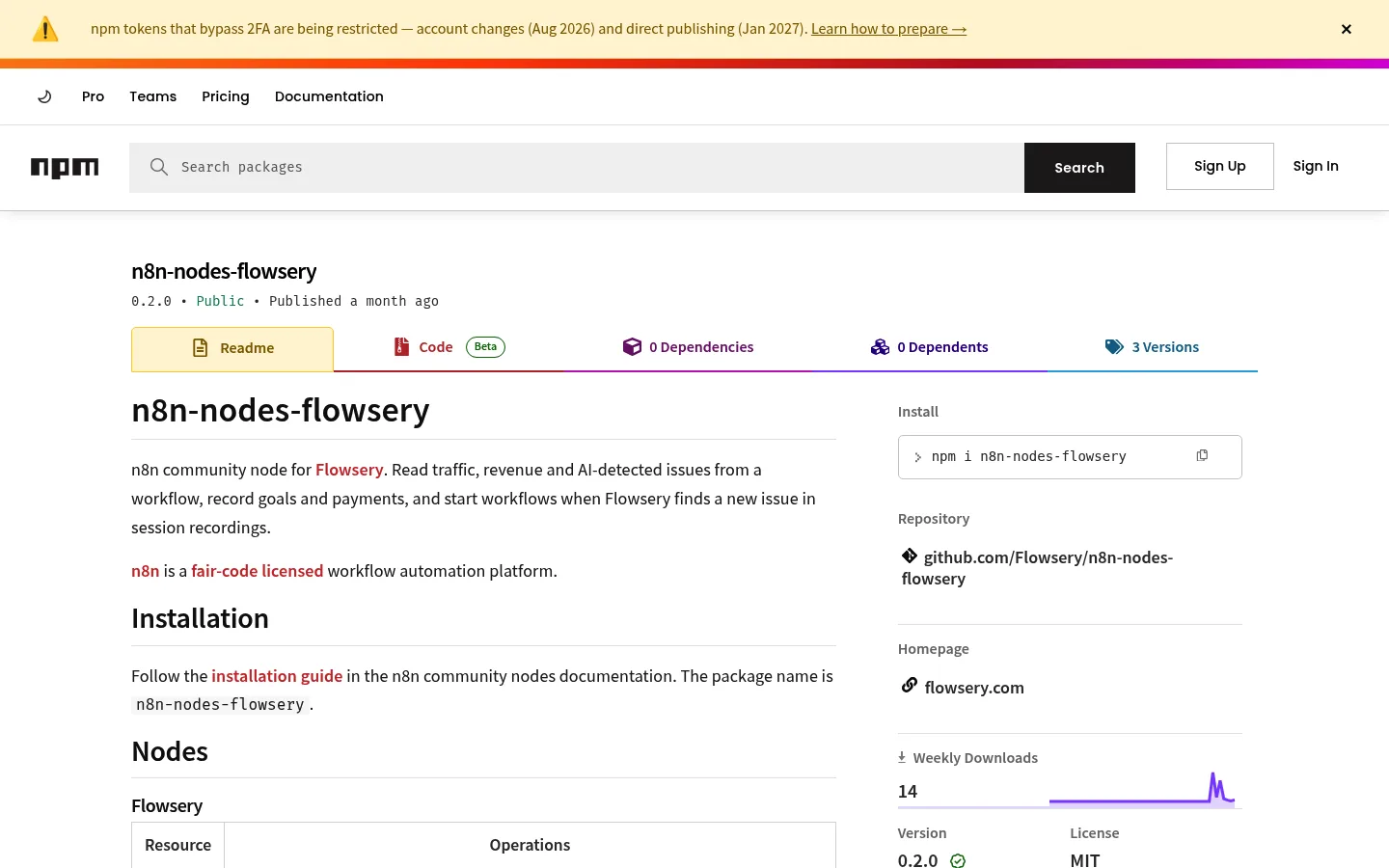
Install it from the n8n editor under Settings > Community nodes > Install. Type n8n-nodes-flowsery as the package name, confirm the prompt about installing community code, and click Install. n8n downloads the package from npm and adds two nodes to the node panel: Flowsery and Flowsery Trigger.
Search for "Flowsery" in the node panel to check that the install worked.
How do you connect your Flowsery account to n8n?
You connect Flowsery to n8n with one secret pasted into the API Token field of a new Flowsery API credential. n8n sends it as a Bearer token and tests it with a request to GET /websites, so a saved credential means the secret works.
| Secret | Where you create it | Starts with | What it reaches |
|---|---|---|---|
| Workspace token | flowsery.com/api-tokens | flow_ws_ | Every website in the workspace |
| Website key | Settings > API in one website | flow_ | That one website |
With a workspace token, every node needs the Website field, which loads your sites by domain. With a website key, you can leave Website empty.
Pick Admin or Editor as the token's role. Every Flowsery API call checks the flowsery.write permission, and only those two roles hold it, so a Viewer or Contributor token is refused with permission_denied. A token also never does more than the member who created it.
What can the Flowsery node do?
The Flowsery node has six resources, and the Flowsery Trigger starts a workflow when Flowsery finds a new issue.
| Resource | Operations |
|---|---|
| Analytics | Get Overview, Get Timeseries, Get Realtime Visitors, Get Breakdown |
| Issue | Get Many, Get, Update Status |
| Goal | Get Many, Track |
| Payment | Track |
| Visitor | Get |
| Website | Get Many |
Get Overview returns one row for a date range: visitors, sessions, bounce rate, average session duration, revenue, revenue per visitor and conversion rate. Get Timeseries buckets visitors, sessions and revenue by hour, day, week or month. Get Breakdown splits visitors by one of 25 dimensions, including page, entry page, referrer, channel, campaign, country, region, city, device, browser, the five UTM parameters and goal.
Every read takes Start Date, End Date and Timezone. Dates default to the last 30 days, and the timezone defaults to the website's own. Limit accepts 1 to 1000 rows. Get Overview, Get Timeseries, Get Breakdown and Goal > Get Many also take Filters, 20 of them, one per filter_* parameter of the Flowsery API. Filter values match the breakdown rows exactly: a full region name such as California, a device of Desktop, Mobile or Tablet, and a referrer source name such as Google.
Issue > Get Many lists the issues Flowsery's AI found in session recordings, with search, severity, status and a sort by recency or severity. Issue > Get adds the description, steps to replicate, sessions and comments. Update Status moves an issue to Open, In Progress, Resolved or Suspended.

Flowsery
Start Your 14-Day Free Trial
Real-time dashboard
Goal tracking
Cookie-free tracking
Visitor > Get returns one visitor's profile with an activity timeline. Goal > Track and Payment > Track write events into your analytics, covered in the third workflow below.
The Flowsery Trigger polls for new open issues and fires once per issue. You can limit it to one website and one severity. The first poll after you activate the workflow only records the issues that already exist, so an old backlog does not flood the workflow.

Workflow 1: send a weekly traffic report
This workflow sends last week's numbers, compared with the week before, every Monday morning.
- Schedule Trigger runs every Monday at 9:00.
- Flowsery, Analytics > Get Overview sets Start Date to
{{ $now.minus({ days: 7 }) }}, End Date to{{ $now }}and Timezone to an IANA name such asEurope/Berlin. - A second Get Overview covers the week before, from
{{ $now.minus({ days: 14 }) }}to{{ $now.minus({ days: 7 }) }}. - Flowsery, Analytics > Get Breakdown uses Dimension Referrer and Limit 5 over last week, to show where visitors came from.
- Merge joins the outputs, and a Send Email, Slack or Telegram node sends the summary.
Add a fourth Flowsery node with Dimension Page if the report should name the top pages too. Our guide to website analytics reporting covers which numbers belong in a weekly email.

Workflow 2: turn a new bug into a task in your tracker
Flowsery already sends issues to Slack and files tickets in Linear and Jira on its own, as described on the automatic bug tickets page. Use n8n when the issue belongs somewhere else, such as ClickUp, Asana, Trello, GitHub Issues, Microsoft Teams or Discord.
- Flowsery Trigger watches your website, with Severity set to High or Critical, or Any.
- Flowsery, Issue > Get takes Issue ID
{{ $json.id }}and adds every occurrence, the sessions behind the issue and its comments. - A ClickUp, Asana or Trello node creates the task with the title, severity, number of sessions affected and steps to replicate.
- Flowsery, Issue > Update Status sets the issue to In Progress, so the Flowsery issue list shows that someone picked it up.
Each issue from the trigger already carries its ID, title, description, severity, status, sessions affected, steps to replicate and first and last seen times. Severity in the trigger matches exactly, so High does not include Critical; build two workflows or set Any and filter with an IF node. Read how to turn session replays into bug reports for what a good task should contain.
- Slack messages
- Linear tickets
- Jira tickets
- ClickUp, Asana or Trello
- GitHub Issues, Microsoft Teams or Discord
- Flowsery Trigger starts the workflow
Workflow 3: record sales and signups Flowsery cannot see
Flowsery connects Stripe, Paddle, Polar and Lemon Squeezy in one click, as the revenue tracking page shows. Payments and conversions from anywhere else, such as an invoicing tool, a CRM deal marked won or a booked demo, reach Flowsery through Payment > Track and Goal > Track.
- A trigger from the source app, or a Webhook node, starts the workflow.
- Flowsery, Payment > Track sets Amount in major units, such as
49.00. Under Additional Fields, set Currency to an ISO code such asEUR, Transaction Reference to the invoice or order number, and Renewal or Refund when they apply. - For a signup or a won deal, Flowsery, Goal > Track sets a Goal Name such as
deal_wonand up to 10 metadata properties. - If your form or checkout passes along the value of the
_fs_vidcookie the Flowsery script sets, map it to Visitor UID, so the event lands on that visitor's timeline next to their traffic source.
Two details save a cleanup later. Without Currency, Flowsery stores the payment as USD, not in the website's currency. And a Transaction Reference that was already recorded fails with a 409 error instead of creating a second payment, so you need one per payment, and you need it to delete the payment later. Goal names take lowercase letters, digits, underscores and hyphens, up to 64 characters. The goal and event tracking page explains how goals show up in reports.
Workflow 4: let an n8n AI agent answer traffic questions
The Flowsery node is marked as usable as a tool, so an n8n AI Agent node can call it. Attach one Flowsery tool per question type, for example Get Overview and Get Breakdown, and the agent picks the call and the filters when someone asks "Which pages did mobile visitors from Germany land on last week?" in Slack or Telegram.
On a self-hosted instance, n8n only offers community nodes as agent tools when the environment variable N8N_COMMUNITY_PACKAGES_ALLOW_TOOL_USAGE is true. Every Flowsery token carries the Admin or Editor role, so limit what the agent can do by which operations you attach: an agent with only read tools cannot track goals or change an issue.
What errors does the Flowsery node return?
The Flowsery node returns the API's own error code, and four of them account for almost every failed run.
| Error | What it means | What to do |
|---|---|---|
401 token_issuer_lost_access | The member who created the token left the workspace or was deactivated | Create a new token |
403 permission_denied | The token's role lacks flowsery.write | Use an Admin or Editor token |
403 subscription_required | The workspace plan no longer includes API access | Check the plan in Flowsery billing |
403 Upgrade to view this issue | The issue is past the free trial's first 10 | Start a paid plan |
The free trial cap also affects the trigger. On a trial the API lists only the first 10 issues, so the Flowsery Trigger stops firing once those exist.
What are the alternatives to n8n for Flowsery?
Flowsery also works with Zapier, with ChatGPT and Claude through its MCP server, and from the terminal through the Flowsery CLI. The AI agents page lists the setups side by side.
Flowsery
Start Your 14-Day Free Trial
Real-time dashboard
Goal tracking
Cookie-free tracking
Pick n8n when you want the workflow on your own server, chained with your other systems. Zapier needs no server, and the Zapier analytics guide covers its trigger, actions and searches. In ChatGPT, the Flowsery ChatGPT analytics plugin answers the same questions from a chat. For your own scripts, the Flowsery API reference documents every endpoint the node calls.
Frequently Asked Questions
Is there an n8n node for Flowsery?
Flowsery publishes the community node n8n-nodes-flowsery on npm. It adds a Flowsery node with Analytics, Issue, Goal, Payment, Visitor and Website resources, and a Flowsery Trigger that fires on new issues. Install it by package name under Settings > Community nodes.
Does the Flowsery node work on n8n Cloud?
The node's README does not cover n8n Cloud, so this guide uses a self-hosted n8n instance. The README lists n8n 1.100 and later as tested.
Which Flowsery token does an n8n workflow need?
An n8n workflow needs a Flowsery workspace token with the Admin or Editor role, created at flowsery.com/api-tokens, or a website key from Settings > API. Every Flowsery API call checks the flowsery.write permission, which Viewer and Contributor roles lack.
Can n8n alert me when Flowsery finds a bug?
The Flowsery Trigger starts an n8n workflow once for each new open issue Flowsery finds in session recordings. You can limit it to one website and one severity. Each issue arrives with its title, severity, sessions affected and steps to replicate, and Issue > Get adds the sessions and comments behind it.
Why did Flowsery store my payment in USD?
Payment > Track sends Currency only when you fill it in, and without it Flowsery stores the payment as USD, not in the website's currency. Set Currency to an ISO 4217 code such as EUR under Additional Fields.
Can I delete a payment I sent from n8n by mistake?
The Flowsery API's DELETE /payments call removes one payment by its transaction id, or every payment of one visitor or one time range. The n8n node has no delete operation, so send a Transaction Reference on every Payment > Track call; that id is how you remove a single payment later through the API or an HTTP Request node.
How much does the Flowsery n8n integration cost?
The n8n integration is included in Flowsery's Team plan ($250 a month) and Pro plan ($500 a month). Both plans start with a 14-day free trial that needs no card. The community node itself is on npm.
How do I install the Flowsery node in n8n?
Open Settings > Community nodes > Install in your self-hosted n8n and type n8n-nodes-flowsery as the package name. Confirm the prompt about community code and click Install. The Flowsery and Flowsery Trigger nodes then appear in the node panel.
What does the Flowsery Trigger do on its first run?
The first poll after you activate the workflow only records the issues that already exist. It starts the workflow for issues that appear after that, once for each new open issue. An old backlog never floods your workflow.
Why did my Flowsery Trigger stop firing?
On a free trial the API lists only the first 10 issues, so the trigger stops firing once those exist. A paid plan removes that cap. Also check the Severity setting, because it matches exactly and High does not include Critical.
Was This Article Helpful?
Let us know what you think!
See us more often in Google
One click marks Flowsery as a preferred source, so our articles sit higher in your Top Stories, AI Mode, and AI Overviews.
Before you go...
Flowsery
Revenue-first analytics for your website
Track every visitor, source, and conversion in real time. Simple, powerful, and cookie-free.
Real-time dashboard
Goal tracking
Cookie-free tracking
Related Articles
How to Automate Website Reports and Bug Alerts With Zapier Analytics From Flowsery
Set up Zapier analytics with the Flowsery app: a New Issue trigger, Track Goal and Track Payment actions, and six searches for traffic reports in any Zap.
How to Ask About Your Website Traffic With the Flowsery ChatGPT Analytics Plugin
Install the Flowsery ChatGPT analytics plugin, sign in once, and ask about visitors, traffic sources, revenue and the bugs found in your session recordings.
Answer the Monday Question With a Grok Bot Template for Analytics Reporting
A Grok bot template for analytics reporting turns a weekly traffic question into one API call. The breakdown endpoint takes 25 dimensions, which is what lets a chat answer follow-ups a dashboard cannot.