
TL;DR, Quick Answer
8 min readTo connect Flowsery to Zapier, add the Flowsery app to a Zap and paste a flow_ws_ workspace token from flowsery.com/api-tokens, created with the Admin or Editor role. The app has 1 trigger (New Issue), 3 actions (Track Goal, Track Payment, Update Issue Status) and 6 searches (Find Overview, Find Timeseries, Find Realtime Visitors, Find Breakdown, Find Goals, Find Issue). Every step asks for a Website, and New Issue polls, so on the Zapier Free plan it checks every 15 minutes.
Flowsery's Zapier app gives Zapier analytics two directions: it reads traffic, revenue and the bugs Flowsery found in session recordings, and it records signups and payments that happen in other apps. A Zap can mail you last week's numbers, turn a broken checkout into a task in your team's tracker, or log a deal closed in your CRM as a goal next to the traffic source that brought the buyer.
The Flowsery app is public in Zapier's app directory. This guide covers what it can do, how to connect it, and four Zaps you can copy. The trigger, action, search and field names below match what you see in the Zap editor.
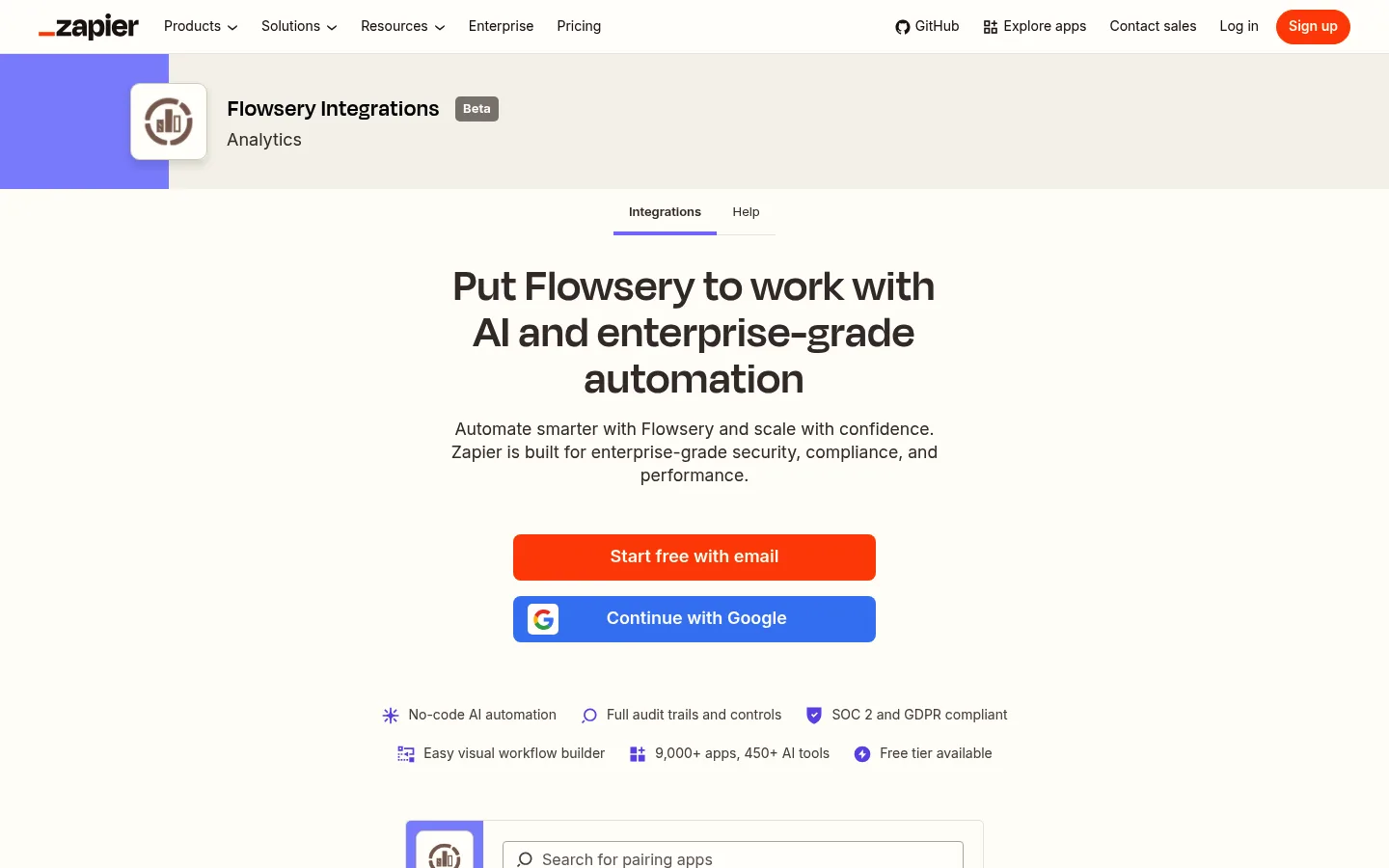
The short version: create a workspace token at flowsery.com/api-tokens with the Admin or Editor role, add Flowsery as a step in a Zap and paste the token when Zapier asks for it. Use Find Overview for reports, New Issue for bug alerts, and Track Goal or Track Payment to send events in.
What can the Flowsery Zapier app do?
The Flowsery Zapier app has 1 trigger, 3 actions and 6 searches. The trigger starts a Zap, the actions write to Flowsery, and the searches read from Flowsery for a later step.
The trigger is New Issue, which fires when Flowsery's AI finds a new issue in your session recordings. It polls, and Zapier's listing says it checks for new data every 15 minutes on the Free plan.
The actions:
- Track Goal records a goal completion, optionally tied to a known visitor or session.
- Track Payment records a payment, renewal or refund so revenue shows up next to traffic.
- Update Issue Status moves an issue to Open, In progress, Resolved or Suspended.
The searches:
- Find Overview returns visitors, sessions, bounce rate, average session duration, revenue, revenue per visitor and conversion rate for a date range.
- Find Timeseries returns visitors, sessions and revenue bucketed by hour, day, week or month, with totals.
- Find Realtime Visitors returns how many visitors are on the site right now.
- Find Breakdown splits visitors by one of 25 dimensions, such as page, referrer, channel, campaign, country, device or a UTM parameter, and returns up to 1000 rows.
- Find Goals returns every goal with its completion count in a date range.
- Find Issue returns one issue with its description, steps to replicate and sessions.
Searches that take a date range have Start date, End date and Timezone fields. Dates default to the last 30 days, and the timezone defaults to the website's own.
How do you connect Flowsery to Zapier?
You connect Flowsery to Zapier with an API token, never with your password. Zapier asks for one field and sends the token as a Bearer header on every request.
- Open flowsery.com/api-tokens and create a workspace token. It starts with
flow_ws_and reaches every website in the workspace. - Pick Admin or Editor as the role. Every Flowsery API call checks the
flowsery.writepermission, which only those two roles hold. - In Zapier, create a Zap, search for Flowsery and choose the trigger, an action or a search.
- When Zapier asks you to sign in, paste the token. Zapier tests it with
GET /websitesand names the connection after your domains.
A website key from Settings > API also works. It starts with flow_ and reaches one website. Every Flowsery step has a required Website field either way; with a website key, the dropdown holds one entry.
How do you get a weekly traffic report from Zapier?
You get a weekly traffic report with Schedule by Zapier as the trigger and Find Overview as the search.
- Start the Zap with Schedule by Zapier, set to every week on Monday morning.
- Add Formatter by Zapier, Date / Time, Add/Subtract Time, to turn the trigger's date into the date seven days earlier.
- Add Flowsery Find Overview. Pick the website, map the Formatter output to Start date and the trigger's date to End date, and set Timezone to an IANA name such as
Europe/Berlin. - Add Flowsery Find Breakdown with Dimension set to Referrer and Rows set to 5, over the same dates.
- Send an email, a Slack message or a Microsoft Teams message with the totals and the top referrers.
Leave Start date and End date empty and Find Overview covers the last 30 days, which is the faster setup for a monthly report. Our page on website analytics reporting covers which numbers deserve a place in that message.

How do you send new bugs to the tools your team uses?
You send new bugs from Flowsery to your team with a Zap that starts on New Issue and ends in your tracker or chat. Flowsery already posts issues to Slack and files tickets in Linear and Jira by itself, as the automatic bug tickets page shows, so this Zap is for everything else: Asana, Trello, ClickUp, Monday, Microsoft Teams or an email to an agency.

Flowsery
Start Your 14-Day Free Trial
Real-time dashboard
Goal tracking
Cookie-free tracking
- Start the Zap on Flowsery New Issue. Pick the website, and set Severity to only fire for one level, or leave it empty for all.
- Add Flowsery Find Issue and map the issue ID from the trigger, when the task needs the sessions behind the issue.
- Create the task with the title, severity, sessions affected and steps to replicate.
Severity matches exactly, so High does not include Critical. Build one Zap per level you care about, or leave Severity empty and add a Filter step. Each issue carries the number of sessions it affected, which is a better sort order than severity alone: a medium issue in 140 sessions reaches more visitors than a critical one in 3. Read bug triage for how to rank what comes in.
On a free trial the Flowsery API lists only the first 10 issues, so New Issue stops firing once those exist, and Find Issue or Update Issue Status on a later issue fails with Upgrade to view this issue.

How do you record a sale or signup that happens outside your website?
You record an outside sale with Track Payment and an outside signup with Track Goal, both as the last step of a Zap that starts in the app where it happened. Flowsery connects Stripe, Paddle, Polar and Lemon Squeezy in one click on the revenue tracking page, so this Zap is for invoices, CRM deals, marketplace sales and booked demos.
Track Payment takes the Amount in major units, such as 49.00, plus Currency, Transaction reference, customer email, name and reference, Renewal, Refund and Paid at. Three fields need care:
- Currency. Flowsery stores the payment as USD when the field is empty, not in the website's currency. Fill it in with an ISO code such as
EUR. - Transaction reference. Use the invoice, charge or order number. A reference that was already recorded is rejected with a 409, not merged, and the reference is what you need to delete the payment later.
- Renewal. Mark recurring charges so new and renewal revenue stay apart in Flowsery.
Track Goal takes a Goal name of lowercase letters, digits, _ and -, up to 64 characters, such as demo_booked or deal_won. Metadata holds at most 10 properties, and an eleventh fails with a 400.
Both actions take a Visitor UID and a Session UID. When your form or checkout passes along the value of the _fs_vid cookie the Flowsery script sets, map it to Visitor UID, and the payment or goal lands on that visitor's timeline next to the traffic source that brought them. The guide to analytics goals covers which conversions are worth tracking.
- Currency: the payment is stored as USD
- Transaction reference: you cannot delete that one payment later
- Renewal: a recurring charge counts as new revenue
- Currency: an ISO code such as EUR
- Transaction reference: the invoice or order number, one per payment
- Renewal: on for every recurring charge
How do you close a Flowsery issue when the fix ships?
You close a Flowsery issue from Zapier with Update Issue Status, set to Resolved, in a Zap that starts when the task for that issue is done. Keep the Flowsery issue ID in the task when the bug Zap creates it, then map it into Update Issue Status in the second Zap.
Resolved says the bug is fixed. Suspended hides an issue that is not a problem from the default issue list, so a Zap that suspends issues shortens the list without fixing anything on it. Pick Resolved unless a person decided otherwise.
Which errors does the Flowsery Zapier app show?
The Flowsery Zapier app shows the API's own message and error code for every refused request, so the Zap history tells you what to fix.
| Error | What it means |
|---|---|
401 token_issuer_lost_access | The member who created the token lost access; create a new token |
| Any other 401 | "Flowsery rejected the API token"; the token was revoked or mistyped |
403 permission_denied | The token's role lacks flowsery.write; use an Admin or Editor token |
403 subscription_required | The workspace plan no longer includes API access |
403 workspace_access_denied | The token cannot reach that workspace |
| 429 | Rate limit; the app waits as long as Retry-After says, 60 seconds when it is missing |
When should you use n8n, ChatGPT or the API instead?
Use Zapier when the event starts in another app and you want to build the flow without code or a server. Flowsery has three other ways in, all listed on the AI agents page.
- The n8n node covers the same ground for teams that run automations on their own server, and adds Visitor > Get and report filters. The n8n analytics guide walks through it.
- The ChatGPT plugin answers traffic and issue questions from a chat. The Flowsery ChatGPT analytics plugin guide has the setup.
- The REST API is for your own scripts, documented in the Flowsery API reference.
Frequently Asked Questions
Is there an official Flowsery app on Zapier?
Flowsery has a public app in Zapier's directory at zapier.com/apps/flowsery/integrations. You connect it with a workspace token from flowsery.com/api-tokens. It has 1 trigger, 3 actions and 6 searches.
Does the Flowsery Zapier app need my password?
The Flowsery Zapier app connects with an API token and never asks for your Flowsery password. A workspace token starts with flow_ws_, a website key starts with flow_, and Zapier sends either one as a Bearer token on every request.
How fast does the New Issue trigger fire?
New Issue is a polling trigger, so it fires when Zapier next checks Flowsery. Zapier's listing says it checks every 15 minutes on the Free plan, and paid Zapier plans check more often.
Which Flowsery plans include Zapier?
Flowsery's Team plan at $250 a month and Pro plan at $500 a month both include the Zapier integration. Both start with a 14-day free trial that needs no card. On the trial, the API lists only the first 10 issues.
Flowsery
Start Your 14-Day Free Trial
Real-time dashboard
Goal tracking
Cookie-free tracking
Why did a payment from Zapier show up in USD?
Track Payment sends Currency only when the field is filled in, and without it Flowsery stores the payment as USD. Map or type an ISO 4217 code such as EUR in Currency.
Can Zapier send Flowsery data to Google Sheets?
Any Flowsery search can feed a Google Sheets step. A weekly Zap with Find Overview and a Create Spreadsheet Row action adds one row per week with visitors, sessions, bounce rate and revenue.
Which role does a Flowsery API token need for Zapier?
Create the token with the Admin or Editor role. Every Flowsery API call checks the flowsery.write permission, and only those two roles hold it. A token with any other role fails with a 403 permission_denied error.
Can I get a Zapier alert for critical bugs only?
Yes. Set Severity on the New Issue trigger to the one level you want, or leave it empty and add a Filter step. Severity matches exactly, so High does not include Critical.
What happens if Zapier sends the same payment twice?
Flowsery rejects the second one with a 409 when the Transaction reference was already recorded. It does not merge them. Use the invoice, charge or order number as the reference so a replayed Zap cannot record one payment twice.
How many properties can a Track Goal event carry?
Metadata holds at most 10 properties, and an eleventh fails with a 400. The Goal name takes lowercase letters, digits, _ and -, up to 64 characters, such as demo_booked.
Was This Article Helpful?
Let us know what you think!
See us more often in Google
One click marks Flowsery as a preferred source, so our articles sit higher in your Top Stories, AI Mode, and AI Overviews.
Before you go...
Flowsery
Revenue-first analytics for your website
Track every visitor, source, and conversion in real time. Simple, powerful, and cookie-free.
Real-time dashboard
Goal tracking
Cookie-free tracking
Related Articles
How to Set Up n8n Analytics Workflows With the Flowsery Node
Set up n8n analytics with the Flowsery node: one API token, a weekly traffic report, alerts for bugs found in session recordings, and sales from any app.
How to Ask About Your Website Traffic With the Flowsery ChatGPT Analytics Plugin
Install the Flowsery ChatGPT analytics plugin, sign in once, and ask about visitors, traffic sources, revenue and the bugs found in your session recordings.
Answer the Monday Question With a Grok Bot Template for Analytics Reporting
A Grok bot template for analytics reporting turns a weekly traffic question into one API call. The breakdown endpoint takes 25 dimensions, which is what lets a chat answer follow-ups a dashboard cannot.