
TL;DR, Quick Answer
7 min readInstall the Flowsery template at x.ai/bot/tOP05p0n0XVUcpJDfPH0k, paste a workspace token, and ask questions about traffic, revenue and the issues Flowsery found in session recordings. Reads are safe to automate. PATCH /issues is the one call that needs a human.
Wiring up a Grok bot template for web analytics is less interesting than what it exposes. Traffic numbers in a chat are a party trick. The thing worth putting behind an agent is the issue list Flowsery builds from session recordings, because that is the data nobody opens often enough.
The short version: install the Flowsery template from x.ai/bot/tOP05p0n0XVUcpJDfPH0k, paste a workspace token into the credential field, then ask "what are the open critical issues and how many sessions did each hit?"
What is a Grok bot template?
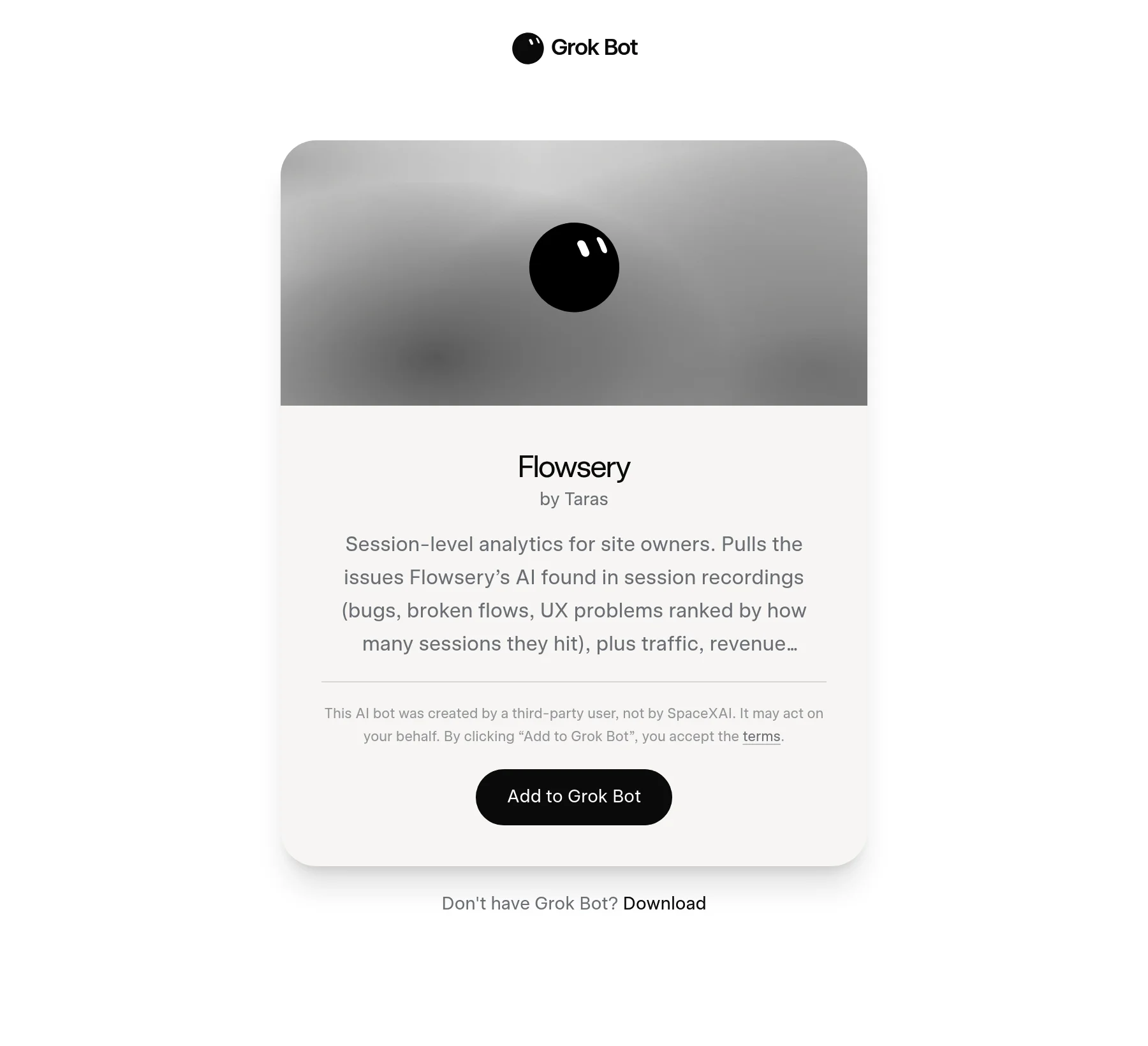
A Grok bot template is a share link that copies one person's configured Grok Bot into your own app. SpaceXAI turned the feature on with a single sentence from the Grok Bot account on 28 August 2026: "You can now share templates of your Bots with others." The link is x.ai/bot/ plus a 21-character id, and the "Add to Grok Bot" button is a deep link into the desktop or iOS app, grokbot://app/v1/bot-template?id=<id>.
Grok Bot launched on 11 August 2026 in early beta. Each Bot runs on its own cloud computer, which is why xAI can say it works "across apps, tools, and websites, including platforms with no clean API or MCP." Access needs an eligible paid plan: SuperGrok, SuperGrok Plus or SuperGrok Heavy, or Cursor Pro, Pro+ or Ultra, or Cursor Teams Standard or Premium. Entry pricing on x.ai/bot is $30 a month for SuperGrok and $20 a month for Cursor.
Why put analytics behind a chat interface?
A chat interface wins when the question is exploratory and the follow-up matters more than the first answer. Dashboards are good at questions you already knew you had. Every Flowsery breakdown, by page, referrer, channel, campaign, country, device, browser, is a chart somebody has to think to open.
The follow-up is where a bot earns its place. "Traffic is down 18% week on week" is one call. "Which channel, and did the drop land on one page?" is three more, and a bot chains them without you deciding the order in advance.
What is in the Flowsery Grok bot template?
The Flowsery template contains a bot profile, a skill describing Flowsery's public REST API, and one weekly routine. The skill is written as prose so that anyone reviewing a third-party template can read exactly what the bot is allowed to touch.
Purpose: query analytics and AI-detected issues through the Flowsery REST API.

Auth: every request needs the header "Authorization: Bearer <token>". The owner
creates a workspace token at https://flowsery.com/api-tokens (it starts with
flow_ws_). Keep it in the connector credential field, never in the conversation.
Workspace tokens span several websites, so pass websiteId or domain on every
call. GET /websites lists them.

Base URL: https://analytics.flowsery.com/analytics/api/v1
Full spec: GET /openapi.json on the same base URL, no auth needed.

Workflow:
1. GET /websites once to learn website IDs and domains.
2. Issues: GET /issues (filters: status open | in_progress | resolved |
   suspended, severity low | medium | high | critical, sort severity | recency)
   for the ranked list with sessions-affected counts. GET /issues/{issueId} for
   occurrences, affected sessions and steps to replicate. PATCH /issues/{issueId}
   with {"status": "resolved"} only when the owner says an issue is fixed.
3. Traffic: GET /overview and GET /timeseries for visitors, sessions, revenue
   and conversion over a startAt/endAt range. GET /realtime for who is on the
   site now.
4. Breakdowns: GET /pages, /referrers, /campaigns, /channels, /countries,
   /devices, /browsers to find where a drop-off concentrates.
5. Revenue: GET /goals for completions. POST /goals and POST /payments record
   server-side conversions.

Validation: confirm with the owner before any PATCH or POST. Reads need no
confirmation.

Failure: a 404 means the websiteId or domain does not belong to this workspace.
List /websites and ask, do not guess.
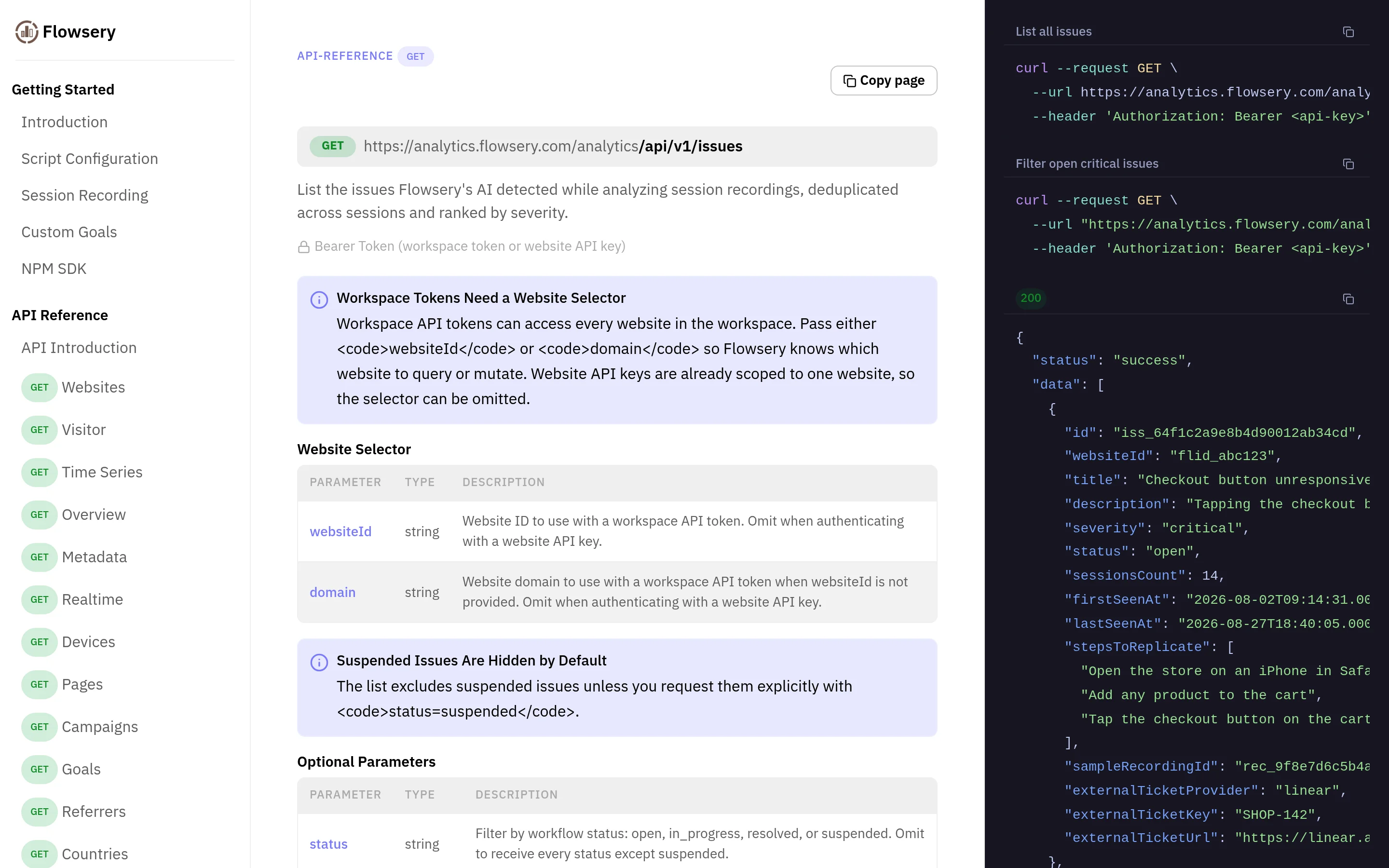
The workspace-token rule is the one that trips people up. A workspace token can read several websites, so every call needs websiteId or domain to say which. Website API keys are already scoped to one site and can skip the selector. Leave it out and you get a 400 Website ID or domain is required. A 404 Website not found means the selector named a website outside this workspace.
What can the bot read, and what can it change?
Flowsery's public API has 28 operations, and 23 of them only read. Five can change data, and the skill uses three of those. That ratio is the reason this template is comfortable to automate.
| Call | What it returns | Changes data |
|---|---|---|
GET /issues | AI-detected issues ranked by severity, with sessions-affected counts | No |
GET /issues/{issueId} | One issue with occurrences, affected sessions and steps to replicate | No |
GET /overview | Visitors, sessions, revenue and conversion for a date range | No |
GET /timeseries | The same metrics bucketed over time | No |
GET /realtime | Visitors active right now | No |
GET /pages, /referrers, /channels, /campaigns | Breakdowns for locating a drop-off | No |
GET /visitors/{visitorId} | One visitor's profile and activity timeline | No |
PATCH /issues/{issueId} | Moves an issue to open, in progress, resolved or suspended | Yes |
POST /goals | Records a goal completion | Yes |
POST /payments | Records a payment, renewal or refund | Yes |
PATCH /issues/{issueId} is the one to guard. Marking an issue resolved removes it from the default list, and the default list is what everybody looks at. An agent that resolves issues on its own judgment quietly shrinks your bug backlog without fixing anything.
How do I install and test it?
Installing the Flowsery Grok bot template takes four steps. Open the share link in Grok Bot, create a flow_ws_ workspace token, paste it into the credential field, and ask it to list your websites as a read-only test.
flow_ws_.GET /websites and GET /issues and writes nothing.What should the weekly routine actually say?
A good routine names the comparison, the sort order and what to do on a quiet week. The template ships with this one:
Name:      Site health report
Schedule:  weekly, Monday 09:00, owner's timezone
What:      Pull last week's /overview against the week before, the top pages and
           referrers, and all open issues sorted by severity. If a new critical
           or high issue appeared since the last run, lead the report with it,
           including sessions affected and steps to replicate. One message,
           numbers first, no fluff.
If empty:  send the report anyway. Traffic of zero is itself a finding.
That last line is the opposite of the advice I would give for a lead-alert routine, and deliberately so. A quiet week in a mention inbox is normal. A quiet week in site traffic means either nothing happened or the tracking script broke, and you want to know which.
xAI's usual path to a routine is demonstration: "Ask a Bot to follow along as you complete a workflow once. It saves it as a routine and runs it on its own next time." For an API-driven report, writing it out is better. You get to specify "sorted by severity" instead of hoping the Bot inferred it from watching you scroll.
What does the template not carry?
A template carries the profile, the skill text and the routines, and nothing else. It does not carry the creator's workspace token, their websites, their session recordings, their issue list, or any conversation their Bot had. Your copy starts empty and reads only the sites your own token can see.

Flowsery
Start Your 14-Day Free Trial
Real-time dashboard
Goal tracking
Cookie-free tracking
- Name, title, description, avatar
- The skill text
- The routine definition
- Workspace or website API tokens
- Session recordings and issues
- The creator's chat history
- Anything their Bot remembered
xAI puts a line on every share page: a third-party bot "may act on your behalf." That is accurate. A skill is instructions, instructions can name any endpoint, and the only defence is that you can read them.
Frequently asked questions
What data can the Grok bot see?
The bot sees whatever the token allows, which for a workspace token is every website in that workspace. Flowsery is cookie-free and stores no personal data, so the bot reads aggregate traffic, revenue, goal completions and the issues found in session recordings.
Can the bot close bugs on its own?
Not with the shipped skill. PATCH /issues/{issueId} is the only call that moves an issue's status, and the skill requires the owner's confirmation before any PATCH or POST. Reads run without confirmation.
Why does the bot get a 400 on a website it can see?
A workspace token spans multiple websites, so every call needs websiteId or domain to say which one. A missing selector returns 400 Website ID or domain is required, and a selector that matches no website returns 404 Website not found. The skill tells the bot to call GET /websites and ask rather than guess.
Does the Grok bot replace the Flowsery dashboard?
No. The bot answers questions and writes reports; it does not render funnels, replay sessions or show heatmaps. It is faster for "which page lost traffic last week" and useless for watching a recording of somebody rage-clicking a broken button.
How is this different from connecting Flowsery over MCP?
The endpoints and permissions are identical. MCP suits clients that speak it, such as Claude, Cursor and Codex. The Grok bot template exists because Grok Bot reads skills written in prose rather than MCP tool definitions. Meta Muse reads neither, so it builds its own client from the API reference, which the Meta Muse connector guide walks through.
Do I need a paid Grok plan for this?
Yes. Grok Bot requires an eligible subscription, and the template is free on top of it. Entry pricing on x.ai/bot is $30 a month for SuperGrok and $20 a month for Cursor. xAI notes that Grok Bot "comes with its own usage, separate from your Grok and Cursor plans."
Should I start with reporting or with sessions?
Start with reporting if you want the weekly number, and with sessions if you are chasing a bug. There are guides for analytics reporting and session analysis. For templates beyond Flowsery, groktemplates.dev indexes them by use case.
The same questions work from OpenAI's always-on agent through an OpenAI dots plugin for web analytics, and from Cue, the Manus app, through a Manus Cue connector for web analytics.
Install the Flowsery Grok bot template and ask your analytics questions in a chat, or read the API docs first.
Sources: x.ai/bot, Introducing Grok Bot (11 August 2026), @bot on X (28 August 2026), and the Flowsery OpenAPI spec. Checked 30 August 2026.
Was This Article Helpful?
Let us know what you think!
See us more often in Google
One click marks Flowsery as a preferred source, so our articles sit higher in your Top Stories, AI Mode, and AI Overviews.
Before you go...
Flowsery
Revenue-first analytics for your website
Track every visitor, source, and conversion in real time. Simple, powerful, and cookie-free.
Real-time dashboard
Goal tracking
Cookie-free tracking
Related Articles
Ask Traffic Questions With a Meta Muse Connector for Web Analytics
Build a Meta Muse connector for web analytics from the Flowsery API reference. What to paste, which calls are safe, and why Muse visits look human.
Ask Your Traffic Questions Through a Manus Cue Connector for Web Analytics
Build a Manus Cue connector for web analytics on the Flowsery MCP server: where Manus takes the URL and token, what Cue leaves out, and which calls write.
Ask Your Dot About Traffic With an OpenAI dots Plugin for Web Analytics
How to set up an OpenAI dots plugin for web analytics with Flowsery: the developer mode URL, the OAuth sign-in, which calls write, and the first test.