
TL;DR, Quick Answer
12 min readParallel reported on 14 September 2026 that Muse surfaces no MCP setting. Ask it to build a custom connector from the API reference at https://flowsery.com/docs/api-introduction.md, paste a flow_ws_ workspace token into the secure credential prompt, and keep the five write calls behind an approval. Meta does not review custom connectors, and Muse browser sessions land in your analytics as human ones.
Most write-ups of a Meta Muse connector for web analytics open with MCP, and that is the first idea to drop. Muse, the consumer agent Meta launched on 8 September 2026, surfaces no field for adding an MCP server: Parallel asked it to connect to a Model Context Protocol server on 14 September 2026 and reported that Muse "has no 'add MCP server' setting". What it has is a Custom Connector, and what makes one work in a single message is a public API reference.
The short version: tell Muse to build a custom connector from the Flowsery API reference, paste a flow_ws_ workspace token into Muse's secure credential prompt, then ask "how did traffic do last week, broken down by channel".
What is a Meta Muse connector?
A Meta Muse connector is an app or service you link to Muse so the agent gains a new ability, which is how Meta's help centre defines the word. Meta ships two kinds. Connectors come from a list inside Settings. Meta's connectors article names only Gmail, Apple Health, Android SMS and Google Workspace; the wider launch roster, including Google Calendar and OpenTable, comes from Alexandr Wang's 8 September 2026 post rather than from Meta's documentation. Custom Connectors are the ones Muse builds itself for a service that is not on that list, and Flowsery is one of those.
Meta's own sentence is the whole mechanism: "If you want to connect to a service not yet available in the Connector list, you can ask Muse to create a Custom Connector. Muse will guide you through the process, which can involve retrieving API information from the service." The credentials you hand over land in what Meta calls its Secure Credentials Store.
Notice what is missing from that description. Parallel found no "add an MCP server" field in Muse, and MCP appears in none of the consumer agent's help centre articles as of 20 September 2026. Meta does document MCP in detail, but for Muse Code, its terminal coding agent, which reads servers from an mcp_servers block in a settings file. Two products, one name. Flowsery runs a hosted MCP server at https://mcp.flowsery.com/mcp and it is the right choice for Claude, Cursor or Codex. It is not the route into Muse.
Can Muse read your analytics without a connector?
Muse reads a dashboard the way a person does, by opening it in the browser inside its own cloud virtual machine and logging into your account. That path works and it is brittle. Meta says the browser sub-agent sees an accessibility tree snapshot rather than the raw DOM and cannot run JavaScript in the page, so every number it reports is read off a rendered screen, and a layout change resets what it learned last week.
The harder constraint is where the VM lives. Each Muse user gets a dedicated virtual machine in Meta's cloud, which puts anything running on your own network out of reach. An MCP server on your laptop is unreachable. So is a staging instance behind a VPN, and so is anything on localhost. Parallel reported this on 14 September 2026, and the reason generalises: anything that is not reachable from the public internet is not reachable from Meta's cloud. If your first plan was to point Muse at something on your machine, kill that plan before you write a line of config.
Flowsery's API is public, hosted and reachable from anywhere, which is the reason the connector path beats the browser path. https://analytics.flowsery.com/analytics/api/v1 answers a request from Meta's cloud the same way it answers one from your terminal.
What do you paste into Muse?
Muse builds a working Flowsery connector from one message that carries the API reference URL and the auth style. The base URL for every v1 endpoint is https://analytics.flowsery.com/analytics/api/v1/, and the reference for each one lives at https://flowsery.com/docs/api-introduction.
Build a custom connector for Flowsery Analytics from the API reference at
https://flowsery.com/docs/api-introduction.md. The reference is public, so
read it directly without logging in.

Base URL: https://analytics.flowsery.com/analytics/api/v1
Full spec: GET https://flowsery.com/openapi.json, no auth needed.
Auth: an "Authorization: Bearer <token>" header. I will paste the token into
the secure credential prompt, not into this chat. It starts with flow_ws_.

Do not write anything yet. Call GET /websites first, list the website IDs you
can see, then list the operations you can run.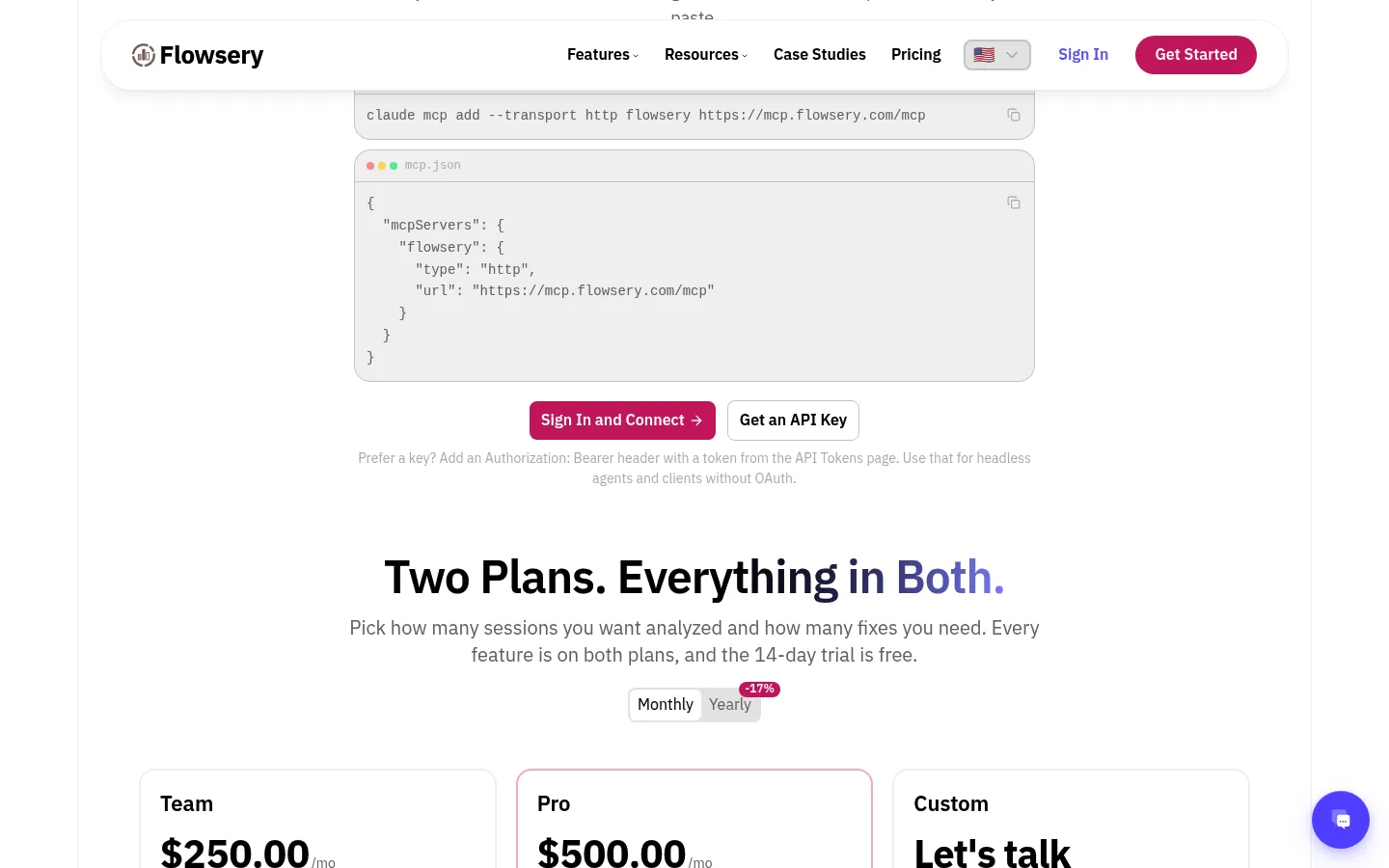
The unauthenticated reference is the part doing the work. Parallel's advice to anyone who wants an agent to pick up their service in one message is a public OpenAPI document or server URL readable without logging in, because "Gated docs turn a one-message setup into a browser session". Every page on flowsery.com also ships a markdown twin, so hand Muse https://flowsery.com/docs/api-introduction.md rather than the rendered page when it asks for prose.
flow_ws_. A flowsery_ prefix is not a real token; it shows up only in decorative screenshots.Which calls are safe to automate, and which need a human?
Flowsery's public API documents 28 operations and 23 of them only read. Five change data, and those five are the entire supervision problem. Hand the reads to Muse and put an approval in front of the writes.
| Call | What it returns | Changes data |
|---|---|---|
GET /overview | Headline metrics for a date range | No |
GET /timeseries | The same metrics bucketed over time | No |
GET /realtime | Visitors on the site right now | No |
GET /pages, /referrers, /campaigns, /hostnames | Breakdowns for locating where a drop landed | No |
GET /countries, /devices, /browsers, /cities, /regions, /operating-systems | The same by geography, hardware and software | No |
GET /goals | Goal completions for the range | No |
GET /issues, GET /issues/{issueId} | AI-detected issues with the sessions they hit | No |
GET /websites | The websites this key is allowed to read | No |
GET /visitors/{visitorId} | One visitor's activity timeline | No |
PATCH /issues/{issueId} | Moves an issue to open, in progress, resolved or suspended | Yes |
POST /goals, DELETE /goals | Records or removes a goal | Yes |
POST /payments, DELETE /payments | Records or removes a payment, renewal or refund | Yes |
PATCH /issues/{issueId} is the call that needs the tightest approval. Marking an issue suspended drops it out of the default list, and the default list is the one everybody actually opens. An agent tidying your issue backlog on its own judgment shrinks the backlog without fixing anything in it. Muse's defaults cover part of this: Meta says Muse will not take many important actions without approval, and that many connectors get set up so the agent only retrieves data.

Where does the workspace token go?
The workspace token goes into Muse's secure credential prompt, never into the chat. Meta keeps connector credentials and OAuth tokens on your own VM, and its engineering post is specific about the isolation: "they're stored in a separate isolated container in your VM, not in other Meta services." The agent code holds only a surrogate. Sentinel, the separate host-side component that authorises every network request leaving the VM, substitutes the real credential at the network boundary.

Flowsery
Start Your 14-Day Free Trial
Real-time dashboard
Goal tracking
Cookie-free tracking
Create the token at https://flowsery.com/api-tokens. It starts with flow_ws_. A workspace token covers every website in the workspace, so every call needs websiteId or domain to name one. Leave the selector out and the API returns a 400 Website ID or domain is required, because a workspace token does not resolve to a single website on its own. A selector that matches no website returns 404 Website not found.
Meta does not review custom connectors or how they use your information, and it says so in plain language on its own help page. Parallel adds a finding that sits in none of Meta's documentation: custom connector code runs inside the agent's own runtime cell and does not get the extra privilege separation Meta applies to built-in connectors, whose logic runs outside that cell in privilege-separated workers with explicit credential allowlists. That is Parallel's observation rather than Meta's statement, and it is the reason to give Muse a scoped token you can delete rather than a credential that opens everything.
Can you tell Muse's own visits apart from real visitors?
No analytics tool can separate Muse's own visits from human ones. As of 20 September 2026 there is no published Muse user agent string, no published IP range and no robots.txt token, and Meta's own security post says that when Muse browses the internet "it will appear as your activity". Muse browser sessions land in your analytics as ordinary human sessions with nothing marking them.
The situation is worse than a plain absence, because two Meta crawler identities do exist and neither one is Muse. The 2026 AI user agent reference at nohacks.co, updated 8 August 2026, lists meta-externalagent/1.1 and warns against confusing it with facebookexternalhit. Both are crawlers. Muse is a browser session driven by an agent on behalf of a signed-in person. Anyone publishing a "Muse user agent string" as of 20 September 2026 invented it, and a filter built on an invented string deletes real traffic from your reports.
- Muse runs in a per-user cloud VM with its own browser
- Meta: browsing "will appear as your activity"
- meta-externalagent/1.1 and facebookexternalhit exist, and both are crawlers
- A Muse user agent string
- An IP range for Muse VMs
- A robots.txt token for Muse
- Any way to opt a site out of agent browsing
Two things follow from that gap, and the second one is inference rather than documentation. First, a connector never touches your site at all. Muse calling GET /overview hits the API, loads no page and fires no tracker, so the connector route keeps your numbers clean while the browser route quietly inflates them. Second, and this is my read of how the browser sub-agent behaves rather than anything Meta or Flowsery publishes: an agent session in a replay looks unlike a person. Straight to a deep URL, no scroll hesitation, no pointer drift, no rage clicks, gone. Flowsery records sessions, so the shape stays watchable even when the user agent tells you nothing. Do not build a filter on that. Build a hunch on it, then open the replay and check.
How much does a Muse connector for Flowsery cost?
A Meta Muse connector for Flowsery costs nothing on either side. Muse is free until you hit a weekly usage limit, and Meta's English subscriptions page lists a Power plan at USD 20 per month for 500 million Muse tokens per week and a Max plan at USD 100 per month for 3 billion, as of 20 September 2026. Parallel reports that custom connectors draw on that same weekly meter with no separate charge.
Flowsery includes the public API on both of its plans. Team costs $250 a month and covers 5 team members, 2 websites and 3-month replay retention. Pro costs $500 a month and covers 10 team members, unlimited websites and 12-month replay retention. Both keep analytics for 3 years, and both open with a 14-day free trial that needs no card.
Geography is the real gate. Muse launched in the United States on 8 September 2026 and added Canada in the same week Meta opened the connector platform. Canada got Muse on iOS and web, with Android there still pending as of 20 September 2026; in the US it runs on iOS, Android, muse.ai and, since 17 September 2026, macOS. Subscribing requires a Meta account and an age of 18, or the age of majority where you live. If your team sits outside that footprint as of 20 September 2026, no Flowsery plan changes the answer.

How do you revoke a Muse connector's access to Flowsery?
Delete the token at flowsery.com/api-tokens. That is the revocation that holds, because it cuts the connector off at the API regardless of what Muse still has saved on its VM.
On Muse's side, connectors are listed and managed at Settings then Connectors, and any listed connector disconnects from there. Meta is explicit that disconnecting stops the data exchange and does not erase what Muse already learned from it. Muse's forget skill carries the same caveat, with Meta admitting that deletion alone may leave the agent still remembering what it learned. Resetting Muse deletes all your Muse data.
- Every call from Muse starts failing at the API
- Works whether or not Muse still holds the credential
- Takes effect the moment you delete it
- Stops the data exchange
- Leaves what Muse already learned in place
- Covers listed connectors; the removal path for a connector Muse built itself is undocumented
What Meta does not document, as of 20 September 2026, is how you remove a connector Muse built for itself. The help centre covers disconnecting connectors from the Settings list and stops there. Until that gap closes, treat the Flowsery token as the off switch and keep it scoped to the websites you are willing to expose.
Frequently Asked Questions
Does Meta Muse support MCP?
Parallel reported on 14 September 2026 that Muse surfaces no MCP setting, and MCP appears in none of the consumer agent's help centre articles as of 20 September 2026. Meta documents MCP for Muse Code, its separate terminal coding agent, where servers live in an mcp_servers block in a settings file. Flowsery's hosted MCP server at https://mcp.flowsery.com/mcp serves Claude, Cursor and Codex, and Muse gets the REST API instead.
What does Muse see about my visitors?
Muse sees whatever identity data you send Flowsery. Flowsery is cookie-free, stores no IP addresses and sets no cross-site identifiers, but GET /visitors/{visitorId} returns a profile block with userId, name and email for any visitor you have identified, alongside that visitor's activity timeline. GET /realtime/map lists the visitors active right now with their city and current URL, and GET /issues/{issueId} returns the recording IDs of the sessions an issue hit; everything else in the API is aggregate. A workspace token exposes traffic, revenue, goal completions and the issues Flowsery detects in session recordings, across every website in that workspace. Keep the token scoped to the workspace you are willing to share.
Why does Muse get a 400 on a website it can see?
A Flowsery workspace token covers every website in the workspace, so every call needs websiteId or domain to name one. Leaving the selector out returns a 400 Website ID or domain is required, because a workspace token does not resolve to a single website on its own. A selector that matches no website returns 404 Website not found instead. Tell Muse to call GET /websites first and carry the ID through every call after it.
Flowsery
Start Your 14-Day Free Trial
Real-time dashboard
Goal tracking
Cookie-free tracking
Can Muse close issues in Flowsery on its own?
PATCH /issues/{issueId} is the only call that moves an issue's status, and the setup message above tells Muse to write nothing without asking first. Meta's approval flow backs that up: prompts appear in the client UI rather than inside the conversation, and offer Allow once, Allow for this task, Allow for this site, Always allow and Deny. Pick Allow once for anything that writes.
Does the connector survive a change to the Flowsery API?
Meta publishes no answer to that as of 20 September 2026, and the saved skill holds the call list Muse learned during setup. Flowsery's API reference stays public at https://flowsery.com/docs/api-introduction, so the repair is one message: tell Muse to re-read the reference and update its connector. Re-run the GET /websites check afterwards to confirm it still authenticates.
Where do I read the API before setting any of this up?
Flowsery documents the REST API at https://flowsery.com/docs/api-introduction, with a markdown twin at https://flowsery.com/docs/api-introduction.md that returns the page as plain markdown. The agent-facing overview sits at https://flowsery.com/features/agents, twinned at https://flowsery.com/features/agents.md. Read those, then decide which endpoints the connector gets to touch.
Which Flowsery plan do I need for a Muse connector?
Either one, because the public API is included on both plans. Team costs $250 a month with 5 team members, 2 websites and 3-month replay retention, and Pro costs $500 a month with 10 team members, unlimited websites and 12-month replay retention. Pick by how many websites you want Muse to reach. Both start with a 14-day free trial that needs no card.
Is Meta Muse available outside the United States?
Muse launched in the United States on 8 September 2026 and added Canada in the same week Meta opened the connector platform. Canada got Muse on iOS and web, with Android there still pending as of 20 September 2026; in the US it runs on iOS, Android, muse.ai and, since 17 September 2026, macOS. If your team sits outside that footprint, no Flowsery plan changes the answer.
Where does Muse store my Flowsery token?
In Meta's Secure Credentials Store, which its engineering post describes as a separate isolated container in your VM. The agent code holds only a surrogate, and Sentinel swaps in the real credential at the network boundary. Deleting the token at flowsery.com/api-tokens cuts access whatever Muse still has saved.
Can I filter Muse traffic out of my analytics?
No, and any filter you find is a guess. Meta publishes no Muse user agent string, no IP range and no robots.txt token, and says browsing will appear as your activity. A connector call to the API loads no page and fires no tracker, so only browser sessions add human-looking visits. Open the replay to check a suspicious one.
The same questions work from OpenAI's always-on agent through an OpenAI dots plugin for web analytics, and from Cue, the Manus app, through a Manus Cue connector for web analytics.
Create a workspace token and hand Muse the spec, or read the API reference first.
Sources: Meta's Muse connectors help article, How we built safety into Muse, Parallel's Muse custom integrations write-up (14 September 2026), the 2026 AI user agent reference (updated 8 August 2026), and the Flowsery API reference. Checked 20 September 2026.
Was This Article Helpful?
Let us know what you think!
See us more often in Google
One click marks Flowsery as a preferred source, so our articles sit higher in your Top Stories, AI Mode, and AI Overviews.
Before you go...
Flowsery
Revenue-first analytics for your website
Track every visitor, source, and conversion in real time. Simple, powerful, and cookie-free.
Real-time dashboard
Goal tracking
Cookie-free tracking
Related Articles
Ask Your Traffic Questions Through a Manus Cue Connector for Web Analytics
Build a Manus Cue connector for web analytics on the Flowsery MCP server: where Manus takes the URL and token, what Cue leaves out, and which calls write.
Ask Your Dot About Traffic With an OpenAI dots Plugin for Web Analytics
How to set up an OpenAI dots plugin for web analytics with Flowsery: the plugin listing, the OAuth sign-in, which calls write, and the first test.
Run the Monday Report With a Meta Muse Connector for Analytics Reporting
Every call a Meta Muse connector for analytics reporting makes is a GET, so the weekly report never writes. Which calls it needs, and what it gets wrong.