


TL;DR, Quick Answer
7 min readGoogle may collect account activity, searches, YouTube behavior, location, device information, ad interactions, purchases, and website activity through its products and services, depending on settings and use.
Here is a practical answer to the query: What data does Google know about me. Signed in or signed out, the honest answer to what data does Google know about me depends on which products you use, which settings you have touched, and how many sites quietly send Google data on your behalf.
Google's data picture depends on which products you use, whether you are signed in, your privacy settings, and which Google services appear on the websites and apps you visit. It is not one database labeled "everything about you," but a connected ecosystem of account activity, device signals, ads, analytics, payments, maps, search, video, and browser interactions.
Google's privacy policy explains that it collects information you provide, content you create or upload, activity in its services, apps and devices used to access services, location information, and information from partners depending on settings and context. See Google's Privacy Policy.
Search and Browsing Activity
Search queries reveal intent: health worries, product research, legal questions, travel plans, financial stress, and political curiosity. If Web & App Activity is enabled, Google can save activity from Google sites and apps to your account.
Chrome and Google services can add more context depending on sync, sign-in, default search, safe browsing, extensions, and site interactions. Websites that embed Google Analytics, Google Ads, YouTube, reCAPTCHA, Maps, fonts, or other Google services may also create requests to Google-controlled domains.
YouTube Activity
YouTube searches, watch history, likes, subscriptions, comments, and ad interactions can reveal interests, moods, beliefs, hobbies, and life stages. You can review and change some of this through Google account activity controls.
Location Information
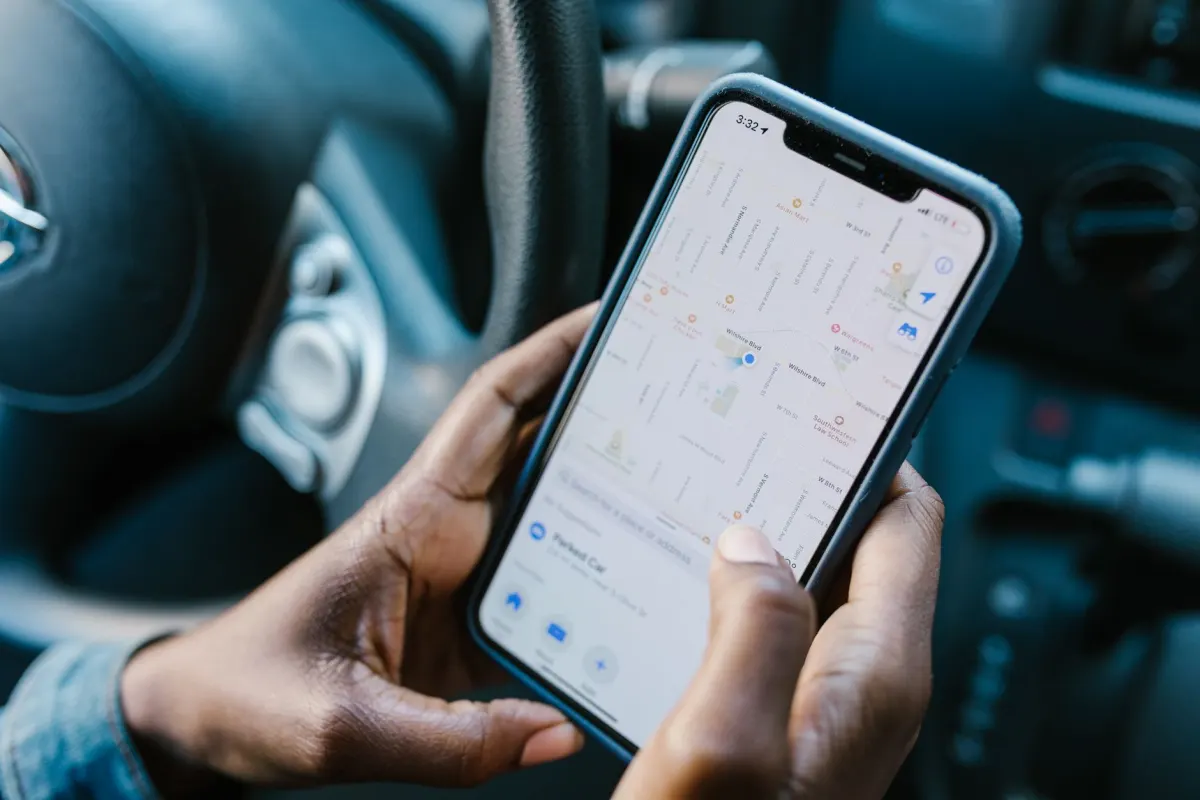
Google may infer or collect location from GPS, IP address, device sensors, Wi-Fi access points, Bluetooth signals, saved places, searches, and Maps usage depending on device settings and account controls.
Location is sensitive because it reveals routines: home, work, clinics, religious locations, schools, partners, protests, and travel.
Gmail, Calendar, Contacts, and Photos
Google services process content to provide features such as spam filtering, search, smart replies, event extraction, photo organization, and security. Google has said it does not use Gmail content for ad personalization, but content may still be processed to provide the service and related features.
The privacy question is not only ads. It is how much of your life sits inside one account.
Ads and Inferences
Google's My Ad Center lets users control some information used for ads. Google says users can manage what info is used to show ads, including activity, categories, and personalization settings. See Google's My Ad Center help.
Ad profiles are probabilistic. They may be wrong, but wrong inferences can still affect what you see, what you click, and how you are categorized.
Purchases and Payments
Google may process purchase and payment information through Google Pay, Play, Wallet, subscriptions, receipts, and merchant integrations. Some users also see purchases inferred from receipts depending on account features and settings.
Devices and App Activity
Android devices, Chrome, Play services, and app interactions can provide device identifiers, crash logs, app usage, security signals, and diagnostics. Some collection is necessary for security and functionality; some is controlled by account and device settings.

Flowsery
Start Your 14-Day Free Trial
Real-time dashboard
Goal tracking
Cookie-free tracking
How to See and Control Your Data
Google provides useful tools:
- My Activity shows account activity and lets you delete activity.
- Google Dashboard summarizes data across services.
- Google Takeout lets you export data from Google products.
- My Ad Center controls ad personalization settings.
- Google Privacy Checkup walks through major settings.
Review auto-delete settings for Web & App Activity, Location History, and YouTube History. Turn off what you do not want saved. Delete old activity you no longer need.

How Website Owners Contribute
Many website owners add Google scripts without thinking of the broader ecosystem. Google Analytics, Google Ads, embedded YouTube videos, Maps, reCAPTCHA, and tag managers can create data flows beyond the website itself.
If you run a website, ask whether you need those scripts. A privacy-first analytics tool can measure traffic, sources, campaigns, and conversions without sending visitor behavior into Google's advertising and measurement stack.
How to Reduce Dependence
You do not need to abandon every Google product in one day. Start with high-impact choices:
- Review account activity controls and auto-delete.
- Disable ad personalization if you do not want it.
- Use a privacy-focused browser or stricter tracking protection.
- Try alternative search for sensitive queries.
- Limit location permissions.
- Export important data with Takeout.
- Remove unnecessary Google scripts from your own website.
- Avoid putting sensitive files, prompts, or records into tools without reviewing settings.
The goal is not purity. It is reducing concentration. The less one company sees across your search, video, email, maps, phone, ads, and website visits, the less complete the profile becomes.
Logged-In vs Logged-Out Matters
A signed-in Google account makes it easier for activity to be connected to that account. Logged-out use can still create server logs, cookies, IP-based signals, and device or browser context, but the account-level controls and exports may not show every unauthenticated interaction. This is why privacy reviews should consider both account settings and web-wide embedded services.
Business Website Owners Have a Choice
If your business embeds Google tools, you are part of the data environment your visitors experience. Removing unnecessary Google scripts from your own website is one concrete way to reduce the amount of browsing activity that flows into a large advertising and measurement ecosystem. That change is small compared with Google's whole platform, but meaningful for the visitors who trusted your site.
Privacy improves through repeated small reductions: fewer logged-in searches, fewer embedded scripts, shorter retention, less location sharing, and more deliberate account settings.
The point is not to disappear from the internet. It is to make each data flow intentional rather than automatic.
- Web & App Activity saved automatically
- Location History tracks routines
- Ad personalization active across categories
- Google scripts embedded on visited websites
- Auto-delete enabled for activity and location history
- Ad personalization reviewed in My Ad Center
- Sensitive queries moved to alternative search
- Unnecessary Google scripts removed from owned websites
Google Data Reduction Checklist
For individuals, start with account controls: review My Activity, Location History, YouTube History, ad personalization, auto-delete settings, app permissions, and Takeout exports. You do not have to leave every Google service to make the profile less complete.
For website owners, inventory embedded Google services: Analytics, Ads, Tag Manager, YouTube, Maps, reCAPTCHA, fonts, and conversion APIs. Keep the ones that clearly serve users or the business, configure consent and retention carefully, and replace baseline measurement with privacy-first analytics when the Google ads ecosystem is not necessary.
Frequently Asked Questions
What data does Google know about me if I'm signed out?
Logged-out use can still create server logs, cookies, IP-based signals, and device or browser context. Google's account-level controls and exports may not show every unauthenticated interaction. A privacy review should account for both account settings and web-wide embedded services.
Does Google use my Gmail content to show ads?
Google has said it does not use Gmail content for ad personalization. Content may still get processed to provide features such as spam filtering, search, smart replies, and event extraction. The privacy question is less about ads and more about how much of your life sits inside one account.
Flowsery
Start Your 14-Day Free Trial
Real-time dashboard
Goal tracking
Cookie-free tracking
How can I see everything Google has collected about me?
My Activity shows account activity and lets you delete it. Google Dashboard summarizes data across services, and Google Takeout lets you export data from Google products. Google Privacy Checkup walks through the major settings in one pass.
Can I stop Google from tracking my location?
Location can come from GPS, IP address, device sensors, Wi-Fi access points, Bluetooth signals, saved places, searches, and Maps usage, depending on device and account settings. Limiting location permissions and reviewing Location History auto-delete settings reduces what gets saved. It won't remove every signal, since some location context comes from IP address and web-wide services.
What does My Ad Center actually control?
My Ad Center lets you manage some of the information Google uses to show ads, including activity, categories, and personalization settings. Ad profiles built this way are probabilistic, so they can be wrong. A wrong inference can still affect what you see and how you're categorized, so reviewing the settings is worth doing even if you can't opt out of everything.
Does turning off ad personalization stop Google from collecting data?
No, ad personalization controls in My Ad Center manage how activity gets used to show ads, not whether Google collects the underlying activity. Search, YouTube, location, and device signals can still get gathered depending on your other account and device settings. Reducing ad personalization is one step, not a full opt-out.
Why do other websites send data to Google even if I never visit google.com?
Websites that embed Google Analytics, Google Ads, YouTube, reCAPTCHA, Maps, fonts, or other Google services can create requests to Google-controlled domains. Website owners often add these scripts without thinking about the ecosystem they plug into. Browsing can reach Google even when the visible site has nothing to do with Google.
What happens to old Google activity if I never delete it?
Old Google activity stays saved to your account until you delete it or an auto-delete setting removes it. What gets kept depends on how Web & App Activity, Location History, and YouTube History are configured. Reviewing those auto-delete settings and removing old activity you no longer need shrinks what's stored. Google Takeout can export it first if you want a copy.
Is there a way to reduce Google's data collection without quitting every Google product?
Yes, the goal isn't to abandon every product at once. Reviewing account activity controls, disabling ad personalization, limiting location permissions, using a privacy-focused browser, trying alternative search for sensitive queries, and exporting data with Takeout each reduce the concentration one step at a time. The aim is a less complete profile, not total purity.
Does Google know what I buy even outside of Google Pay?
Google may process purchase and payment information through Google Pay, Play, Wallet, subscriptions, receipts, and merchant integrations. Some users also see purchases inferred from receipts, depending on account features and settings. What gets included depends on which of those services and settings are active on the account.
Was This Article Helpful?
Let us know what you think!
See us more often in Google
One click marks Flowsery as a preferred source, so our articles sit higher in your Top Stories, AI Mode, and AI Overviews.
Before you go...
Flowsery
Revenue-first analytics for your website
Track every visitor, source, and conversion in real time. Simple, powerful, and cookie-free.
Real-time dashboard
Goal tracking
Cookie-free tracking
Related Articles
A Practical Overview - Data Brokering Companies
Data brokering companies buy public records, app signals and location feeds, then sell inferred profiles. Where the data comes from, and how to limit yours.

A Practical Guide to Digital Privacy Attitudes and Behavior
Concern is real but rarely becomes action. What digital privacy attitudes survey results mean for analytics teams, and how to run one responsibly.


A Practical Guide to Why Digital Privacy Matters More Than Ever
Constant collection, frequent breaches and sharper inference are why digital privacy matters more than ever, and why it is about control, not secrecy.