


TL;DR, Quick Answer
6 min readGA4 offers a powerful but complex event model with parameter and retention constraints. Privacy-first analytics is better for teams that need clear custom events, cookieless conversion tracking, and low-risk measurement without advertising profiles.
Here, the topic Privacy-focused analytics is covered with practical examples. Custom events are where analytics starts paying for itself, and the real gap between GA4 and privacy-compliant event tracking solutions worldwide is how much identity each model attaches to a click.
The privacy question is how much identity you attach to those events. GA4 and privacy-first analytics tools can both track custom events, but they encourage different operating models.
GA4's event model
GA4 is event-based: pageviews, clicks, purchases, scrolls, and app actions are all events. Google's official limits are important when designing a taxonomy: event names have a 40-character limit, standard properties can send 25 event parameters per event, and web streams do not have the same distinctly named event limit as app streams (GA4 event collection limits).
GA4 is powerful when you need Google Ads integration, ecommerce reports, BigQuery export, consent mode, and cross-device modeling. But that power comes with complexity. You need to manage consent, event names, custom dimensions, parameter limits, data retention, user IDs, Google Signals, and advertising features.
- Google Ads integration
- Google Signals
- Cross-device modeling
- User IDs and advertising features
- Measures actions, not people
- No advertising profile
- No cross-device identity graph
Privacy-first event tracking
Privacy-first analytics starts from a narrower goal: measure meaningful actions without building user profiles. A custom event looks like:
signup_startedsignup_completedpricing_cta_clickeddocs_search_usedcheckout_completednewsletter_subscribed
The event can include safe properties such as plan type, page path, UTM campaign, or content category. It should not include email addresses, names, phone numbers, IP addresses, raw search queries that may contain personal data, or account IDs unless the tool and legal basis are designed for that.
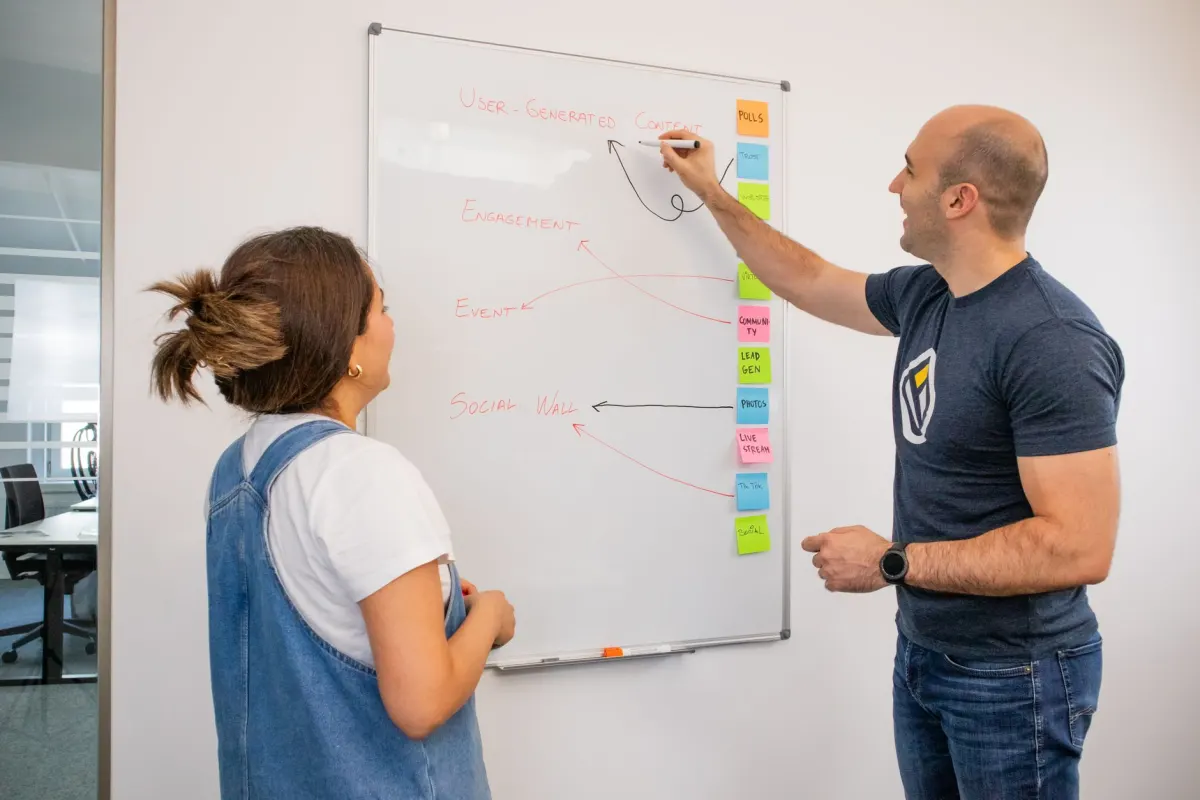
Event design rules
Good event tracking is boring and consistent:
- Use verb-based names:
form_submitted, notbutton. - Keep names stable; changing names breaks trend lines.
- Use parameters for context, not new event names for every variation.
- Avoid personal data in names and properties.
- Document owner, purpose, and retention for each event.
- Test events in staging before launch.
A bad event plan creates data you cannot interpret. A risky event plan creates data you cannot safely keep.
- Names change and break trend lines
- Vague names like button instead of form_submitted
- Data nobody can interpret
- Personal data in names or properties
- Account IDs without a legal basis
- Data nobody can safely keep
Where GA4 is strong
GA4 is a reasonable choice when a team needs:
- Google Ads conversion import.
- Ecommerce item reporting.
- BigQuery export for raw events going forward.
- Modeled reporting under consent mode.
- App and web analytics in one Google property.
- Integration with an existing Google marketing stack.
The caveat is that teams must configure it carefully. Google says GA4 collects first-party cookies, device/browser data, on-site/app activities, and IP address at collection time, while GA4 does not log or store IP addresses (Google Analytics data safeguards). That distinction still leaves consent, transfer, and advertising-use questions for controllers.
Where privacy-first analytics is stronger
Privacy-first analytics is stronger when you need:
- Lightweight event tracking on marketing pages.
- Cookieless conversion reporting.
- No advertising profile integration.
- Simple dashboards for non-analysts.
- Lower compliance and vendor risk.
- Clear separation between product improvement and behavioral advertising.
It is especially useful for SaaS landing pages, documentation sites, blogs, public-sector websites, and privacy-sensitive industries.
Practical migration path
Do not migrate events one-for-one from GA4. Start fresh:
- List business questions.
- Define the smallest set of events that answer them.
- Remove events nobody uses.
- Rename vague events into readable actions.
- Strip personal data from parameters.
- Decide retention for raw events.
- Run GA4 and the new tool in parallel for a few weeks.
- Compare trends, not exact numbers.
Custom events should make decision-making clearer. If the event system requires a dedicated analyst to explain every metric, or if legal has to untangle personal data in every payload, the event model is too complicated.

Flowsery
Start Your 14-Day Free Trial
Real-time dashboard
Goal tracking
Cookie-free tracking
A sample privacy-safe event taxonomy
For a SaaS marketing site, start with five to ten events: pricing_cta_clicked, demo_requested, signup_started, signup_completed, docs_search_used, integration_clicked, and checkout_completed. Add properties only when they change a decision. A safe signup_completed event includes plan tier, country group, campaign, and landing page. It should not include email, company name, IP address, or exact employee count unless those fields are necessary and governed.
For a blog, events can be even simpler: article read, newsletter subscribed, CTA clicked, and related article clicked. For ecommerce, use category and price range rather than exposing detailed order metadata to a third-party tool.

Governance habit
Review events once per quarter. Delete unused events, merge duplicates, and look for personal data drift. Event schemas grow quietly as teams add one-off properties. A short review prevents the analytics system from turning into a shadow customer database.
Event review questions
For each custom event, ask five questions. What decision does it support? Which team owns the decision? Could the event be counted in aggregate? Are any properties personal, sensitive, or high-cardinality? When should the event be deleted or renamed?
Then look at the payload, not just the event name. A harmless event such as form_submitted can become risky if it carries email, company name, revenue estimate, free-text message, or an unredacted URL. Use schemas or tag-manager templates that reject unapproved properties. Privacy-first event tracking depends on boring guardrails: allowed names, allowed values, and a habit of deleting what no longer earns its place.
GA4 Configuration Check
If you keep GA4, make its configuration explicit. Record whether enhanced measurement, Google Signals, ads personalization, User-ID, BigQuery export, Consent Mode, cross-domain measurement, and region-specific settings are enabled.
Then compare GA4 conversions with backend truth for purchases, signups, and forms. Keep GA4 where the Google ads or reporting ecosystem truly justifies the privacy, consent, and maintenance cost; use privacy-first analytics for baseline pages, referrers, campaigns, goals, and aggregate funnels.
Frequently Asked Questions
What is GA4's character limit for event names?
GA4 caps event names at 40 characters. Standard properties allow up to 25 event parameters per event, and web streams skip the distinctly named event limit that applies to app streams. Design your taxonomy inside those limits before you start naming events.
Does GA4 store IP addresses?
Google says GA4 does not log or store IP addresses, even though it collects the IP address at the moment of collection. That distinction still leaves consent, data transfer, and advertising-use questions for whoever controls the property.
What events should a SaaS marketing site track first?
Start with five to ten events: pricing_cta_clicked, demo_requested, signup_started, signup_completed, docs_search_used, integration_clicked, and checkout_completed. Add properties only when they change a decision, and keep personal data like email or company name out of the payload.
Should a blog track the same events as a SaaS product?
A blog needs far fewer events than a product. Article read, newsletter subscribed, CTA clicked, and related article clicked cover most editorial questions without building a user profile.
How often should a team review its event taxonomy?
Review events once per quarter. Delete unused events, merge duplicates, and check for personal data that crept into properties over time, since schemas grow quietly as teams add one-off fields.
What should teams check before deciding to keep GA4?
Record whether enhanced measurement, Google Signals, ads personalization, User-ID, BigQuery export, Consent Mode, cross-domain measurement, and region-specific settings are turned on. Then compare GA4 conversions against backend truth for purchases, signups, and forms before deciding the setup is worth the maintenance cost.
Should ecommerce sites send full order details to a privacy-first tool?
No. Use category and price range instead of exposing detailed order metadata to a third-party tool, so the event stays useful for trend analysis without carrying data that identifies a specific purchase.
Flowsery
Start Your 14-Day Free Trial
Real-time dashboard
Goal tracking
Cookie-free tracking
What five questions should a team ask about each custom event?
Ask what decision the event supports, which team owns that decision, and whether the event could be counted in aggregate. The last two: whether any properties are personal, sensitive, or high-cardinality, and when the event should be deleted or renamed. Then check the payload itself, not just the event name.
Can a harmless-looking event still carry personal data?
An event like form_submitted can carry email, company name, revenue estimate, free-text message, or an unredacted URL even though the name itself looks safe. Use schemas or tag-manager templates that reject unapproved properties to catch this before it ships.
Should teams migrate GA4 events one-for-one into a new tool?
No. Start fresh by listing business questions, defining the smallest set of events that answer them, and removing events nobody uses, then run GA4 and the new tool in parallel for a few weeks and compare trends rather than exact numbers.
Was This Article Helpful?
Let us know what you think!
See us more often in Google
One click marks Flowsery as a preferred source, so our articles sit higher in your Top Stories, AI Mode, and AI Overviews.
Before you go...
Flowsery
Revenue-first analytics for your website
Track every visitor, source, and conversion in real time. Simple, powerful, and cookie-free.
Real-time dashboard
Goal tracking
Cookie-free tracking
Related Articles


A Clear Answer - Is Google Analytics Open Source or Open Source
Open code makes a Google Analytics alternative auditable, not automatically private. What self-hosting really costs, and which data is worth migrating.

Useful Context - Best Business Analytics Software for Beginners
Looking for the best business analytics software for beginners? Compare Tableau, Power BI, Looker Studio, Domo, Sisense and Zoho by setup effort and cost.
A Practical Guide to Convert Ua to GA4
Projects to convert UA to GA4 changed the data model, conversions, exports and privacy posture at once. What broke, and when switching away made sense.