
TL;DR, Quick Answer
7 min readExit rate divides exits by every pageview of a page. Bounce rate divides single-page sessions by only the sessions that started there. One pricing page with 1,000 pageviews and 120 entrances returns a 40.00% exit rate and a 15.00% bounce rate at once, and GA4 changed the bounce rate definition again in 2020.
What is the difference between bounce rate and exit rate?
Analysts split bounce rate vs exit rate on the denominator: exit rate divides exits by every pageview the page received, while bounce rate divides single-page sessions by only the sessions that began on that page. Both metrics count endings, so the numerators look alike in a report, but the denominators are different populations and one is smaller on every page that is not a landing page. That gap is why a page can carry a high exit rate and a low bounce rate in the same week.
What is bounce rate?
Bounce rate is the share of sessions starting on a page that ended on that page without a second interaction. Google's legacy definition, in the Analytics Help article "[UA] Bounce Rate [Legacy]" (checked September 8, 2026), reads: "Single-page sessions divided by all sessions, or the percentage of all sessions on your site in which users viewed only a single page and triggered only a single request to the Analytics server." Google adds that these sessions have a duration of 0 seconds, because there is no second hit to measure against the first.
bounce rate (UA) = (single-page sessions starting on the page / sessions starting on the page) x 100A page nobody enters on has no bounce rate at all, since the denominator is zero. Check the entrance count before you read the percentage.
What is exit rate?
Exit rate is the share of a page's pageviews that were the last pageview in their session. Google states it in "[UA] Exit Rate vs. Bounce Rate [Legacy]" (checked September 8, 2026) as: "For all pageviews to the page, Exit Rate is the percentage that were the last in the session," against bounce rate, which is "For all sessions that start with the page, Bounce Rate is the percentage that were the only one of the session."
exit rate = (exits from the page / pageviews of the page) x 100Every session that ends contributes exactly one exit, so exit rate has a floor set by how your site is shaped. A confirmation page should exit near 100%, and that is the flow working. Read exit rate against the step's job, not against a site average.

Can a page have a high exit rate and a low bounce rate?
A page can post a high exit rate and a low bounce rate in the same week, and a pricing page is where it happens most. Take one week on /pricing. The page received 1,000 pageviews. 400 of those pageviews were the last pageview in their session. Only 120 sessions began on /pricing, and 18 of those 120 ended without a second pageview.
Exit rate: 400 divided by 1,000 is 0.4, so 40.00%. Bounce rate: 18 divided by 120 is 0.15, so 15.00%. Same page, same seven days, same script. The exit rate is 2.67 times the bounce rate because the two percentages were computed over 1,000 pageviews and 120 sessions.
| Metric | Numerator | Denominator | Calculation | Result |
|---|---|---|---|---|
| Exit rate | 400 exits from /pricing | 1,000 pageviews of /pricing | 400 / 1,000 x 100 | 40.00% |
| Bounce rate (Universal Analytics) | 18 single-page sessions | 120 sessions starting there | 18 / 120 x 100 | 15.00% |
| Bounce rate (GA4) | 11 sessions that were not engaged | 120 sessions starting there | 11 / 120 x 100 | 9.17% |
| Engagement rate (GA4) | 109 engaged sessions | 120 sessions starting there | 109 / 120 x 100 | 90.83% |
The 18 bounces sit inside the 400 exits. A single-page session's only pageview is by definition the last one in that session, so every bounce is also an exit, while the other 382 exits came from people who reached /pricing from elsewhere on the site and left from there. That internal traffic is exactly what bounce rate throws away. Before comparing either number across pages, agree on your session definition, because both denominators are built from it.

How did GA4 redefine bounce rate?
GA4 defines bounce rate as the inverse of engagement rate, which is not the Universal Analytics definition. Google's Analytics Help article "[GA4] Engagement rate and bounce rate" (checked September 8, 2026) defines engagement rate as "The percentage of engaged sessions on your website or mobile app" and bounce rate as "The percentage of sessions that were not engaged," then states plainly: "The bounce rate is the opposite of the engagement rate."
An engaged session, per the same article, is a session that "Lasts longer than 10 seconds," or "Has a key event," or "Has 2 or more screen or page views." Google's "Configure your Google tag settings" article puts the default engagement threshold at 10 seconds and lets you change it.
Return to the 18 single-page sessions on /pricing. Suppose 7 of them lasted longer than 10 seconds or fired a key event. GA4 marks those 7 as engaged, leaving 11 unengaged out of 120. 11 divided by 120 is 0.091666, so 9.17%, against the Universal Analytics figure of 15.00% on the identical sessions. The traffic did not change. The definition did. See engagement rate for the metric GA4 built first and derived bounce rate from.
Why is a pre-GA4 bounce rate benchmark useless now?
A "good bounce rate" published before GA4 was measured under a definition that GA4 no longer uses, so the two figures cannot be compared. Under the legacy rule, a visitor who read a page for four minutes and left was a bounce. Under the GA4 rule, that same visitor crossed the 10-second threshold and counts as engaged. The GA4 non-engaged sessions are a subset of the legacy bounces on any given page, which is why the worked page reports 9.17% in GA4 and 15.00% in Universal Analytics.
A migrated property therefore shows bounce rate falling with no change to the site. Do not read that drop as an improvement, and do not hold a 2019 industry benchmark next to a 2026 number. Set your own baseline inside the current tool and pair it with average session duration, so a threshold-driven metric is never the only evidence you have.

Flowsery
Start Your 14-Day Free Trial
Real-time dashboard
Goal tracking
Cookie-free tracking
Which one should you act on?
Act on exit rate when you are fixing a step inside a flow, and on bounce rate when you are judging an entry point. Exit rate answers "people reached this page and stopped here," which is the checkout and pricing question. Bounce rate answers "traffic landed here and never went further," which is the campaign and SEO question. A page that is both an entry point and a mid-funnel step needs both numbers side by side, each with its denominator in the column header.
Neither percentage names a cause. Flowsery pairs real-time traffic and user journeys with session replay that flags rage clicks, dead clicks and JavaScript errors, groups matching sessions into one issue and ranks issues by how many users hit them, so a spiking exit rate resolves into a specific broken element. It runs without sampling, so the counts you divide are the counts that happened. Track the result through your conversion rate, and report both endpoint metrics with the same discipline as the rest of your web analytics.
- Act on bounce rate
- Answers the campaign and SEO question
- Denominator: sessions that started there
- Act on exit rate
- Answers the checkout and pricing question
- Denominator: every pageview of the page
Frequently asked questions
Is a bounce also an exit?
Every bounce is an exit, and most exits are not bounces. A single-page session has one pageview, and that pageview is the last of the session, which makes it an exit by definition. On the worked pricing page, 18 bounces sat inside 400 exits, so 382 exits came from sessions that entered the site elsewhere.
Why is my exit rate higher than my bounce rate?
Exit rate divides by every pageview of the page, while bounce rate divides by only the sessions that started on it. Any page that people reach from elsewhere on your site has a larger exit denominator and counts endings that bounce rate never sees. The worked page returned 40.00% and 15.00% from the same week for that reason.
Can bounce rate ever be higher than exit rate?
Bounce rate can exceed exit rate on a page that almost all traffic enters on and where the entering sessions stop immediately. If a page's entrances make up nearly all of its pageviews and most of those sessions are single-page, the two denominators converge while the bounce count stays close to the exit count. Check the entrance count against the pageview count before treating either figure as odd.
Does GA4 use the old bounce rate definition?
GA4 does not. Google's "[GA4] Engagement rate and bounce rate" article defines bounce rate as "The percentage of sessions that were not engaged" and calls it the opposite of engagement rate, while the Universal Analytics definition counted single-page sessions regardless of how long they lasted. The same sessions produce a lower bounce rate in GA4 than in Universal Analytics.
What counts as an engaged session in GA4?
Google lists three qualifying conditions in its engagement rate article: the session "Lasts longer than 10 seconds," or "Has a key event," or "Has 2 or more screen or page views." Meeting any one of the three is enough. The 10-second threshold is a default that Google's tag settings documentation says you can change, so two properties can report different engagement rates on identical traffic.
Is a high exit rate always a problem?
A high exit rate on a confirmation page, a thank-you page or an order receipt is the flow finishing as designed. The same number on a checkout step or a signup form is people leaving before the thing you wanted them to do. Compare each page's exit rate to the job that page has in the journey, and open the replays for the pages where the job was not done.
Why does a page show no bounce rate at all?
A page needs at least one session that started on it before bounce rate can be calculated, since the denominator is the count of sessions beginning there. If nobody enters through that page, the denominator is zero and no percentage exists, not a bounce rate of 0%. Check the entrance count first, before reading a blank or missing figure as a win.
Can a page be both a landing page and a mid-funnel step?
A page can carry both roles at once, drawing direct entrances while sitting inside a longer flow. In that case bounce rate answers the entry-point question and exit rate answers the flow question, so track both numbers with their own denominator in the same report. Neither one tells the full story alone for a page that carries both jobs.
What should you check before comparing bounce rate or exit rate across pages?
Agree on your session definition first, since both denominators are built from it and a different definition changes both counts. A session boundary set differently on two properties, or changed mid-year, makes any bounce rate or exit rate comparison meaningless.
Why did bounce rate drop after switching to GA4?
A migrated property reports a lower bounce rate because GA4 counts only non-engaged sessions as bounces, and that group is a subset of the sessions Universal Analytics used to count as bounces. The traffic did not change, only the definition did, so the drop is not a sign the site improved. Pair the new number with average session duration instead of comparing it to a pre-migration benchmark.
Was This Article Helpful?
Let us know what you think!
See us more often in Google
One click marks Flowsery as a preferred source, so our articles sit higher in your Top Stories, AI Mode, and AI Overviews.
Before you go...
Flowsery
Revenue-first analytics for your website
Track every visitor, source, and conversion in real time. Simple, powerful, and cookie-free.
Real-time dashboard
Goal tracking
Cookie-free tracking
Related Glossary Terms

Reading Engagement Rate in Google Analytics 4
GA4 reports engagement rate as engaged sessions divided by total sessions. A session counts as engaged at 10 seconds, one key event, or two page views.


Why Unique Visitors Meaning Changes From Tool to Tool
The unique visitors meaning depends on the tool: GA4 estimates it, Matomo refuses to compute it on long ranges, Adobe dedupes it across the whole report.

What the Numbers Say About Average Bounce Rate by Industry
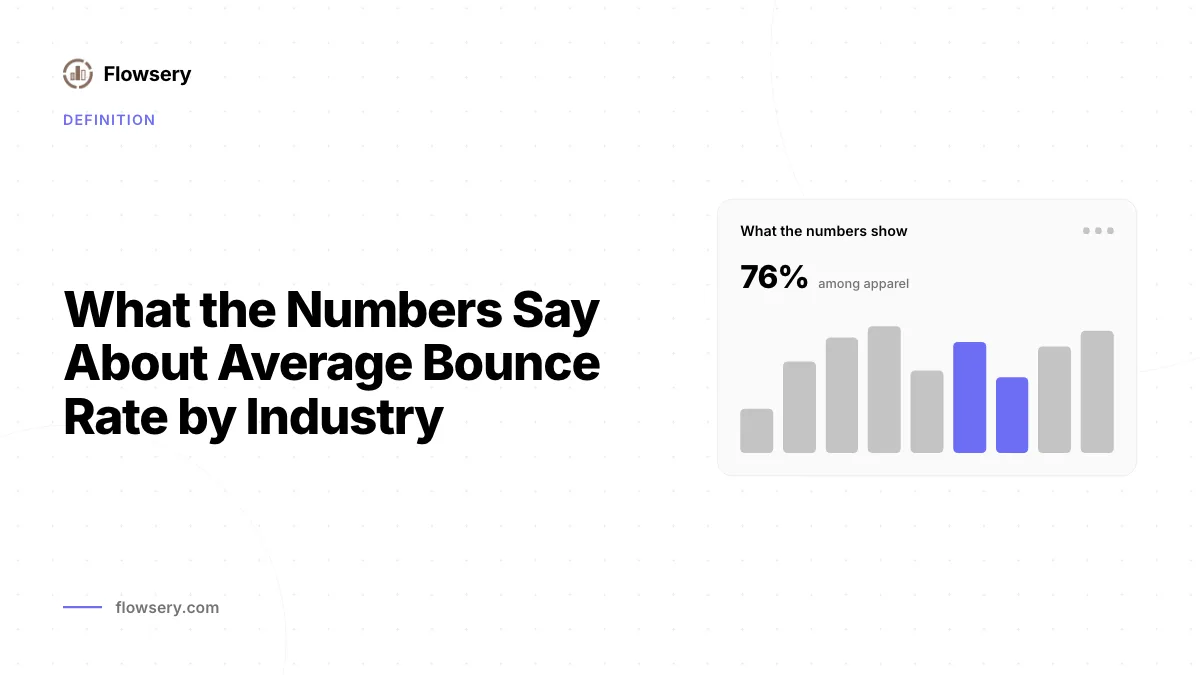
Nine tracked industries return a documented average bounce rate by industry ranging from 35.76% to 48.38%, sourced from Databox data dated September 2024.

What Average Session Duration Actually Measures
In classic analytics, average session duration gives zero recorded time to the very last pageview of every session, which quietly drags the average down.
Working the Conversion Rate Formula on Real Traffic
The conversion rate formula is conversions divided by sessions or unique visitors, times 100. One week of traffic run through both denominators gives two.
How Session Timeout Rules Quietly Inflate Your Analytics
A session timeout closes an idle visitor's session, and the default 30-minute rule is why the same traffic reports different counts.
Related Articles


What a Session Is in Web Analytics
In web analytics, a session is one group of a visitor's interactions, closed by inactivity, midnight, or a campaign change.
When Data Sampling Starts and How to Spot It in a Report
In GA4, data sampling starts above 10 million events on standard properties and 100 million on Analytics 360, and one icon is the only on-screen tell.


What Clickstream Data Records, Row by Row
Every clickstream data row is one hit with a timestamp, an identifier and a URL, which is why the GDPR and the CCPA both treat the export as personal data.